

 Fabric
 Quilt
QuiltAcerca del mod Artisanat
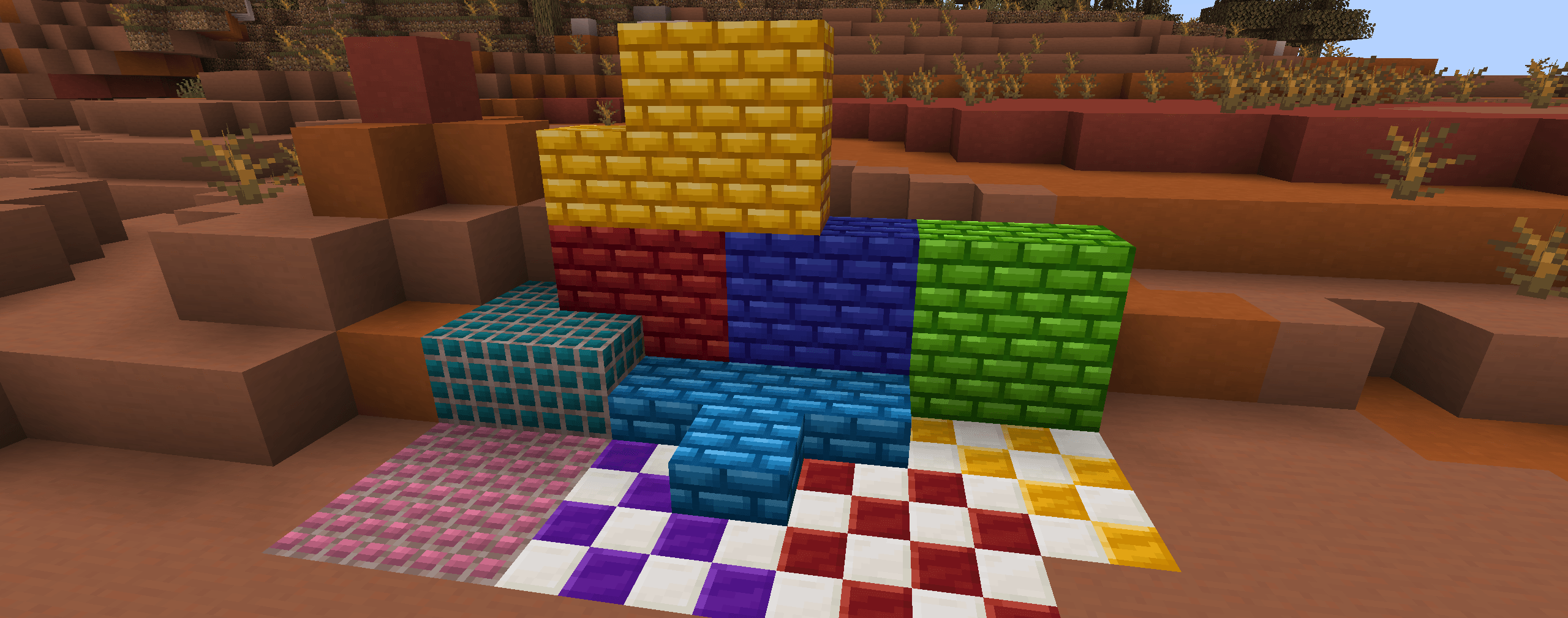
A mod for the latest version of Minecraft that adds a ton of new decorative blocks, such as new bricks, stairs and slabs, colorful variants and more.
Explore the wiki »
Report a Bug - Request a Feature
👾 About
Visit the website for all the information on the features of Artisanat.
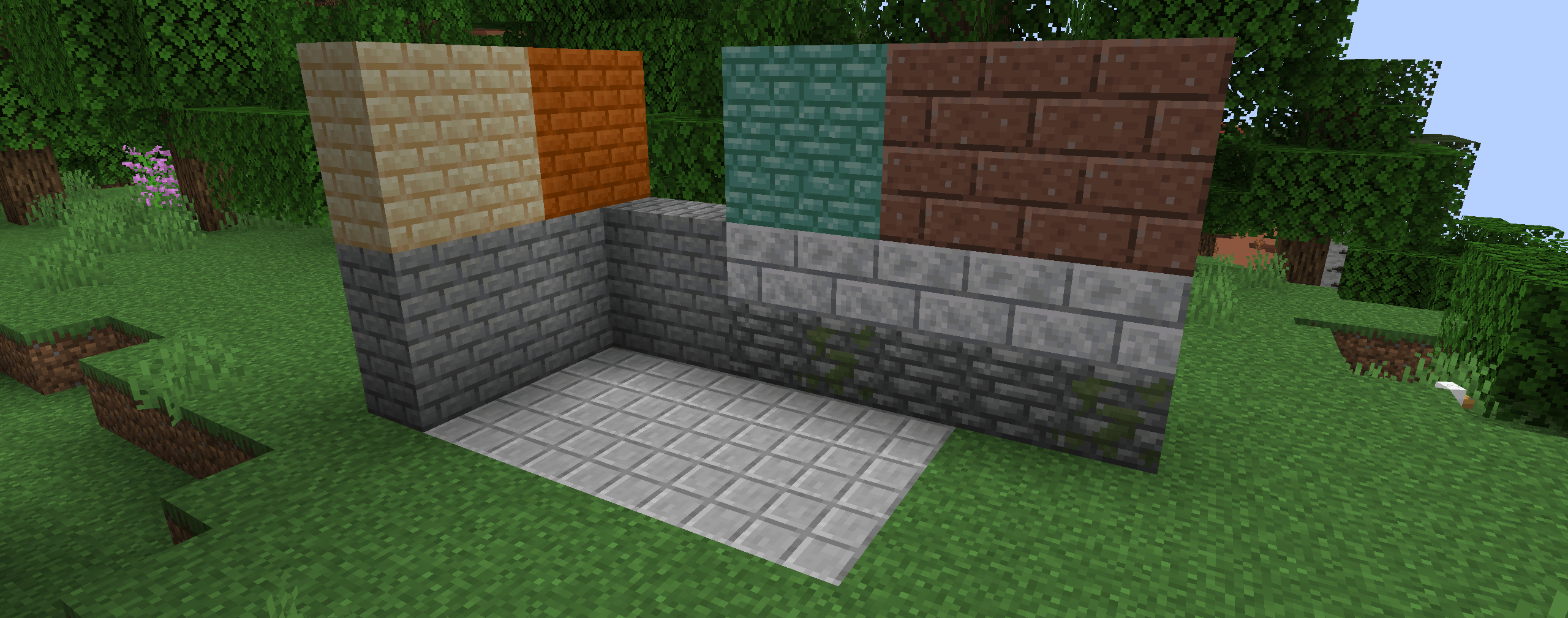
Artisanat currently adds those blocks to the game:
- Stained bricks
- More terracotta/concrete blocks
- Stained dark prismarine
- Wood blocks
- Cobblestone bricks
- Granite, diorite and andesite bricks
- Sandstone bricks and polished sandstone
- Smooth stone paving
- Chiseled prismarine
- Prismarine brick paving
- Quartz paving
- Cut and plated ore blocks, ore bricks, ore tiles (coal, iron, copper, etc...)
📦 Download
Required mods
⚠ Artisanat requires Fabric API to be installed: GitHub / CurseForge / Modrinth
❤️ Support
You can support Artisanat on the Patreon page of the founder, main developer and maintainer of the Dawn Team mods (Hugman).
By supporting Hugman, you can get access to the following:
- Vote for the next features to be added to the Dawn Team mods
- Get exclusive screenshots of the next features to be added to Dawn Team mods
- Get early access to the latest beta versions of Dawn Team mods with new features
- Get early access to new mods from the Dawn Team mods
We do not want to lock any in-game feature of the Dawn Team mods behind a paywall, because we believe that any Minecraft mod should forever remain free to download and fully exploit/use. Supporting via Patreon is a more of way to help Hugman to continue to improve the mods and show the gratitude you might have towards Hugman's work. Some money you donate may be used to pay for new features, such as music or art, but not all of it.
📜 License
Except where otherwise stated (see third-party license notices), the content of this repository is provided under the Polyform Shield 1.0.0 license by Hugman.
🎮 My Other Mods
Artisanat is made for Fabric, and currently not for Forge.
Cómo instalar Artisanat
With Millida Launcher
Install Millida Launcher
The launcher is free: download it at millida.net/launcher and sign in with any nickname.
Click “Install” on this page
The launcher opens and installs the mod for Minecraft 26.1–26.1.2 on Fabric or Quilt automatically.
Launch the game
A profile with it appears in the launcher: click “Play”.
Manually
Install Fabric or Quilt
The loader must match the game version of the mod file, for example Minecraft 26.1.2. After installing it, a separate profile appears in your launcher.
Download the file for your version
In the version list above, pick the file artisanat-3.4.0.jar (2.5 MB) for your game version and loader.
Put it in the mods folder
The folder is inside .minecraft (Windows: %appdata%\.minecraft\mods). If it does not exist, create it.
Launch the loader profile
Open “Mods” in the main menu: Artisanat should be in the list.
Versiones
Con dependencias
| Minecraft | Cargador | Archivo | Fecha | Acciones |
|---|---|---|---|---|
| 26.1 | Fabric, Quilt | Artisanat v3.4.02.5 MB |
FAQ
Which Minecraft versions does Artisanat work on?
There are files for 26.1.2, 26.1.1, 26.1. The newest is 26.1.2.
Is Artisanat for Forge or Fabric?
There are files for Fabric: 26.1–26.1.2 and for Quilt: 26.1–26.1.2. There are no files for Forge or NeoForge: a mod for another loader will not start.
Reseñas
Sé el primero en valorar Artisanat


