
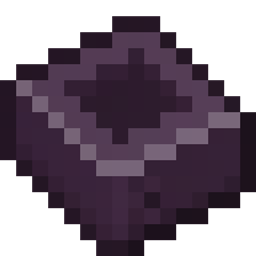
AE2 Things [Forge] Mod para Minecraft 1.21.1, 1.19.2
Introduce un nuevo tipo de Celda, inscriptor avanzado y cámara de crecimiento de cristales
 NeoForge
 Forge
ForgeAE2 Things (edición Forge)
Este mod añade dos máquinas de AE2Stuff, el Inscriptor Avanzado y la Cámara de Crecimiento de Cristales, y un nuevo tipo de celda, el DISK: Deep Item Storage disK.
Requiere Forge y AE2. (Este es un port a Forge del AE2 Things original, creado por ProjectET para Fabric.)
Discusión en el servidor de Discord de AE2: https://discord.gg/Zd6t9ka7ne.
Características
DISK - Deep Item Storage disK
Celdas de almacenamiento que pueden almacenar 1k, 4k, 16k y 64k objetos sin ningún límite de tipos. Esta celda no tiene límites de tipos y un objeto cuenta como un byte. Debido a limitaciones con el formato de la celda, pierdes 24 bytes por kibibyte, pero bueno, un pequeño precio a pagar por no tener tipos, ¿no? Ten en cuenta que son más caras que las celdas normales, ya que requieren un poco de netherite.
Inscriptor Avanzado [ELIMINADO EN 1.20 DEBIDO A LA REFORMA DEL INSCRIPTOR DE AE2]
Inscriptor sin límites de ranuras por pila y sin las molestas restricciones de automatización por lados.
Cámara de Crecimiento de Cristales [ELIMINADA EN 1.19 DEBIDO A LA REFORMA DE CRISTALES DE AE2]
Una máquina para cultivar fácilmente grandes cantidades de cristales a la vez, o polvo de fluix. Como bonus, enviará automáticamente cualquier objeto terminado directamente a tu red ME.
Cómo instalar AE2 Things [Forge]
With Millida Launcher
Install Millida Launcher
The launcher is free: download it at millida.net/launcher and sign in with any nickname.
Click “Install” on this page
The launcher opens and installs the mod for Minecraft 1.18.2–1.21.1 on Forge or NeoForge automatically.
Launch the game
A profile with it appears in the launcher: click “Play”.
Manually
Install Forge or NeoForge
The loader must match the game version of the mod file, for example Minecraft 1.21.1. After installing it, a separate profile appears in your launcher.
Download the file for your version
In the version list above, pick the file AE2-Things-1.4.2-beta.jar (64 KB) for your game version and loader.
Put it in the mods folder
The folder is inside .minecraft (Windows: %appdata%\.minecraft\mods). If it does not exist, create it.
Launch the loader profile
Open “Mods” in the main menu: AE2 Things [Forge] should be in the list.
Minecraft 1.21.1 runs on Java 21: with a different Java version the game may close right after launch.
Versiones
Con dependencias
| Minecraft | Cargador | Archivo | Fecha | Acciones |
|---|---|---|---|---|
| 1.21.1 | NeoForge | AE2 Things v1.4.2-beta64.5 KB 5 | ||
| 1.18.2 | Forge | AE2 Things v1.0.7113 KB | ||
| 1.19.2 | Forge | AE2 Things v1.1.0-beta92 KB 1 |
Reseñas
Sé el primero en valorar AE2 Things [Forge]


