

AE2 Import Export Card Mod para Minecraft 1.18.2, 26.1.2
Añade una tarjeta de Importar y Exportar y Selector de Bloques para Applied Energistics 2
 NeoForge
 Forge
ForgeESTE MOD REQUIERE APPLIED ENERGISTICS 2
Si quieres poner este mod en tu modpack, siéntete libre de usarlo :) Este mod añade una Tarjeta de Importación y Exportación y una Tarjeta Selectora de Bloques para Applied Energistics 2.
La Tarjeta de Importación toma objetos de ranuras específicas de tu inventario y los deposita en tu sistema ME. Abre tu terminal inalámbrica y añade la tarjeta de importación o exportación en la ranura de la derecha.
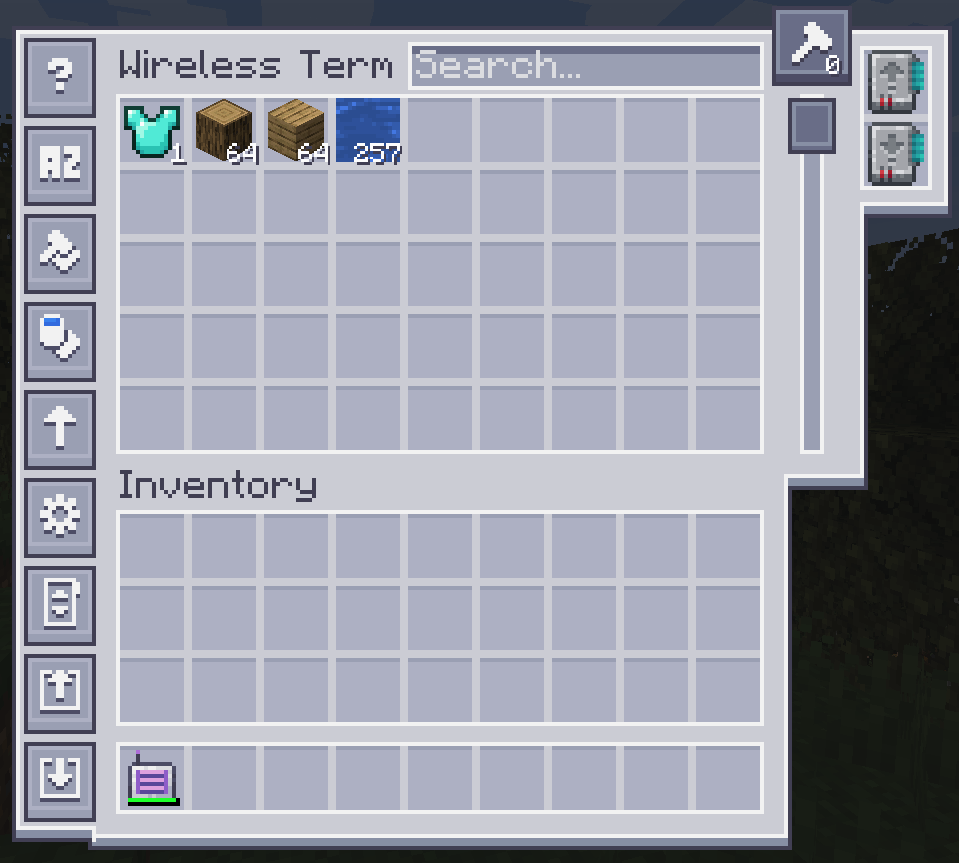
Para configurarla, haz clic en uno de los botones del lado izquierdo.
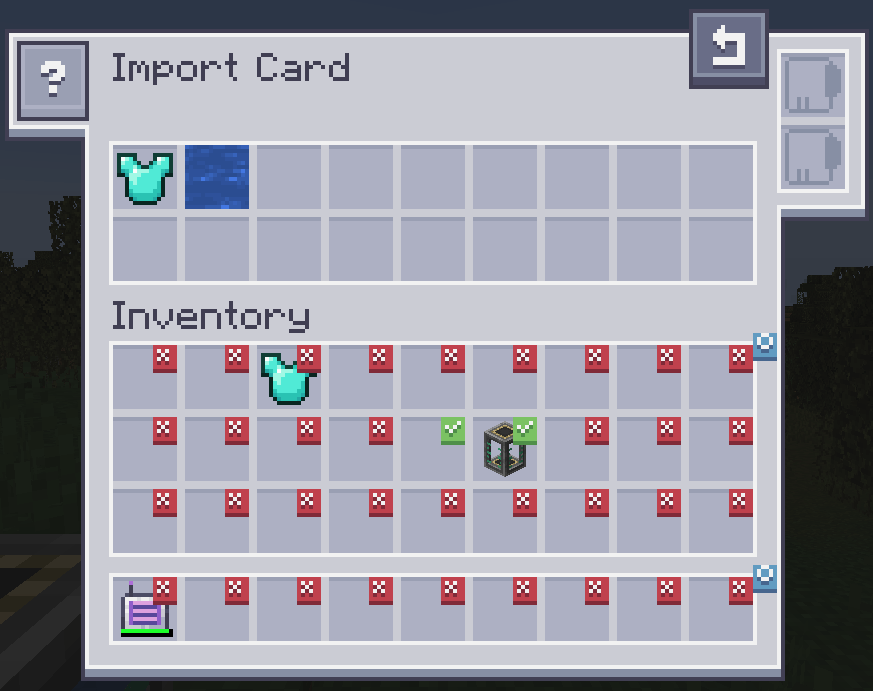
Al hacer clic en las ranuras se marca una casilla. Cualquier objeto en la ranura que tenga una casilla marcada se importará a tu sistema ME. Arrastra objetos desde tu inventario a la parte superior para cambiar el filtro. Se admite la tarjeta difusa. Cambiar el filtro a lista negra requiere una tarjeta inversora.
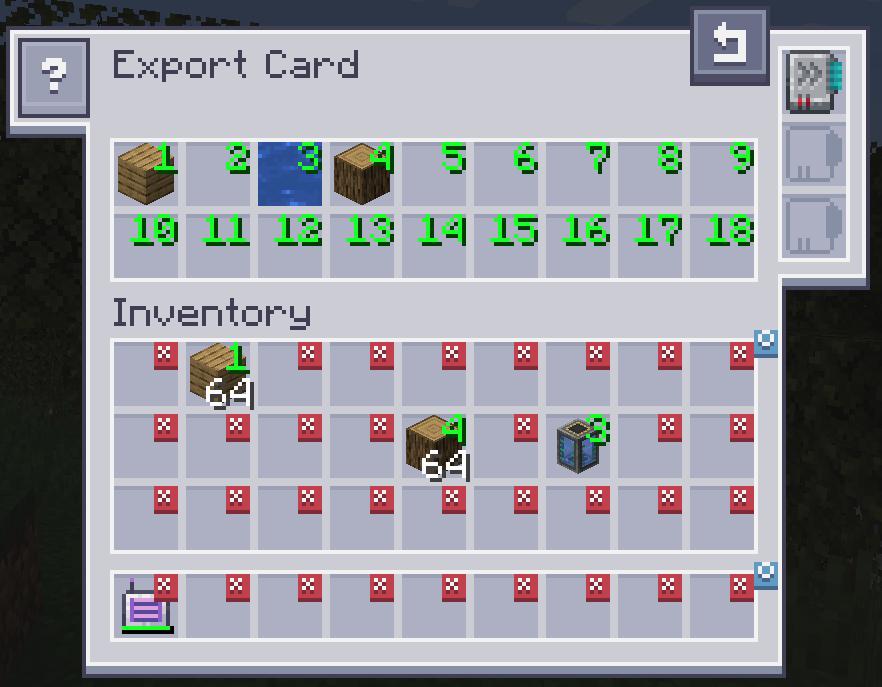
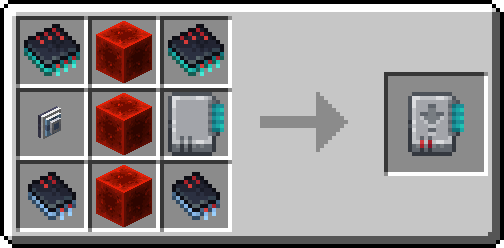
La Tarjeta de Exportación funciona exactamente igual, pero extraerá objetos de tu sistema ME hacia tu inventario. Para especificar qué objetos, arrastra el objeto desde el inventario a una de las ranuras de la parte superior y haz clic en una ranura de tu inventario para cambiarla al número deseado. Al hacer clic derecho se restablece a X. Se admite la tarjeta difusa. La tarjeta de aceleración mejora la velocidad de transferencia de 1 a una pila completa de objetos. La tarjeta de fabricación se usa para solicitar y fabricar automáticamente objetos que actualmente no están disponibles.
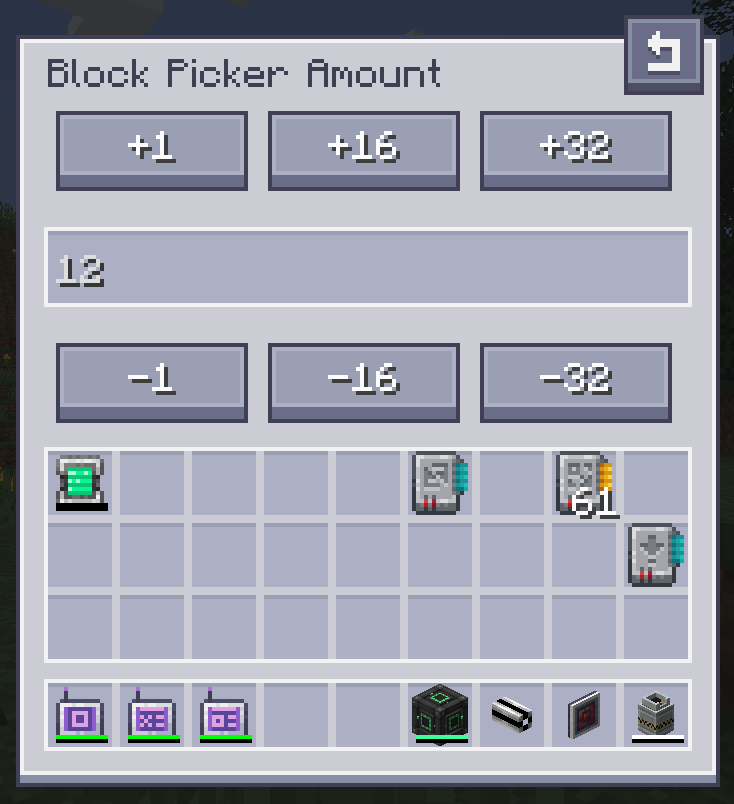
La Tarjeta Selectora de Bloques te permite extraer el bloque que estás mirando directamente desde tu Red. Simplemente apunta a un bloque y pulsa la tecla asignada a "Pick Block". Si el bloque correspondiente está disponible en tu red, se extraerá a tu inventario.
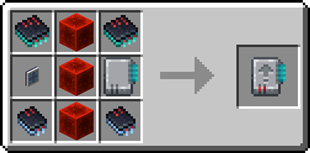
Receta de la Tarjeta de Importación:
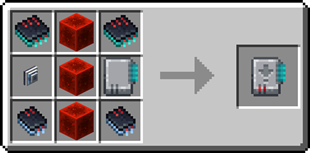
Receta de la Tarjeta de Exportación:
¿Necesitas un servidor? Obtén un 20% de descuento en tu primer mes usando el código promocional "ultra"
Cómo instalar AE2 Import Export Card
With Millida Launcher
Install Millida Launcher
The launcher is free: download it at millida.net/launcher and sign in with any nickname.
Click “Install” on this page
The launcher opens and installs the mod for Minecraft 1.18.2–26.1.2 on Forge or NeoForge automatically.
Launch the game
A profile with it appears in the launcher: click “Play”.
Manually
Install Forge or NeoForge
The loader must match the game version of the mod file, for example Minecraft 26.1.2. After installing it, a separate profile appears in your launcher.
Download the file for your version
In the version list above, pick the file ae2importexportcard-26.1.2-2.3.1.jar (469 KB) for your game version and loader.
Put it in the mods folder
The folder is inside .minecraft (Windows: %appdata%\.minecraft\mods). If it does not exist, create it.
Launch the loader profile
Open “Mods” in the main menu: AE2 Import Export Card should be in the list.
Versiones
Con dependencias
| Minecraft | Cargador | Archivo | Fecha | Acciones |
|---|---|---|---|---|
| 26.1.2 | NeoForge | ae2importexportcard-26.1.2-2.3.1.jar469 KB | ||
| 1.18.2 | Forge | ae2insertexportcard-1.18.2-1.0.0.jar215 KB |
FAQ
Which Minecraft versions does AE2 Import Export Card work on?
There are files for 26.1.2, 1.18.2. The newest is 26.1.2.
Is AE2 Import Export Card for Forge or Fabric?
There are files for Forge: 1.18.2 and for NeoForge: 26.1.2. There are no files for Fabric: a mod for another loader will not start.
Does AE2 Import Export Card need other mods?
The author lists no required dependencies: the Forge or NeoForge loader is enough.
Where can I download AE2 Import Export Card safely?
On this page: the file ae2importexportcard-26.1.2-2.3.1.jar (469 KB) is stored on Millida’s server, with no link shorteners. SHA-1 checksum: bff68fd4ac4d6bff7a0e39cbe7857a73e7b9dd36.
Reseñas
Sé el primero en valorar AE2 Import Export Card


