
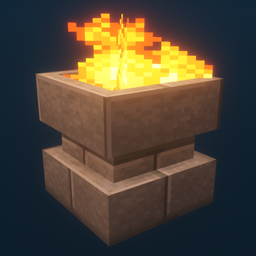
Additional Lights Mod para Minecraft 1.12.2, 26.3
Los 8 tipos, 2 tipos de fuego, más de 200 variaciones.
 Fabric
 NeoForge
 Forge
ForgeAcerca del mod Additional Lights
Descripción:
Este mod añade más de 200 variaciones de luces en 6 tipos, con versiones de fuego, fuego de alma y luz para luces selectas.
Actualizaciones:
v3.1
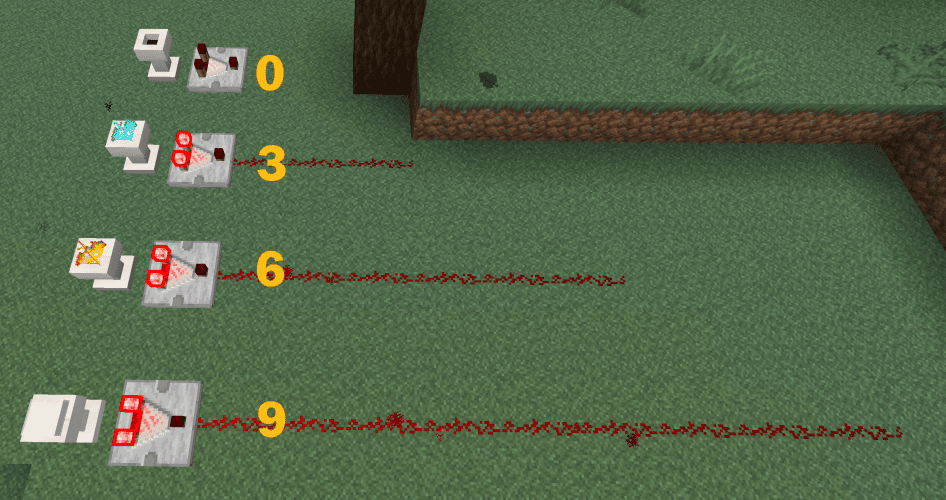
- Los pedestales ahora admiten salida de comparador.
v3.0
v2.2
- Se añadieron desbloqueos del libro de recetas (logros) para todas las recetas de Additional Lights
- Se añadió una opción de configuración para activar/desactivar las recetas de fabricación de Fuego/Fuego de Alma (por defecto: OFF)
(Fabric: se requieren Mod Menu + Cloth Config para cambiar la configuración, pero el mod funciona sin ellos)
v2.1
v2.0
Nota:
Fire Pit y Standing Torch se pueden encender con clic derecho.
También necesitan 2 bloques de espacio.
Puedes usar soul wand para convertirlo en fuego de alma.
Características:
- - El fuego no hace daño, sin peligro de incendio.
- - El brillo del fuego de alma es 10.
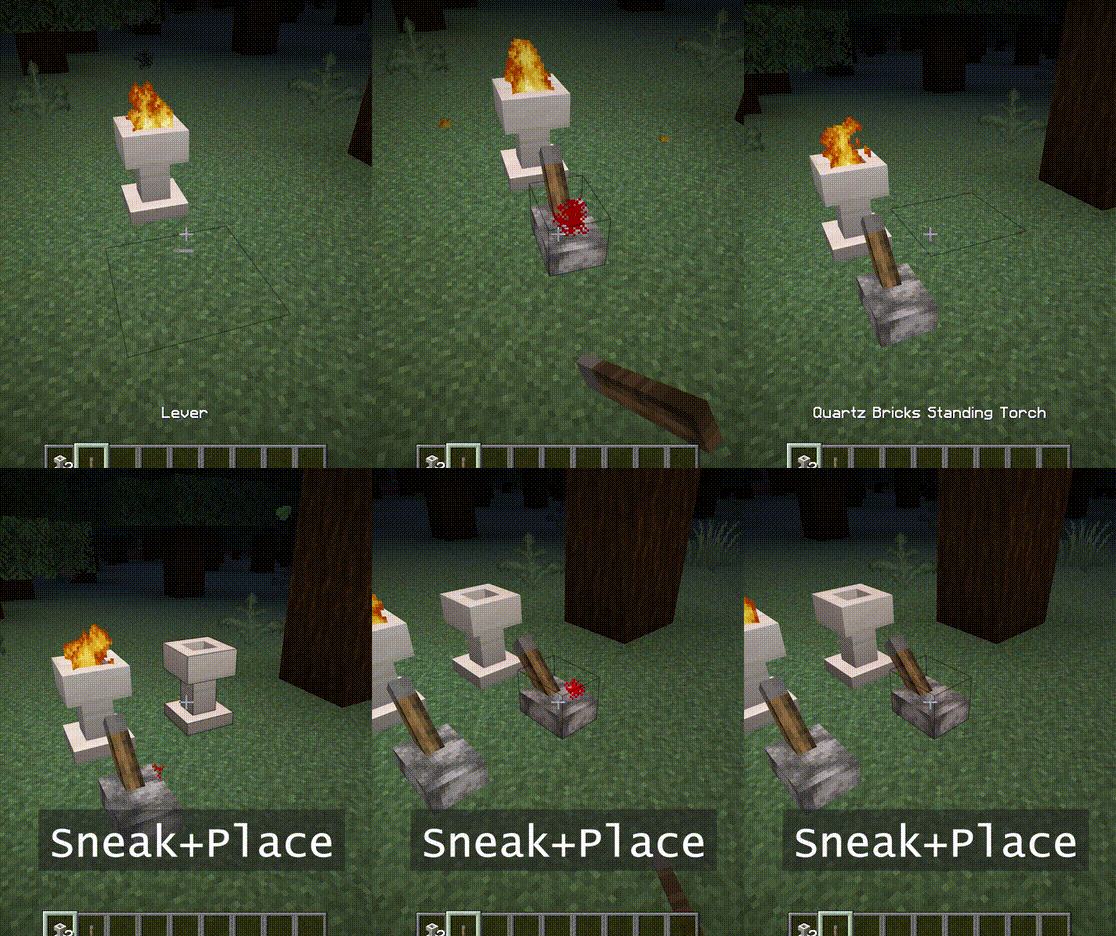
- - Cuando se coloca en modo agachado, no se encenderá. También rechaza señales hasta que se rompa.
- - [1.16] Los piglins temen al fuego de alma. (la antorcha no funciona)
Capturas de pantalla:
(Tomadas en el siguiente entorno: Paquete de texturas: Faithful x32, Paquete de shaders: BSL v7.1.05p2, Mapa: Falcon's Rock v2.0.0)
El paquete de recursos para faithful x32 de este mod se puede descargar aquí. https://www.curseforge.com/minecraft/mc-mods/additional-lights/download/3001273
Eres libre de incluirlo en un modpack.
Cómo instalar Additional Lights
With Millida Launcher
Install Millida Launcher
The launcher is free: download it at millida.net/launcher and sign in with any nickname.
Click “Install” on this page
The launcher opens and installs the mod for Minecraft 1.12.2–26.3 on Fabric, Forge or NeoForge automatically.
Launch the game
A profile with it appears in the launcher: click “Play”.
Manually
Install Fabric, Forge or NeoForge
The loader must match the game version of the mod file, for example Minecraft 26.3. After installing it, a separate profile appears in your launcher.
Download the file for your version
In the version list above, pick the file additional_lights-fabric-26.3-3.1.3.jar (830 KB) for your game version and loader.
Put it in the mods folder
The folder is inside .minecraft (Windows: %appdata%\.minecraft\mods). If it does not exist, create it.
Launch the loader profile
Open “Mods” in the main menu: Additional Lights should be in the list.
Versiones
Con dependencias
| Minecraft | Cargador | Archivo | Fecha | Acciones |
|---|---|---|---|---|
| 26.3 | Fabric | Additional Lights 26.3-3.1.3-Fabric830 KB 22 | ||
| 26.3 | NeoForge | Additional Lights 26.3-3.1.3-NeoForge731 KB | ||
| 1.21.4 | Forge | Additional Lights 1.21.4-2.1.11626 KB | ||
| 1.16.1 | Forge | Additional Lights 1.16.1-2.0.0489 KB | ||
| 1.12.2 | Forge | Additional Lights 1.12.2-1.2.1.2-optional326 KB 2 |
FAQ
Which Minecraft versions does Additional Lights work on?
There are files for 26.3, 1.21.4, 1.16.1, 1.12.2. The newest is 26.3.
Is Additional Lights for Forge or Fabric?
There are files for Fabric: 26.3, for Forge: 1.12.2–1.21.4 and for NeoForge: 26.3.
Does Additional Lights need other mods?
The author lists no required dependencies: the Fabric, Forge or NeoForge loader is enough.
Where can I download Additional Lights safely?
On this page: the file additional_lights-fabric-26.3-3.1.3.jar (830 KB) is stored on Millida’s server, with no link shorteners. SHA-1 checksum: 197a06d2da92880c5ed0e613db13ba8354c56055.
Reseñas
Sé el primero en valorar Additional Lights


