
Weapons resource packs for Minecraft — Java — page 2
Resource packs: list


Just 3D Armors HMI
Added 3d armor items that are held by hold my itemsInstall

Aimz Better Crosshair
A Better and Modern Crosshair that changes the vanilla crosshairInstall

Mace but 3D
Adds a clean 3D model that appears while holding the maceInstall

3D Harnesses x Fresh Animations
3D Harnesses but with Fresh Animations supportInstall
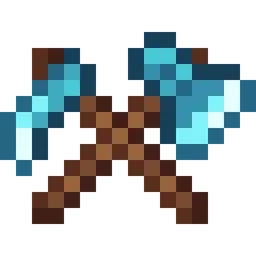
Fresh Weapons & Tools
Fresh vanilla-style weapons and tools with unique details for different materialsInstall
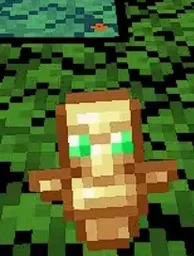
small totem pop
A simple texture pack that makes the totem pop animation on your screen smaller so you dont turn blind immediately. can be used as an overlay with other packsInstall
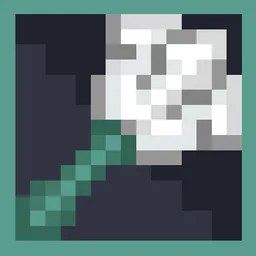
Trident Fusion
Trident Fusion gives the classic Minecraft trident a cleaner, more refined appearanceInstall

Vanilla-Plus
smooth rework of vanilla textures, with focus on tools, “standard survival” items, particles and moreInstall

Transparent GUI and HUD
1.8.8+; Makes all of the GUIs and HUDs in the game transparent (clear; see-through) for a sleek and modern-looking minimal design! + Fire and Pumpkin overlay support.Install
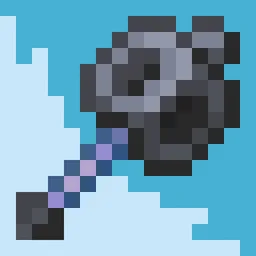
Mace Fusion
Mace Fusion gives the Minecraft mace a cleaner, more polished look with a refined 3D modelInstall
Player Health Indicators
Shows hearts/health above player heads as healthbarsInstall

Drodi's Illagers
Reimagined Illagers with new models, textures, and unique features!Install
Blades of Majestica
Pack that allows you to change boring minecraft swords into majestic fantasy weapons!Install

SenpaiSpider 1 Million Texture Pack
Here is my 1M Texture Pack. While it may not be the most optimized, I hope my subscribers will enjoy it. Thank you for supportiInstall

PVP SMP Deluxe
PVP Focused Texturepack | Low Fire | Low Shield | Vanilla Like.Install

CPvP Marin Kitagawa PvP Pack + Anime sky
This PvP/CPvP resource pack replaces the model textures, sounds, GUI, inventory, menu, and sky with a Marin Kitagawa theme.Install

Amazing Mace 3d
This resource pack Turns 2D texture of mace into 3D..!!Install

PvP Scroutopia
A Crystal PvP, Sword PvP and Axe PvP texture pack, which includes low fire, small items and more.Install

Crystal Vanilla Tweaks
A edit of the Crystal Vanilla by Nestor. For Crystal PvP or CPVP! The essentials/basics for crystal pvp, includes lower fire, reduced particles and more!Install

p1kl's 3D Items
Revamp Minecraft with original 3D item models, now compatible with Hold My Items (HMI), Punchy!, and available for every version 1.21+! Thanks for 300,000 downloads!Install

PvP Essentials 1.21+
Every Essential YOU Need For PvP! Includes No Bobber, No Fire, Low Shield, Small Totem Pop, & More!Install

Low Shield PvP
This texture pack makes your shield lower so that you can PvP better.Install

Untitled Punchy
Flashier, smoother animations for Punchy.InstallFAQ
Do I need Forge or Fabric for a resource pack?
No. A resource pack works on the regular game with no loaders or mods. Click “Install” and Millida Launcher will put the pack into the right modpack — then just enable it in the settings.
What do 16×, 32×, 64× mean?
The resolution of a single texture in pixels. 16× matches the original game, 32× and 64× are more detailed and heavier, and 128× and up put a noticeable load on your graphics card.
Will a pack made for another version work?
Most likely partly: older packs don't have textures for newer blocks, so those will stay default. The game won't break, though.
How is a texture pack different from a resource pack?
Only by name and age. Before version 1.6 the sets were called texture packs and changed only textures; in 1.6 resource packs replaced them and also change sounds, fonts and the interface. Old texture packs for 1.5 and below do not work on new versions without conversion.
Which texture packs are best for PvP?
PvP packs: 16× resolution or lower, shortened swords, low fire, a clear sky and bright particles. They barely load the computer and make the opponent easier to see. These packs are collected in the PvP theme.
How do I install a resource pack?
Press Install and Millida Launcher puts the pack into the resourcepacks folder of the right instance. Then enable it in the game: Options, then Resource Packs. Manually, the archive goes into resourcepacks inside the game folder, no need to unpack it.
Weapons resource packs for Minecraft — Java
Weapons resource packs for Minecraft: 295 items in the Resource packs section. Compatibility is checked against the files, not the description: only items with a build for exactly these conditions stay in the list.
The key thing about a pack is its resolution. The game's default textures are 16×16 pixels; 32× and 64× packs look more detailed, while 128× and up need a real graphics card and are usually paired with shaders. On a weak machine it makes sense to stay at 16× or go for packs that deliberately simplify graphics for more FPS. Every pack here lists its game version, author and license, and all released versions are gathered on one card. Put the downloaded archive in the resourcepacks folder and enable it in the game settings.