
Minecraft texture packs — page 31
6,456 itemsResource packs: list


Farming Valley - Resource Pack
This is a separate resource pack for Farming Valley and Farming Valley LiteInstall
Ashen Simple Glass
Simplifies Ashen 16x's Stained Glass for a slightly more vanilla feel.Install
Lopy's Create Style Construction Wands
Construction Wands but Creatified!Install

Attribute Icons (RPG Series)
Icons embedded in attribute translationsInstall

SPBR
A PBR textures pack based on VNR,which in order to provide Physical properties and parallax details for vanilla 16x textures.Install

Suren's FTB Quests
Renewed some visual aspects of popular quest mod!Install

Tax' Creepy Artist
Creepy Artist is a Minecraft resourcepack aims to replace the paintings with creepy paintings.Install

Mandalas GUI - KOTS Compat
Including Create 6.0+, 110 + mods compatibility of Mandala's GUI - Dark modeInstall

Excalibur | Epic Knights Support
This is an unofficial WIP compatibility pack to make the textures in the Epic Knights series mods blend together with the incredible Excalibur texture pack.Install

Dark Smooth GUI
Adds a dark smooth GUI to Minecraft, with support for many mods GUIsInstall

Tears & Cheers - Ghast Revamp
A simple touchup to the Ghast and Happy Ghast, making them more distinct and expressive!Install

Excalibur | Iron's Spells 'N Spellbooks support
This resource pack redraws the Iron's Spells 'N Spellbooks mod in the Excalibur styleInstall

Aimz Better Crosshair
A Better and Modern Crosshair that changes the vanilla crosshairInstall

Mine Cells - 3D Weapons Pack
Alternative 3D Weapon Models for Mine CellsInstall
More_Power_Trail
A trail pack by hill,made for efn Make the weapon trail of EFN, Minecraft, EpicFight shine.Install

Just 3D Armors HMI
Added 3d armor items that are held by hold my itemsInstall

Overgrown |A Nature Overhaul Texture Pack For Bedrock (Rain Update!)
This texture pack tries to improve nature as much as possible by changing/adding new textures, models, and variants while keeping the vanilla feel to the game!Download
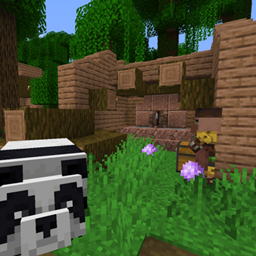
Repurposed Structures - Environmental Compat Datapack
Make RS structures have Environmental blocksInstall

R3D CRAFT 128px
A HD alternative to Minecraft's default apperanceInstall
Aures - Create Style for Refined Storage
The container mod is now in brass color!Install

Small Held Items
A resourcepack that makes all item models when you hold them smaller. This includes all blocks and items.Install

Fresh Flower Pots: Compats
Add-on for Fresh Flower Pots that adds mod compatibility.Install
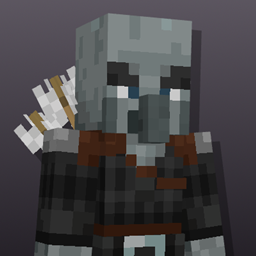
Better Illagers
Makes all the types of Illagers spawn with Biome Dependent variantsInstallFAQ
Do I need Forge or Fabric for a resource pack?
No. A resource pack works on the regular game with no loaders or mods. Click “Install” and Millida Launcher will put the pack into the right modpack — then just enable it in the settings.
What do 16×, 32×, 64× mean?
The resolution of a single texture in pixels. 16× matches the original game, 32× and 64× are more detailed and heavier, and 128× and up put a noticeable load on your graphics card.
Will a pack made for another version work?
Most likely partly: older packs don't have textures for newer blocks, so those will stay default. The game won't break, though.
How is a texture pack different from a resource pack?
Only by name and age. Before version 1.6 the sets were called texture packs and changed only textures; in 1.6 resource packs replaced them and also change sounds, fonts and the interface. Old texture packs for 1.5 and below do not work on new versions without conversion.
Which texture packs are best for PvP?
PvP packs: 16× resolution or lower, shortened swords, low fire, a clear sky and bright particles. They barely load the computer and make the opponent easier to see. These packs are collected in the PvP theme.
How do I install a resource pack?
Press Install and Millida Launcher puts the pack into the resourcepacks folder of the right instance. Then enable it in the game: Options, then Resource Packs. Manually, the archive goes into resourcepacks inside the game folder, no need to unpack it.
Minecraft texture packs
A resource pack changes how the game looks and sounds: block and item textures, fonts, the interface, sounds. It doesn't touch the game's code, so it needs no mod loader and breaks nothing on a server — the pack only works on your screen. That's exactly why a resource pack is safer than any mod: the worst that happens on a version mismatch is that some textures stay default.
Textures, texture packs and resource packs are essentially the same thing: since version 1.6 Mojang calls these sets resource packs, but the old name is still searched more often. PvP packs are a big genre of their own: shortened swords, low fire, bright particles and 16× resolution or lower, so the opponent stands out and the frame rate does not drop. Such packs are most often made for 1.8.9 and 1.16.5, the versions many PvP servers run on.
The key thing about a pack is its resolution. The game's default textures are 16×16 pixels; 32× and 64× packs look more detailed, while 128× and up need a real graphics card and are usually paired with shaders. On a weak machine it makes sense to stay at 16× or go for packs that deliberately simplify graphics for more FPS. Every pack here lists its game version, author and license, and all released versions are gathered on one card. Put the downloaded archive in the resourcepacks folder and enable it in the game settings.