
Minecraft texture packs — page 202
6,456 itemsResource packs: list


JellyJams
Cute mobs remodel and retexture!Download

Confabulation Blue Line
16x Blue Rails, Tigers, and Orcs. Oh My!Install

YSS RD
YSS RD is a shader built on the Vanilla RenderDragon engine. Introducing the fundamental edition of the YSS.Download

Peter Griffin Warden
"Hey Lois, I'm in the Deep Dark!"Install

Jicklus Pretty in Pink Addon
A pink themed addon for the texturepack 'Jicklus'.Install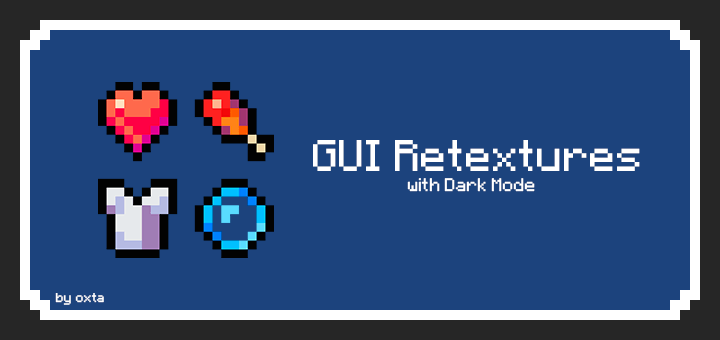

GUI Retextures BE
Makes GUI and HUD fancier with dark mode included. This is an unofficial «GUI Retextures» port, originally made by frugbug for Java.Download

VonDoomCraft
VonDoomCraft Is ReBorN! Zomb69 Is Back with NEW updates after 8 years absence.Install

Animeted cape
Mcpe animeted cape fore beter animetionDownload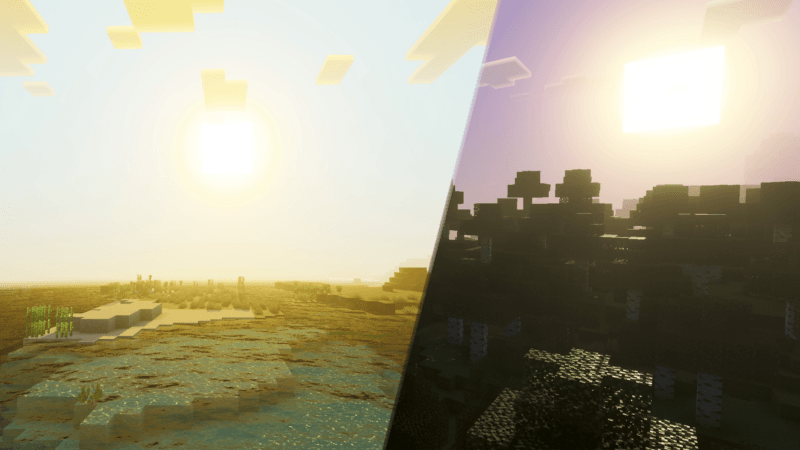

Gojo Satoru Visual Theme
Gojo Satoru Visual Theme makes your world feel more vibrant with Gojo Satoru’s energy from the Jujutsu Kaisen series. ✨Download

PandaMine's Fog Remover - No Fog (No Lava Fog, No Water Fog, No Nether Fog) | Clear Sight | No Fog Ultra | A&S Support
Removes all lava, water, snow, weather fog and nether particles. Supports A&S and Vibrant Visuals.Download
Consistent 2D Items
Re-textures and reworks some items to either be 2D, or to be more consistent with other 2D items!Install

Zedeyeare PvP Pack
Güt pack for PvP!Install
Welsh Highland Railway
Resource Pack for Immersive RailroadingInstall
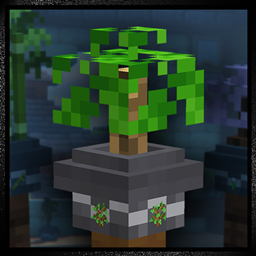
Bonsai Pots
Turns all potted saplings into neatly-trimmed bonsai plants!Install

Origins Immersion: Blazeborn
Blaze-themed HeartsInstall

Smooth Glass
Smooth Glass is a texture pack for Minecraft that enhances the appearance of glass blocks, making them cleaner and more visually appealing.Install

Magic Bookshelves
Add variants to the bookshelf.Install

Just Some More Doggos
Extra Wolf textures to add some more life into your world!Install
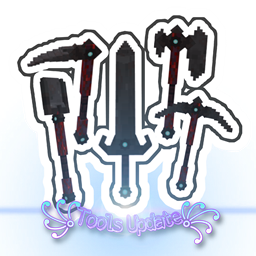
Enhanced Tools
this mod will change tool textures to 3DInstall

Visible Og Ores Plus
Bring back classic Minecraft ore textures with glowing effects that make them easier to find. ⛏️✨Download
Low-Fire
This resource pack makes minecraft fire low on your screen!Install

another ui
a clean, simple, & minimalistic ui with custom start background, smoother chat animation, and moreDownload

Dandelion With Mods
A minecraft resourcepack, being a fork of the original Dandelion but having added tons more stuffInstallFAQ
Do I need Forge or Fabric for a resource pack?
No. A resource pack works on the regular game with no loaders or mods. Click “Install” and Millida Launcher will put the pack into the right modpack — then just enable it in the settings.
What do 16×, 32×, 64× mean?
The resolution of a single texture in pixels. 16× matches the original game, 32× and 64× are more detailed and heavier, and 128× and up put a noticeable load on your graphics card.
Will a pack made for another version work?
Most likely partly: older packs don't have textures for newer blocks, so those will stay default. The game won't break, though.
How is a texture pack different from a resource pack?
Only by name and age. Before version 1.6 the sets were called texture packs and changed only textures; in 1.6 resource packs replaced them and also change sounds, fonts and the interface. Old texture packs for 1.5 and below do not work on new versions without conversion.
Which texture packs are best for PvP?
PvP packs: 16× resolution or lower, shortened swords, low fire, a clear sky and bright particles. They barely load the computer and make the opponent easier to see. These packs are collected in the PvP theme.
How do I install a resource pack?
Press Install and Millida Launcher puts the pack into the resourcepacks folder of the right instance. Then enable it in the game: Options, then Resource Packs. Manually, the archive goes into resourcepacks inside the game folder, no need to unpack it.
Minecraft texture packs
A resource pack changes how the game looks and sounds: block and item textures, fonts, the interface, sounds. It doesn't touch the game's code, so it needs no mod loader and breaks nothing on a server — the pack only works on your screen. That's exactly why a resource pack is safer than any mod: the worst that happens on a version mismatch is that some textures stay default.
Textures, texture packs and resource packs are essentially the same thing: since version 1.6 Mojang calls these sets resource packs, but the old name is still searched more often. PvP packs are a big genre of their own: shortened swords, low fire, bright particles and 16× resolution or lower, so the opponent stands out and the frame rate does not drop. Such packs are most often made for 1.8.9 and 1.16.5, the versions many PvP servers run on.
The key thing about a pack is its resolution. The game's default textures are 16×16 pixels; 32× and 64× packs look more detailed, while 128× and up need a real graphics card and are usually paired with shaders. On a weak machine it makes sense to stay at 16× or go for packs that deliberately simplify graphics for more FPS. Every pack here lists its game version, author and license, and all released versions are gathered on one card. Put the downloaded archive in the resourcepacks folder and enable it in the game settings.