
Shaders for Minecraft Java Iris — page 31
758 itemsShaders: list


AuroraLite
This shaderpack adds semi realistic clouds, very good godrays, auroras in snowy biomes. And best of all. A potato could run this!Install

Bad PC shaders
this is an extremly lightweight shader, for bad pc's, it has cool water glare, moving trees, moon light cool sunset, normal lighting and shadowsInstall

Carrot Shaders
Shaders focused on natural lighting, improved shadows and balanced colors.Install

Dizzy Shaders
Dizzy Shaders is a lightweight shader pack designed to distort reality. It warps the world around you, shifts colors smoothly, and blends the terrain with fluid motion and light bending—giving you a surreal experience without ruining your FPS.Install

ELASION
ELASION is an Experimental Lightweight Alpha Shader of Indeterminate Ordinal Number, made specifically for Oculus. It primarily emulates Alpha shading, with many settings to mess with.Install

Xelvora
A PVP-Shader. Not made for quality, but for performance! (In Its alpha!)Install

Ome Shaders
Designed for players who love warm sunset aesthetics.Install
CuteLite-Shader
60-100 FPS on Intel HD - No GPU Needed! Lite shader with God Rays & Dark CavesInstall

Cursed Shader pack
This project adds a completely cursed shader to minecraft.Install

Sytex Shader Sound
A shader that enhances Minecraft with beautiful, realistic lighting and a warm, immersive atmosphere.Install

Luxor Shader Low End
LuxorShader is a vanilla-inspired Minecraft shader focused on improving the game's visuals while preserving its original identity and atmosphere.Install
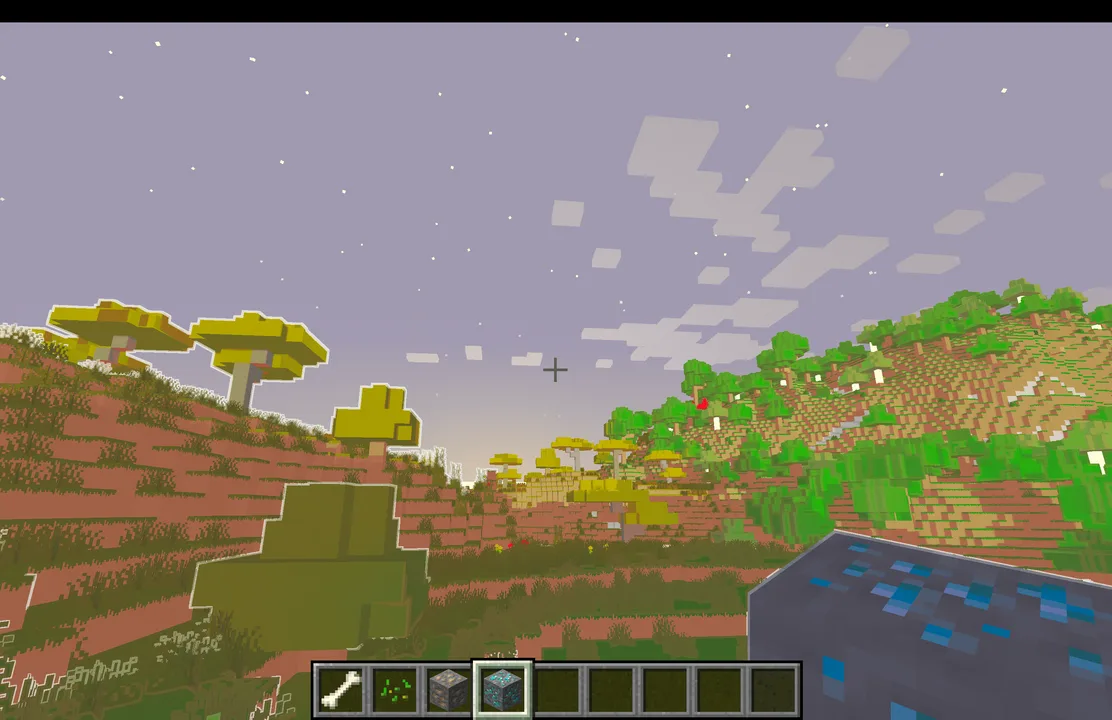
Animtr
This project adds an anime-style overlay to the whole world! It comes with a candy mode and the normal mode for even more fun.Install

ChillCrafter Shaders
Transform your Minecraft world with beautiful lighting, realistic water, and enhanced shadows—all without sacrificing performance.Install

Humid Shaders
A performance-focused, customizable shaderpack currently locked to a "Realistic" preset style.Install

RealisticLite
A lightweight, performance friendly shaderpack featuring realistic water, vibrant god rays, and handheld emissive lightning, carefully optimzed to deliver 60 FPS on low-end devices and IGPUs.Install

Black Hole Shader
A Shader with a Black Hole and Stars from SpaceInstall
DepthStyle Shaders
A shader that attempts to recreate the "Depth Style" effect seen in TikTok edits.Install

Nimbus Lite
Shaders with reflections, water, and wavy leaves.Install

ThaiGlowLite Shader
ThaiGlowLite Shader Shader in Minecraft 1.21.1+Install

Kreuss shader
This shader adds mid visuals on MinecraftInstall

Pain.
Want to not have fun and end up in isolation?Install

Vix enchanced vibrant
New perfomance shaders for your minecraftInstall

Seconds Before Purge
A world on the brink of collapse: eerie liminal spaces melt into neon glitches, warping blocks and flashes. A reality being erased.InstallRequired to run
FAQ
What do I need to get shaders working?
Iris or OptiFine. Iris installs as a Fabric mod and is usually faster; OptiFine is a separate installer. Without one of them the game simply won't see the shader. Millida Launcher installs Iris along with the shader for you.
Which shaders run on a low-end PC?
Light packs without ray tracing and with low shadow resolution. They're marked in the catalog — they give you shadows and water while costing noticeably fewer frames.
How do I install shaders?
Click “Install” and Millida Launcher will put the shader into the shaderpacks folder of the right modpack. Then select the pack in the video settings — no need to unpack the archive.
Iris or OptiFine — which should I choose?
For new versions, Iris: it works with Sodium, usually gives more FPS and supports almost all modern shaders. OptiFine is needed on old versions and for packs that rely on its special features. The two cannot be installed in the same instance.
Are there shaders for Bedrock?
The shaders in this section are for the Java edition; their format does not work in Minecraft PE and Bedrock. Bedrock has a built-in Vibrant Visuals graphics mode and resource packs with deferred rendering support, which are turned on in the game settings.
Shaders for Minecraft Java Iris
Shaders for Minecraft Iris: 758 items in the Shaders section. Compatibility is checked against the files, not the description: only items with a build for exactly these conditions stay in the list.
Beauty costs frames. Heavy ray-traced shaders can cut performance several times over even on a good graphics card, so the catalog separately marks light packs built for weak machines: they give you shadows and decent water while barely touching FPS. In practice: first install Iris or OptiFine, then put the shader archive in the shaderpacks folder and select it in the video settings. It's best to start with a light pack, and the quality profiles inside the shader itself lower the load even further.