
Shaders for Minecraft Java 26.2 — page 13
Shaders: list


Unified Realism
An ultra-realistic shaderpack featuring immersive lighting, dynamic shadows, realistic water, atmospheric weather and enhanced visuals.Install

Lost Tape Shader
Nostalgic analog-horror shader for Iris & OculusInstall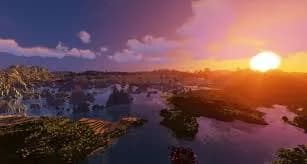

Sublime Visuals
Discover Minecraft like never before with Sublime Visuals, delivering stunning sunsets, crystal-clear water, dynamic lighting, atmospheric effects, and optimized performance for every adventureInstall

Pixelated Shaders
Pixelated Shaders brings natural lighting, soft colors, and smooth performance to Minecraft. Lightweight, clean, and beautiful on any device.Install

Hazelle Shaders
It’s colorful, nostalgic vibes with a mix of vintage aesthetics and a timeless, retro feelInstall

Demonic Possession
Animated demonic distortion and screen corruption shader.Install

Zarya
Fork of minecraft-miniature-shader by Mateus A. Kreuch, with a large visual extension layer.Install

Nolantic Shader
A Modern Minecraft Shader for Minecraft 1.20.1Install

Galaxy'S Shaders
A Minecraft Shaderpack For Minecraft: Java Edition. Simple Shaders.Install

performance shader
Performance Shader is a lightweight Minecraft shader focused on improving lighting, sky appearance, water visuals, and overall atmosphere while keeping performance in mind.Install

Zenith Shaders
A lightweight, highly optimized shaderpack focusing on soft procedural 3D clouds, immersive underwater distortion, cozy light-source blooming, and beautifully balanced, non-blinding exposures for day and night.Install

Simply Shaded
The only shaderpack designed for Maximum FPS.Install

Polace
Polace is a super light shaderpack for MinecraftInstall

LowShader
Optimized shaders for modern Minecraft versions, designed for smooth performanceInstall

Slugs Vibrant Visuals
This is a vibrant shaderpack made by ThegodlyslugInstall

Silva Pro
A lightweight Minecraft shader focused on beautiful visuals and high performance for low-end and mid-range PCs.Install

Daylight Shaders
A vibrant BSL fork blending semi-realistic lighting with a highly saturated, stylized pixel aesthetic. Featuring 16x pixel-locked shadows, it elevates your world while preserving the classic Minecraft charm. The ultimate retro-modern shader experience!Install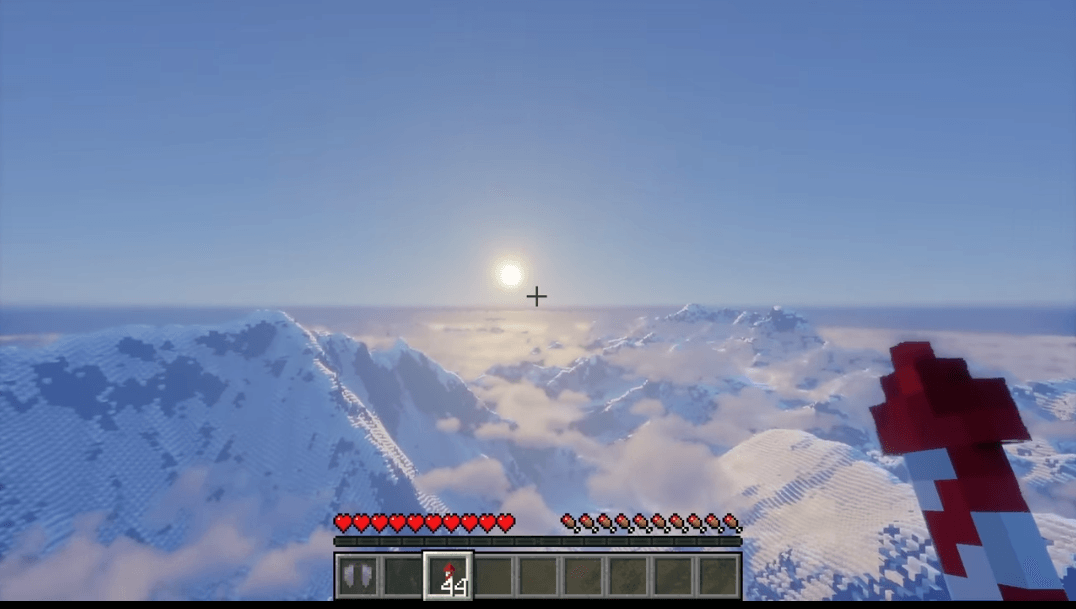
AerixiumSFA PTGI
AerixiumSFA PTGI is an extreme path-tracing Minecraft shader built for photorealistic global illumination, stunning reflections, and ultimate ray-traced visuals. 🔥Install

Wind Shaders
Every effect is tuned for depth and realism.Install

Memory Leaks
Persistent frame echoes and display artifacts.Install

EventHorizon
EventHorizon is a remix of the Complementary R4.7 shader.Install

HighFrames
HighFrames is a lightweight Minecraft shader focused on delivering smooth gameplay with subtle visual enhancements like soft shadows, bloom, and animated water.Install

Helios Shaders
Helio Shaders is a lightweight Minecraft shaderpack focused on improved lighting, realistic sun and sky colors, soft atmospheric fog, and enhanced terrain shading.InstallRequired to run
FAQ
What do I need to get shaders working?
Iris or OptiFine. Iris installs as a Fabric mod and is usually faster; OptiFine is a separate installer. Without one of them the game simply won't see the shader. Millida Launcher installs Iris along with the shader for you.
Which shaders run on a low-end PC?
Light packs without ray tracing and with low shadow resolution. They're marked in the catalog — they give you shadows and water while costing noticeably fewer frames.
How do I install shaders?
Click “Install” and Millida Launcher will put the shader into the shaderpacks folder of the right modpack. Then select the pack in the video settings — no need to unpack the archive.
Iris or OptiFine — which should I choose?
For new versions, Iris: it works with Sodium, usually gives more FPS and supports almost all modern shaders. OptiFine is needed on old versions and for packs that rely on its special features. The two cannot be installed in the same instance.
Are there shaders for Bedrock?
The shaders in this section are for the Java edition; their format does not work in Minecraft PE and Bedrock. Bedrock has a built-in Vibrant Visuals graphics mode and resource packs with deferred rendering support, which are turned on in the game settings.
Shaders for Minecraft Java 26.2
Shaders for Minecraft 26.2: 498 items in the Shaders section. Compatibility is checked against the files, not the description: only items with a build for exactly these conditions stay in the list.
Beauty costs frames. Heavy ray-traced shaders can cut performance several times over even on a good graphics card, so the catalog separately marks light packs built for weak machines: they give you shadows and decent water while barely touching FPS. In practice: first install Iris or OptiFine, then put the shader archive in the shaderpacks folder and select it in the video settings. It's best to start with a light pack, and the quality profiles inside the shader itself lower the load even further.