
Shaders for Minecraft Java 1.21 — page 27
736 itemsShaders: list


Simple Brightness - Shader
Lighting shaders add brightness to the surface and make it appear somewhat more lifelike, which slightly improves the gameplay and makes it look better.Install

PotatoGlow
This shader is for low performance pcs or just if you want an simply shader.Install

RealyTy Shaders
RealyTy is a realistic shader for minecraft 1.12.X - 26.2Install

AnalogCraft
Adds Beautiful Filters. Transform Minecraft into a playable retro fever dream. Analog features 10 fully authentic camera and screen filters including VHS, Bodycam, Game Boy, and 35mm Film.Install

Verity Shader
Shader that tries to replicate one used in Verity series by ThatMob.Install

White Noise
Experience Minecraft like never before - a glitchy, distorted world where reality breaks down into chromatic aberration and visual noise. This shader transforms your game into a surreal, corrupted dimension.Install
NoUnderwaterFog
The only shader that removes underwater fog without any other visual changes!Install

BalancedLite Shadere.zip
BalancedLite Shader A lightweight shader pack built for low-end and mid-range devices (tablets, older PCs, laptops). No real-time shadow mapping is used, keeping the performance cost close to vanilla while still improving the overall look. Features Cheap lInstall

Summer Vibes
Make your World look way better for the 2 Week Minecraft Phase. Gives me July vibesInstall

Brisa Lite
Brisa Lite is a lightweight Minecraft shader focused on smooth performance, vibrant lighting, soft shadows, and beautiful visuals without sacrificing FPS.Install

Actmos
Performance-focused shader featuring fantasy and realistic effects.Install

Terminator Vision Shader
Terminator Vision — See the world through the eyes of T-800!Install

Simply Solid Shaders
A shader designed to be plug and play, and just simply be solid for all your Minecraft needs!!Install

SolisLite
Ultra-lightweight shader for every version but not yet. Pure GPU math for stable 30 FPS on low-end laptops. 0% VRAM waste.Install

AmberVeil Shaders
A fantasy-soft Iris shader pack for 1.20.1 with hand-tuned water reflections and colored light bleed through glass.Install

PR1SMLITE
PR1SMLITE is a Minecraft shader built for integrated and budget GPUs. If you want the most performance this is the one.Install

Veylora Shaders
A cinematic Minecraft shader pack featuring volumetric clouds, realistic water, dynamic shadows, atmospheric skies, bloom, and unique Nether and End visuals.Install

Eternal Prism
Volumetric light, 3D clouds, living water and starry nights — cinematic Iris shader that scales to any PC.Install

Colorless (Black and White)
With this lightweight shader, you can turn your world black and white. This Shader also adds Shadows, Fog, light around the player an item like a torch is held and configurable settings.Install

Skew
Screen distortion shader with animated skew and subtle camera shake.Install

Toon Cel
Toon Cel Shader, a lightweight anime style shader for Minecraft. Bold black outlines, flat cel shading and punchy colors with almost zero FPS cost. A stylized alternative to Complementary or BSL, fully adjustable in game.Install

Only Shadows Shader
A Shader Thats Only Adds Shadows For Best PerformanceInstall
Depth of field Test3
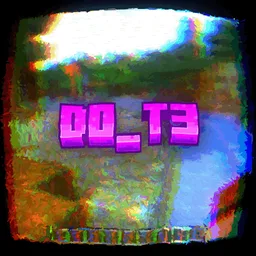
Simple shader that just blurs the backgroundInstallRequired to run
FAQ
What do I need to get shaders working?
Iris or OptiFine. Iris installs as a Fabric mod and is usually faster; OptiFine is a separate installer. Without one of them the game simply won't see the shader. Millida Launcher installs Iris along with the shader for you.
Which shaders run on a low-end PC?
Light packs without ray tracing and with low shadow resolution. They're marked in the catalog — they give you shadows and water while costing noticeably fewer frames.
How do I install shaders?
Click “Install” and Millida Launcher will put the shader into the shaderpacks folder of the right modpack. Then select the pack in the video settings — no need to unpack the archive.
Iris or OptiFine — which should I choose?
For new versions, Iris: it works with Sodium, usually gives more FPS and supports almost all modern shaders. OptiFine is needed on old versions and for packs that rely on its special features. The two cannot be installed in the same instance.
Are there shaders for Bedrock?
The shaders in this section are for the Java edition; their format does not work in Minecraft PE and Bedrock. Bedrock has a built-in Vibrant Visuals graphics mode and resource packs with deferred rendering support, which are turned on in the game settings.
Shaders for Minecraft Java 1.21
Shaders for Minecraft 1.21: 736 items in the Shaders section. Compatibility is checked against the files, not the description: only items with a build for exactly these conditions stay in the list.
Beauty costs frames. Heavy ray-traced shaders can cut performance several times over even on a good graphics card, so the catalog separately marks light packs built for weak machines: they give you shadows and decent water while barely touching FPS. In practice: first install Iris or OptiFine, then put the shader archive in the shaderpacks folder and select it in the video settings. It's best to start with a light pack, and the quality profiles inside the shader itself lower the load even further.