
Minecraft server plugins — page 52
3,789 itemsPlugins: list


MobspawnSettings
Control the amount of mobs spawningOn a serverCraftIRC
IRC for Minecraft!On a serverManhunt
The official Manhunt pluginOn a serverEasy Spawn
Simple spawning! Do you not use essentials? Do you want the easyness of using /setspawn and /spawn? This is the plugin for you!On a serverAntiCommandTab
Prevent users from tab completing and revealing hidden commandsOn a server
Broadcaster Plugin
Simple broadcasting on your server.On a server

SimpleHat
Just hats, no toys or random featuresOn a server

ResourcePackManager
Automatically merge & host all your Resource Packs using a priority system!On a serverkillStats
killStatsOn a serverPets
Experience dogs and cats in minecraft with many new features to add a new level of pet ownership to minecraft!On a server
TF2
Play Team Foreress 2 right inside of Minecraft!On a serverSafeEdit
A Safer Version Of WorldEditOn a serverUnbreakable Items
Unbreakable ItemsOn a server
Easy Pvp Kits
A simple and easy to use kit pvp plugin.On a server

NoSpy
NoSpy prevent snooping of your own plugins by other players. It blocks optional and adjustable commands and even the tab auto-completion is blocked in special cases. This keeps the plugins that a server uses secretly and there are less mimicers.On a serverLiftSign
Simple Lift Signs for BukkitOn a server

Crowd Control
The Ultimate Interactive Chaos Mod Experience for Streamers on Twitch, YouTube, TikTok and beyondOn a server
JailLikeHell
JailLikeHell- A simple jail plugin, with jail protection, and other features!On a server
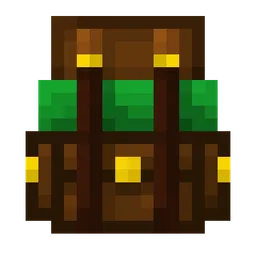
Backpacks & More
Backpacks Datapack (1.17+) adds visible, working, customizable backpacks with 27-slot storage—no mods needed.On a serverCustomJoinMessage
Set custom join/leave messages for specific usersOn a serverChunkLoader
Provides comimiziable a way to keep chunks loadedOn a server

ValhallaMMO
Specifically designed to counter the 2-week gameplay cycle. Keep players active for longer! (Also known from The Realm SMP!)On a server

Verity
Verity is my plugin that’s a love letter to server owners it handles warps, perks VIP features staff tools, and all the things that wow your players It’s lightweight its modular and it has all the ideas that my small brain could think offOn a serverFAQ
How is a plugin different from a mod?
A plugin runs only on the server and requires nothing from players: the client stays vanilla. A mod has to be installed by everyone, and it changes the game itself.
Where do I put a plugin?
Put the .jar file in the plugins folder on the server, then restart the server. The plugin will create its config on first launch.
Will a Spigot plugin work on Paper?
Usually yes: Paper and Purpur are built on Spigot and are compatible with its plugins. The reverse isn't true — a plugin that uses Paper features won't work on plain Spigot.
How do I install a plugin on Aternos?
On Aternos, plugins can only be installed from the built-in list in the “Plugins” section of the panel. You can't upload your own .jar file, so paid and rare plugins can't be installed on Aternos. If the plugin you need isn't on the list, you need hosting with access to the plugins folder: put the file there and restart the server.
Which plugins should I install on a server first?
People usually start with four: EssentialsX (homes, warps, kits, teleport), LuckPerms (groups and permissions), WorldGuard together with WorldEdit (spawn and region protection) and ViaVersion (joining from other game versions). For a server with nickname login, add AuthMe for passwords and SkinsRestorer for skins.
Which plugins should I install on a server for playing with friends?
A small server for friends needs just a few: EssentialsX (home, teleport to a friend, warps), CoreProtect (rolling back griefing and finding who broke a block) and Simple Voice Chat for voice chat, which needs the mod of the same name on players' side. Permissions and region protection are usually unnecessary on such a server.
How do I install a plugin on Paper?
Download the plugin file for your Paper version, put the .jar into the plugins folder and restart the server — the /plugins command will list it. On Millida Hosting the On a server button on the plugin page does the same.
Minecraft server plugins
A plugin is installed on the server, not by the player, and that's the whole difference from a mod: the client stays plain vanilla, and you can join the server without downloading a single file. Plugins run on server cores — Paper, Spigot, Bukkit, Purpur, Folia — while Velocity and BungeeCord are used for proxies between servers. The core matters as much as the version: a Paper plugin will almost always run on Purpur, but a Velocity plugin won't start on a regular server at all.
The useful minimum for a server is almost always the same: EssentialsX for basic commands, LuckPerms for permissions, WorldGuard together with WorldEdit for region protection and CoreProtect to roll back griefing. Servers with nickname login add AuthMe and SkinsRestorer, servers for friends add Simple Voice Chat. On Millida Hosting a free plugin from the catalog goes onto the server with the On a server button on its page, no manual .jar upload.
Plugins handle almost everything behind the scenes on a server: ranks and permissions, land protection, economy and shops, anti-cheat, map rotation, menus and voting. You install them by copying the .jar file into the plugins folder and restarting the server; most create their own config on first launch, which is what you then edit. The card lists supported cores and game versions, the author and license, and all releases are gathered on one page — you can update the plugin right from there.