
Minecraft server plugins — page 51
3,789 itemsPlugins: list



Multi World Money
Multi World Money enables separate balances between worldsOn a server
Maintenance
The most customizable maintenance plugin for your Minecraft server you can find.On a server

UHCRun
UHC in 30 minutes packed with awesome features for loads of fun!On a serverMonsterHunt
Who can kill most mobs?On a server
TorchArrow
Makes an arrow to emit light around it and spawn a torch on impact.On a serverVoteRoulette
Randomized rewards for voting with Votifier!On a serverPowerMining
Provides a Hammer and Excavator tool for faster miningOn a server
No Mob Griefing
A Lightweight plugin, that let's the user enable and disable griefing for certain mobs.On a serverBetterEssentials v3.0
Good PluginOn a serverMobStacker
Stack mobs in a highly efficient way to decrease server and FPS lag.On a serverApocalyptic
Survive hordes of zombies as night stretches forever onOn a server

Velocitab
A beautiful and versatile TAB list plugin for Velocity proxiesOn a serverEssentialCommands
The next-generation plugin that will be alternatives to Essentials and CommandBookOn a server

Disableportal
This mod and plugin can block access to the Nether and End dimensions.On a server
ColorKeys
Brings classic dungeon style color-coded locked doors to your server!On a serverMCNicks
MCNicks - Have nicknames in minecraft!On a server
Lores
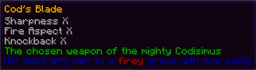
Modify Item names and Lores with ease (with color support)On a server

URL Custom Discs
A plugin that allows you to create and play custom music discs from YouTube URLs or MP3 files on your Minecraft server with real-time updates for players.On a server

LuckPrefix
The luckperms addon for tab- and chat-prefixes on the market.On a server

Tool Trims Alternative
Allows you to trim weapons and tools. There are over 1200 combinations!On a server

EpicQuest
The ultimate questing pluginOn a server
RoyalCommands
A set of extra commands for your serverOn a serverQuarterBukkit
QuarterBukkit is a modern API extension for Bukkit.On a serverFAQ
How is a plugin different from a mod?
A plugin runs only on the server and requires nothing from players: the client stays vanilla. A mod has to be installed by everyone, and it changes the game itself.
Where do I put a plugin?
Put the .jar file in the plugins folder on the server, then restart the server. The plugin will create its config on first launch.
Will a Spigot plugin work on Paper?
Usually yes: Paper and Purpur are built on Spigot and are compatible with its plugins. The reverse isn't true — a plugin that uses Paper features won't work on plain Spigot.
How do I install a plugin on Aternos?
On Aternos, plugins can only be installed from the built-in list in the “Plugins” section of the panel. You can't upload your own .jar file, so paid and rare plugins can't be installed on Aternos. If the plugin you need isn't on the list, you need hosting with access to the plugins folder: put the file there and restart the server.
Which plugins should I install on a server first?
People usually start with four: EssentialsX (homes, warps, kits, teleport), LuckPerms (groups and permissions), WorldGuard together with WorldEdit (spawn and region protection) and ViaVersion (joining from other game versions). For a server with nickname login, add AuthMe for passwords and SkinsRestorer for skins.
Which plugins should I install on a server for playing with friends?
A small server for friends needs just a few: EssentialsX (home, teleport to a friend, warps), CoreProtect (rolling back griefing and finding who broke a block) and Simple Voice Chat for voice chat, which needs the mod of the same name on players' side. Permissions and region protection are usually unnecessary on such a server.
How do I install a plugin on Paper?
Download the plugin file for your Paper version, put the .jar into the plugins folder and restart the server — the /plugins command will list it. On Millida Hosting the On a server button on the plugin page does the same.
Minecraft server plugins
A plugin is installed on the server, not by the player, and that's the whole difference from a mod: the client stays plain vanilla, and you can join the server without downloading a single file. Plugins run on server cores — Paper, Spigot, Bukkit, Purpur, Folia — while Velocity and BungeeCord are used for proxies between servers. The core matters as much as the version: a Paper plugin will almost always run on Purpur, but a Velocity plugin won't start on a regular server at all.
The useful minimum for a server is almost always the same: EssentialsX for basic commands, LuckPerms for permissions, WorldGuard together with WorldEdit for region protection and CoreProtect to roll back griefing. Servers with nickname login add AuthMe and SkinsRestorer, servers for friends add Simple Voice Chat. On Millida Hosting a free plugin from the catalog goes onto the server with the On a server button on its page, no manual .jar upload.
Plugins handle almost everything behind the scenes on a server: ranks and permissions, land protection, economy and shops, anti-cheat, map rotation, menus and voting. You install them by copying the .jar file into the plugins folder and restarting the server; most create their own config on first launch, which is what you then edit. The card lists supported cores and game versions, the author and license, and all releases are gathered on one page — you can update the plugin right from there.