
Minecraft server plugins — page 29
3,786 itemsPlugins: list


Vote
Fully customizable voting with ban/kick/day/night/rain/sunOn a server

CCTV Camera
CCTV Cameras for your minecraft server! No mods needed, No spout needed.On a serverSimple Backup
A bukkit plugin to backup specified maps at regular intervalsOn a server

ClassRanks
Manage ranked group permissions easierOn a server

Orbital Strike Cannon + More Rods
Adds Orbital TNT, Arrow, and Wither Skull Cannons. And also Wolf and Enderpearl Stasis rods to your World/ServerOn a serverPorteCoulissante
Create easy and realistic redstone powered portcullisesOn a server
GlobalMarket
A global trading systemOn a server

Revamped Chest Protection
Revamped Chest Protection showcases a new way to protect contents of chests, letting other users view the contents.On a serverArcane Enchants
Enchant to your heart's desire!On a server

Simple Combat Log
The Simple-Combat-Log plugin prevents players from logging out during combat by setting a combat timer, disabling actions like Elytra use, and broadcasting a message if they leave the server mid-combat.On a server
AdvancedBan
AdvancedBan provides a well designed and highly performant ban, mute and warn systemOn a server

LPC Minimessage - Chat Formatter
A chat formatting with Minimessage Support plugin for LuckPerms.On a serverSpawnControl
Spawn and home managementOn a server
AnvilColors
Use an anvil to rename items with colors!On a serverEndlessEnchant
Enchant any item with any enchantment and no level limits.On a serverHelp Pages
Want to define your own help pages from files? Now you can!On a server

Installer
InstallerOn a server

SquidServers Server-mod
A server side mod/plugin for custom item content and planks that can be drawn onOn a server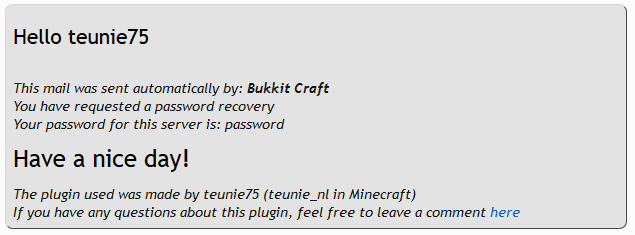

Safe Login
Safe LoginOn a serverEnderDragonSMP
EnderDragonSMPOn a server

MCBans
MCBans A Global Banning PluginOn a server
Server Essentials for Bukkit
A perfect plugin for upcoming server owners with customisable options and settings at the forefront.On a serverCommandLogger
Player can buy animalsOn a serverFAQ
How is a plugin different from a mod?
A plugin runs only on the server and requires nothing from players: the client stays vanilla. A mod has to be installed by everyone, and it changes the game itself.
Where do I put a plugin?
Put the .jar file in the plugins folder on the server, then restart the server. The plugin will create its config on first launch.
Will a Spigot plugin work on Paper?
Usually yes: Paper and Purpur are built on Spigot and are compatible with its plugins. The reverse isn't true — a plugin that uses Paper features won't work on plain Spigot.
How do I install a plugin on Aternos?
On Aternos, plugins can only be installed from the built-in list in the “Plugins” section of the panel. You can't upload your own .jar file, so paid and rare plugins can't be installed on Aternos. If the plugin you need isn't on the list, you need hosting with access to the plugins folder: put the file there and restart the server.
Which plugins should I install on a server first?
People usually start with four: EssentialsX (homes, warps, kits, teleport), LuckPerms (groups and permissions), WorldGuard together with WorldEdit (spawn and region protection) and ViaVersion (joining from other game versions). For a server with nickname login, add AuthMe for passwords and SkinsRestorer for skins.
Which plugins should I install on a server for playing with friends?
A small server for friends needs just a few: EssentialsX (home, teleport to a friend, warps), CoreProtect (rolling back griefing and finding who broke a block) and Simple Voice Chat for voice chat, which needs the mod of the same name on players' side. Permissions and region protection are usually unnecessary on such a server.
How do I install a plugin on Paper?
Download the plugin file for your Paper version, put the .jar into the plugins folder and restart the server — the /plugins command will list it. On Millida Hosting the On a server button on the plugin page does the same.
Minecraft server plugins
A plugin is installed on the server, not by the player, and that's the whole difference from a mod: the client stays plain vanilla, and you can join the server without downloading a single file. Plugins run on server cores — Paper, Spigot, Bukkit, Purpur, Folia — while Velocity and BungeeCord are used for proxies between servers. The core matters as much as the version: a Paper plugin will almost always run on Purpur, but a Velocity plugin won't start on a regular server at all.
The useful minimum for a server is almost always the same: EssentialsX for basic commands, LuckPerms for permissions, WorldGuard together with WorldEdit for region protection and CoreProtect to roll back griefing. Servers with nickname login add AuthMe and SkinsRestorer, servers for friends add Simple Voice Chat. On Millida Hosting a free plugin from the catalog goes onto the server with the On a server button on its page, no manual .jar upload.
Plugins handle almost everything behind the scenes on a server: ranks and permissions, land protection, economy and shops, anti-cheat, map rotation, menus and voting. You install them by copying the .jar file into the plugins folder and restarting the server; most create their own config on first launch, which is what you then edit. The card lists supported cores and game versions, the author and license, and all releases are gathered on one page — you can update the plugin right from there.