
Minecraft server plugins — page 12
3,783 itemsPlugins: list


MiniMOTD
Minecraft plugin/mod to set the server list MOTD using MiniMessage for formatting, supporting RGB colors.On a server
Ancient Gates
Regular and Bungee portal plugin. Can transport players or any entity!On a server
FastAsyncWorldEdit
FastAsyncWorldEditOn a server
Timber Plugin
With this plugin you can cut down an entire tree by breaking the bottom part!On a server
CleanroomGenerator
Creates cleanroom-style flat world generator with fully customizable layers. It can also be used to create empty space maps!On a serverSpectate
Watch what other players are doing in first personOn a server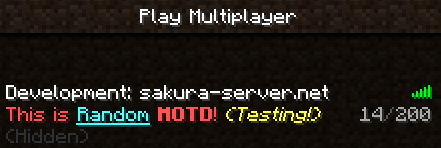
MotdManager
MotdManagerOn a server

Custom Damage
This is a fully customizable Minecraft (Bukkit) plugin that allows you to control damage taken by entities.On a server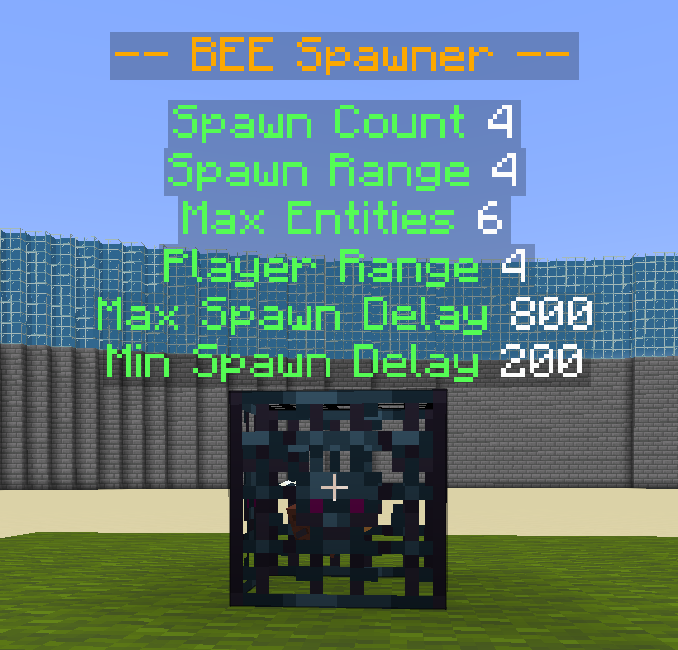

SpawnerSilk
Mine spawners with silk touch / Spawner ManagementOn a server

Multiverse-Inventories
An inventory management plugin created to intertwine with Multiverse-CoreOn a server

PlayerVaults
A light weight virtual chest plugin!On a server

FactionsPlus
Adds additional features to the Factions plugin.On a server

QuickShop-Hikari
A chest shop plugin that allows players to easily sell/buy any items from a chest without any commands. Perfect for servers looking for an easy to use chestshop plugin!On a server

Axiom Paper Plugin
The Paper Plugin of the server-side implementation for Axiom, the all in one tool for editing Minecraft worlds.On a server

Click Mobs
Click to pick up any mob into your inventory and carry them around!On a server

QuickMarket
QuickMarketOn a server

AuthMe ReReloaded(Fork)
A reliable, stable fork of AuthMe with various bug fixes, new exciting features and Folia supportOn a serverLimitedWorldEdit
Allow Users to use Worldedit only in World Garud regionsOn a server

Leashable Players
A not so simple mod that lets you ruin all your friendships :)On a server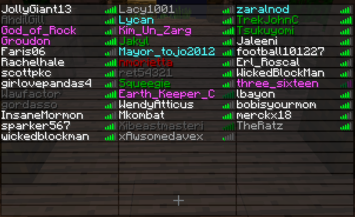
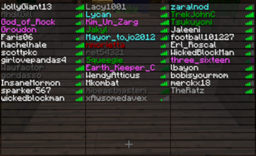
ColoredTablist
Simple Plugin, which brings Colors to the Tab List (Playerlist)!On a server

LagMeter
Lets you check the server lag, in ticks-per-secondOn a server

CreeperHeal
Repairs Creeper and TNT damage after a while, and much more!On a serverGlobalGroupManager
GlobalGroupManagerOn a serverFAQ
How is a plugin different from a mod?
A plugin runs only on the server and requires nothing from players: the client stays vanilla. A mod has to be installed by everyone, and it changes the game itself.
Where do I put a plugin?
Put the .jar file in the plugins folder on the server, then restart the server. The plugin will create its config on first launch.
Will a Spigot plugin work on Paper?
Usually yes: Paper and Purpur are built on Spigot and are compatible with its plugins. The reverse isn't true — a plugin that uses Paper features won't work on plain Spigot.
How do I install a plugin on Aternos?
On Aternos, plugins can only be installed from the built-in list in the “Plugins” section of the panel. You can't upload your own .jar file, so paid and rare plugins can't be installed on Aternos. If the plugin you need isn't on the list, you need hosting with access to the plugins folder: put the file there and restart the server.
Which plugins should I install on a server first?
People usually start with four: EssentialsX (homes, warps, kits, teleport), LuckPerms (groups and permissions), WorldGuard together with WorldEdit (spawn and region protection) and ViaVersion (joining from other game versions). For a server with nickname login, add AuthMe for passwords and SkinsRestorer for skins.
Which plugins should I install on a server for playing with friends?
A small server for friends needs just a few: EssentialsX (home, teleport to a friend, warps), CoreProtect (rolling back griefing and finding who broke a block) and Simple Voice Chat for voice chat, which needs the mod of the same name on players' side. Permissions and region protection are usually unnecessary on such a server.
How do I install a plugin on Paper?
Download the plugin file for your Paper version, put the .jar into the plugins folder and restart the server — the /plugins command will list it. On Millida Hosting the On a server button on the plugin page does the same.
Minecraft server plugins
A plugin is installed on the server, not by the player, and that's the whole difference from a mod: the client stays plain vanilla, and you can join the server without downloading a single file. Plugins run on server cores — Paper, Spigot, Bukkit, Purpur, Folia — while Velocity and BungeeCord are used for proxies between servers. The core matters as much as the version: a Paper plugin will almost always run on Purpur, but a Velocity plugin won't start on a regular server at all.
The useful minimum for a server is almost always the same: EssentialsX for basic commands, LuckPerms for permissions, WorldGuard together with WorldEdit for region protection and CoreProtect to roll back griefing. Servers with nickname login add AuthMe and SkinsRestorer, servers for friends add Simple Voice Chat. On Millida Hosting a free plugin from the catalog goes onto the server with the On a server button on its page, no manual .jar upload.
Plugins handle almost everything behind the scenes on a server: ranks and permissions, land protection, economy and shops, anti-cheat, map rotation, menus and voting. You install them by copying the .jar file into the plugins folder and restarting the server; most create their own config on first launch, which is what you then edit. The card lists supported cores and game versions, the author and license, and all releases are gathered on one page — you can update the plugin right from there.