
Minecraft server plugins — page 102
3,785 itemsPlugins: list


Autobroadcaster
AutobroadcasterOn a server

Lusk
Modern, user-friendly skript addon, perfect for beginners and experienced developers.On a server

Slot Lock
Force an item to be in a slot, and lock it.On a server

Newspaper
Newspaper is the plugin to use to get information around your server as quickly as possible.On a server

SuperHub
SuperHub, improve your hub, your mini-games and your server !On a server
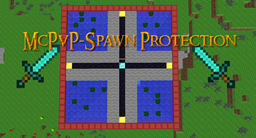
jProtection
We all know everyone wants that mcpvp spawn protection plugin. This plugin makes that possible! Made by MayoDwarf!On a server

Hub/Lobby + FireWorks & Titles - Hat - Particles - PlayerToggle - BossBar - ActionBar
Hub/Lobby For 1.8On a serverMythicLib
A mythical library for mythical pluginsOn a serverFred's awesome Jetpack Plugin!
A brand new awesome Jetpack Plugin!On a server
TreeFellerPlus
Fells, or chops down, trees automatically, similar to the Timber mod.On a server

MCFly
Simple Creative Flying for Craftbukkit [1.3.1]On a serverSpawnTeleport
SpawnTeleportOn a serverMinecraft Classes
This plugin adds classes/teleportation to the game.On a server

BalloonFiesta
BalloonFiestaOn a serverAntiswear
This Plugin Stops Players Swearing In ChatOn a serverDeathHeads
Adds heads to the random drops of mobs and playersOn a server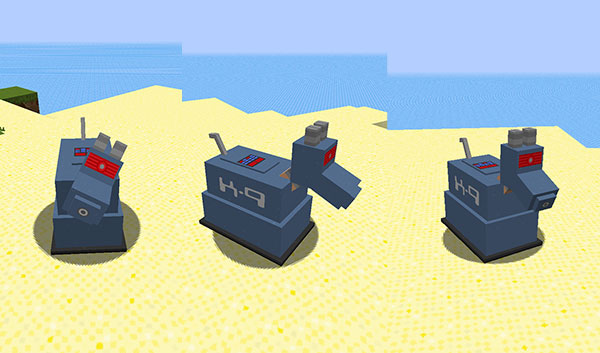

TARDISWeepingAngels
Terrifying Weeping Angels - Don't blink. Blink and you're dead.On a server

AlixSystem
Login (Command, PIN, Anvil, 2FA) | AntiBot (Advanced) | AntiVPNOn a serverServerLogSaver
Backup and Clear server logs periodicallyOn a serverColoredSigns
Magically put colors on signs! More coming soon!On a server

Lucky Blocks Bukkit
A lightweight Lucky Blocks Plugin for BukkitOn a server

PlotMe Animal
Plotme Animal (Protect) - Protect your Animals! (automatically)On a server

PermissionFinder
Simple plugin to find and search permission nodes for pluginsOn a serverFAQ
How is a plugin different from a mod?
A plugin runs only on the server and requires nothing from players: the client stays vanilla. A mod has to be installed by everyone, and it changes the game itself.
Where do I put a plugin?
Put the .jar file in the plugins folder on the server, then restart the server. The plugin will create its config on first launch.
Will a Spigot plugin work on Paper?
Usually yes: Paper and Purpur are built on Spigot and are compatible with its plugins. The reverse isn't true — a plugin that uses Paper features won't work on plain Spigot.
How do I install a plugin on Aternos?
On Aternos, plugins can only be installed from the built-in list in the “Plugins” section of the panel. You can't upload your own .jar file, so paid and rare plugins can't be installed on Aternos. If the plugin you need isn't on the list, you need hosting with access to the plugins folder: put the file there and restart the server.
Which plugins should I install on a server first?
People usually start with four: EssentialsX (homes, warps, kits, teleport), LuckPerms (groups and permissions), WorldGuard together with WorldEdit (spawn and region protection) and ViaVersion (joining from other game versions). For a server with nickname login, add AuthMe for passwords and SkinsRestorer for skins.
Which plugins should I install on a server for playing with friends?
A small server for friends needs just a few: EssentialsX (home, teleport to a friend, warps), CoreProtect (rolling back griefing and finding who broke a block) and Simple Voice Chat for voice chat, which needs the mod of the same name on players' side. Permissions and region protection are usually unnecessary on such a server.
How do I install a plugin on Paper?
Download the plugin file for your Paper version, put the .jar into the plugins folder and restart the server — the /plugins command will list it. On Millida Hosting the On a server button on the plugin page does the same.
Minecraft server plugins
A plugin is installed on the server, not by the player, and that's the whole difference from a mod: the client stays plain vanilla, and you can join the server without downloading a single file. Plugins run on server cores — Paper, Spigot, Bukkit, Purpur, Folia — while Velocity and BungeeCord are used for proxies between servers. The core matters as much as the version: a Paper plugin will almost always run on Purpur, but a Velocity plugin won't start on a regular server at all.
The useful minimum for a server is almost always the same: EssentialsX for basic commands, LuckPerms for permissions, WorldGuard together with WorldEdit for region protection and CoreProtect to roll back griefing. Servers with nickname login add AuthMe and SkinsRestorer, servers for friends add Simple Voice Chat. On Millida Hosting a free plugin from the catalog goes onto the server with the On a server button on its page, no manual .jar upload.
Plugins handle almost everything behind the scenes on a server: ranks and permissions, land protection, economy and shops, anti-cheat, map rotation, menus and voting. You install them by copying the .jar file into the plugins folder and restarting the server; most create their own config on first launch, which is what you then edit. The card lists supported cores and game versions, the author and license, and all releases are gathered on one page — you can update the plugin right from there.