
Minecraft server plugins — page 10
3,783 itemsPlugins: list


Infinite Villager Trading
A spigot plugin that allows villagers to trade infinitelyOn a server

String Dupers Return
Brings back the functionality of traditional string dupers in 1.21.2+On a server

FirstJoinPlus
A simple and easy to configure plugin that lets you announce to the server when a new player joins for the very first time.On a server
MagicSpells
Add magic to your server!On a server

TabTPS
Monitor your server's performance in the tab menu, boss bar, and action barOn a server

Guns+
Make Things go BoomOn a serverfloAuction
This plugin provides in-game auctioning functionality for Vault supported economy based servers.On a server

Autorank
Automatically have player ranks change depending on how long they have been online.On a server
SuperVanish
Advanced /vanish plugin which makes other players think that you're not on the serverOn a server

BuildPaste - Instant Structures
Build your dream world in seconds with 10,000+ instant structuresOn a server
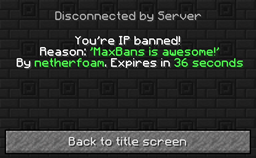
MaxBans
The banning plugin that does everything. Properly.On a server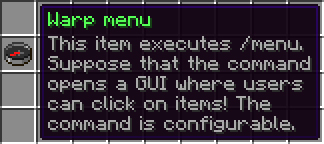
Custom Join Items
[ABANDONED]On a server
CombatLog
CombatLog punishes players who log out to escape combat.On a server

HomeSpawnPlus
HomeSpawnPlus gives you control over spawn/home behaviorsOn a server

iControlU
Troll at the NEXT LEVELOn a server

LagFixer
⚡️ Best Performance Solution! 🗄️Trusted by 3000+ servers! ✅ Lightweight and highly Asynchronous!On a serverBukkitPhones
This lightweight plugin adds the use of phone numbers as a private chat between 2 people.On a server

Custom Creatures
Fully customize cloths and tools, enhancements and effects, drop and attributes at entity spawnOn a server

AdminEssentials
All the tools you'll ever need!On a server

FancyHolograms
Create fancy looking text, item or block holograms with display entities.On a server

NBT-API
Add custom NBT tags to Items/Tiles/Entities without NMSOn a server

SetHome
SetHome is a plugin that allows you to easily create homesOn a server

Simple Voice Chat Discord Bridge
A mod and plugin to make a bridge between Simple Voice Chat and Discord to allow for players without the mod to hear and speak.On a serverFAQ
How is a plugin different from a mod?
A plugin runs only on the server and requires nothing from players: the client stays vanilla. A mod has to be installed by everyone, and it changes the game itself.
Where do I put a plugin?
Put the .jar file in the plugins folder on the server, then restart the server. The plugin will create its config on first launch.
Will a Spigot plugin work on Paper?
Usually yes: Paper and Purpur are built on Spigot and are compatible with its plugins. The reverse isn't true — a plugin that uses Paper features won't work on plain Spigot.
How do I install a plugin on Aternos?
On Aternos, plugins can only be installed from the built-in list in the “Plugins” section of the panel. You can't upload your own .jar file, so paid and rare plugins can't be installed on Aternos. If the plugin you need isn't on the list, you need hosting with access to the plugins folder: put the file there and restart the server.
Which plugins should I install on a server first?
People usually start with four: EssentialsX (homes, warps, kits, teleport), LuckPerms (groups and permissions), WorldGuard together with WorldEdit (spawn and region protection) and ViaVersion (joining from other game versions). For a server with nickname login, add AuthMe for passwords and SkinsRestorer for skins.
Which plugins should I install on a server for playing with friends?
A small server for friends needs just a few: EssentialsX (home, teleport to a friend, warps), CoreProtect (rolling back griefing and finding who broke a block) and Simple Voice Chat for voice chat, which needs the mod of the same name on players' side. Permissions and region protection are usually unnecessary on such a server.
How do I install a plugin on Paper?
Download the plugin file for your Paper version, put the .jar into the plugins folder and restart the server — the /plugins command will list it. On Millida Hosting the On a server button on the plugin page does the same.
Minecraft server plugins
A plugin is installed on the server, not by the player, and that's the whole difference from a mod: the client stays plain vanilla, and you can join the server without downloading a single file. Plugins run on server cores — Paper, Spigot, Bukkit, Purpur, Folia — while Velocity and BungeeCord are used for proxies between servers. The core matters as much as the version: a Paper plugin will almost always run on Purpur, but a Velocity plugin won't start on a regular server at all.
The useful minimum for a server is almost always the same: EssentialsX for basic commands, LuckPerms for permissions, WorldGuard together with WorldEdit for region protection and CoreProtect to roll back griefing. Servers with nickname login add AuthMe and SkinsRestorer, servers for friends add Simple Voice Chat. On Millida Hosting a free plugin from the catalog goes onto the server with the On a server button on its page, no manual .jar upload.
Plugins handle almost everything behind the scenes on a server: ranks and permissions, land protection, economy and shops, anti-cheat, map rotation, menus and voting. You install them by copying the .jar file into the plugins folder and restarting the server; most create their own config on first launch, which is what you then edit. The card lists supported cores and game versions, the author and license, and all releases are gathered on one page — you can update the plugin right from there.