
Plugins for Minecraft 1.9 — page 12
680 itemsPlugins: list




ObsidianBreaker
ObsidianBreakerOn a serverPerWorldChat Plus
PerWorldChatPlusOn a serverUltraHardcore Reloaded
A very complete, lightweight and updated UltraHardcore pluginOn a server
Random Teleport for 1.16
Teleports you to a random location every time. Never the same place as last timeOn a server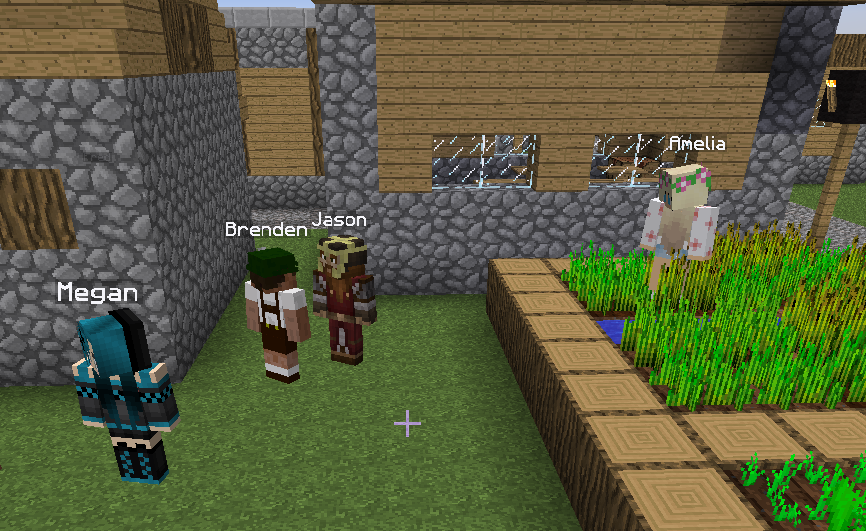

Real Villager Towns
Chat and make friends with villagers!On a server

[CTSNC] ★ Animated Scoreboard and Tablist, NameTag, Chat, ... ★
[CTSNC] ★ Animated Scoreboard and Tablist, NameTag, Chat, ... ★ [Protocol Hack] [1.8 - 1.11]On a server
NoTrashPl
/Support, /Report, /Warn, /ChatClear, /bcast, /gm, /invsee! A small essentials.On a server

MiniPlaceholders
MiniMessage Component-based Placeholders API for Minecraft PlatformsOn a server

PingPlayer
PingPlayerOn a server

ServerTP
Allows players to teleport to a server hub, shop, and other locations set by server administratorsOn a server

PerWorldPlugins
PerWorldPlugins allows plugins to be set to hook onto certain worlds using the config.On a serverWorldGuard Region Events
adds events for entering and leaving WorldGuard regions to BukkitOn a server
MobCash
MobCash gives players money when they kill a mobOn a serverSteel
The Bukkit implementation of the Flint minigame engineOn a server
FallingTrees
Falling trees? This plugin makes trees fall down when they are untimberedOn a server

Advanced Set Spawn
SetSpawn with many options and fully customizable messagesOn a server

Multi World Money
Multi World Money enables separate balances between worldsOn a server

UHCRun
UHC in 30 minutes packed with awesome features for loads of fun!On a server

LuckPrefix
The luckperms addon for tab- and chat-prefixes on the market.On a serverUnbreakable Items
Unbreakable ItemsOn a server

NoSpy
NoSpy prevent snooping of your own plugins by other players. It blocks optional and adjustable commands and even the tab auto-completion is blocked in special cases. This keeps the plugins that a server uses secretly and there are less mimicers.On a server

SayanVanish
A modular vanish system for Minecraft serversOn a serverAdvancedSelector
Infinite Configurable Selectors! Like Server / World / Minigame Selectors.On a serverFAQ
How is a plugin different from a mod?
A plugin runs only on the server and requires nothing from players: the client stays vanilla. A mod has to be installed by everyone, and it changes the game itself.
Where do I put a plugin?
Put the .jar file in the plugins folder on the server, then restart the server. The plugin will create its config on first launch.
Will a Spigot plugin work on Paper?
Usually yes: Paper and Purpur are built on Spigot and are compatible with its plugins. The reverse isn't true — a plugin that uses Paper features won't work on plain Spigot.
How do I install a plugin on Aternos?
On Aternos, plugins can only be installed from the built-in list in the “Plugins” section of the panel. You can't upload your own .jar file, so paid and rare plugins can't be installed on Aternos. If the plugin you need isn't on the list, you need hosting with access to the plugins folder: put the file there and restart the server.
Which plugins should I install on a server first?
People usually start with four: EssentialsX (homes, warps, kits, teleport), LuckPerms (groups and permissions), WorldGuard together with WorldEdit (spawn and region protection) and ViaVersion (joining from other game versions). For a server with nickname login, add AuthMe for passwords and SkinsRestorer for skins.
Which plugins should I install on a server for playing with friends?
A small server for friends needs just a few: EssentialsX (home, teleport to a friend, warps), CoreProtect (rolling back griefing and finding who broke a block) and Simple Voice Chat for voice chat, which needs the mod of the same name on players' side. Permissions and region protection are usually unnecessary on such a server.
How do I install a plugin on Paper?
Download the plugin file for your Paper version, put the .jar into the plugins folder and restart the server — the /plugins command will list it. On Millida Hosting the On a server button on the plugin page does the same.
Plugins for Minecraft 1.9
Plugins for Minecraft 1.9: 680 items in the Plugins section. Compatibility is checked against the files, not the description: only items with a build for exactly these conditions stay in the list.
Plugins handle almost everything behind the scenes on a server: ranks and permissions, land protection, economy and shops, anti-cheat, map rotation, menus and voting. You install them by copying the .jar file into the plugins folder and restarting the server; most create their own config on first launch, which is what you then edit. The card lists supported cores and game versions, the author and license, and all releases are gathered on one page — you can update the plugin right from there.