
Plugins for Minecraft 1.8.1 — page 17
615 itemsPlugins: list
BungeeCompass
BungeeCompassOn a server

LANBroadcaster
Broadcast your Minecraft server over the local area network and have it appear in the LAN server listOn a serverGameModer
Change your gamemode easily.On a server
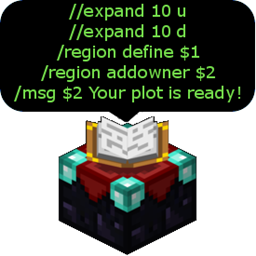
MultiCommand
Create command lists and command shortcutsOn a server

ConsoleScheduler
Easy timed console commands. Updated and fixed by Twister920On a serverStickman's Kill Money
A simple kill reward giver.On a server
ShareControl
ShareControlOn a server
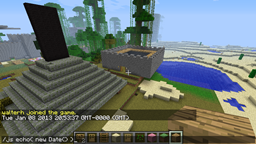
ScriptCraft
Extend Minecraft using JavascriptOn a server

TitleOnJoin
This is a plugin like MinePlex, when a player joins, they will get a title and subtitle to greet them.On a server

CommandBlocker
Allows you to easily block specific commands on your server!On a server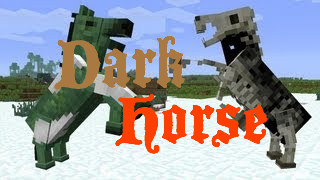
DarkHorse
DarkHorse lets you spawn all rideable beasts, INCLUDING the "darker" horses. That's right - zombie and skeleton horses!On a serverParties
A simple party plugin for use with SkillAPI that allows for shared experienceOn a serverWildernessTP
WildernessTP lets admins set a wilderness point, players can type a command to be tp'd to the 'wilderness' that the admins setOn a serverNoFall
disable fall damage in minecraft!On a server
Hotels
Create hotels and rent out rooms to other playersOn a server

UltraSmite --A New Form of Lightning!--
UltraSmite! Smiting Brought To The Next Level!On a serverHCFactions
Highly Customizable Hardcore FactionsOn a server

DiscordSRVUtils
DiscordSRVUtils is a DiscordSRV addon to improve the abilities of DiscordSRV bot in your Discord server.On a server
RageGames
RageGames is a very fast game. You start with 3 items: a bow with exploding arrows, a knife and a spur. The goal is to use these weapons during the game to collect points by eliminating other players and trying to stay alive.On a serverGTADeath
Add a GTA style death title to your minecraft serverOn a server

Kenshin's Hide And Seek
Minecraft's Best Hide and Seek and Block Hunt PluginOn a serverBloodFX
BloodFXOn a server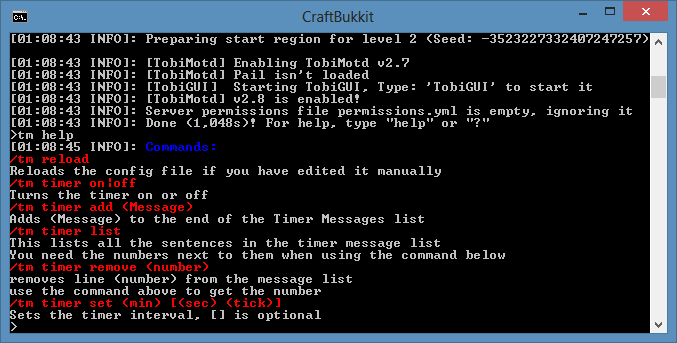
Tobi Motd
A very simple Motd pluginOn a serverFAQ
How is a plugin different from a mod?
A plugin runs only on the server and requires nothing from players: the client stays vanilla. A mod has to be installed by everyone, and it changes the game itself.
Where do I put a plugin?
Put the .jar file in the plugins folder on the server, then restart the server. The plugin will create its config on first launch.
Will a Spigot plugin work on Paper?
Usually yes: Paper and Purpur are built on Spigot and are compatible with its plugins. The reverse isn't true — a plugin that uses Paper features won't work on plain Spigot.
How do I install a plugin on Aternos?
On Aternos, plugins can only be installed from the built-in list in the “Plugins” section of the panel. You can't upload your own .jar file, so paid and rare plugins can't be installed on Aternos. If the plugin you need isn't on the list, you need hosting with access to the plugins folder: put the file there and restart the server.
Which plugins should I install on a server first?
People usually start with four: EssentialsX (homes, warps, kits, teleport), LuckPerms (groups and permissions), WorldGuard together with WorldEdit (spawn and region protection) and ViaVersion (joining from other game versions). For a server with nickname login, add AuthMe for passwords and SkinsRestorer for skins.
Which plugins should I install on a server for playing with friends?
A small server for friends needs just a few: EssentialsX (home, teleport to a friend, warps), CoreProtect (rolling back griefing and finding who broke a block) and Simple Voice Chat for voice chat, which needs the mod of the same name on players' side. Permissions and region protection are usually unnecessary on such a server.
How do I install a plugin on Paper?
Download the plugin file for your Paper version, put the .jar into the plugins folder and restart the server — the /plugins command will list it. On Millida Hosting the On a server button on the plugin page does the same.
Plugins for Minecraft 1.8.1
Plugins for Minecraft 1.8.1: 615 items in the Plugins section. Compatibility is checked against the files, not the description: only items with a build for exactly these conditions stay in the list.
Plugins handle almost everything behind the scenes on a server: ranks and permissions, land protection, economy and shops, anti-cheat, map rotation, menus and voting. You install them by copying the .jar file into the plugins folder and restarting the server; most create their own config on first launch, which is what you then edit. The card lists supported cores and game versions, the author and license, and all releases are gathered on one page — you can update the plugin right from there.