
Plugins for Minecraft 1.8.1 — page 16
615 itemsPlugins: list
RewardMe
Reward your users!On a serverredProtect
A protection system that works by surrounding an area with a material.On a serverStaffMode Lite
More than meets to eye....On a server
ChatClear
ChatClearOn a server

ArmorWeight
Add weight to your armor! Heavier armor makes the player more immovable and slower.On a server
Planez
Fly planes in minecraft!On a serverAnimated Menu
Animated MenuOn a server
MC TimeManager
Increase or decrease speed, sync worlds from different servers, display actual time and date ...On a serverCBWrapper
Whenever the command /cb is run from a command block, it will run a command as a dummy player at the command blockOn a server

FoxGate AntiVPN
Your #1 AntiVPN Plugin - Powerful AntiVPN & AntiProxy for your server for Free! (Hytale Support)On a server
RandomTP Plugin
Allows a player to teleport to a random location within a set minimum and maximum from a set world to another using /rtp and many other aliases.On a serverSwornRPG
The fully featured mcMMO AlternativeOn a server

Report Player
A Report Plugin for BukkitOn a serverMultiverse Spawn
Multiverse SpawnOn a serverBounty
Allow players to place and receive bounties on other playersOn a serverJetFly
Enable/Disable fly with JetFlyOn a serverFlyspeed
This plugin that will let you set the flying speedOn a server
Dwarves vs Zombies
Play Dwarves vs ZombiesOn a serverBetter Broadcast
Better BroadcastOn a serverFakePlayers
Change your online player count and trick server lists!On a server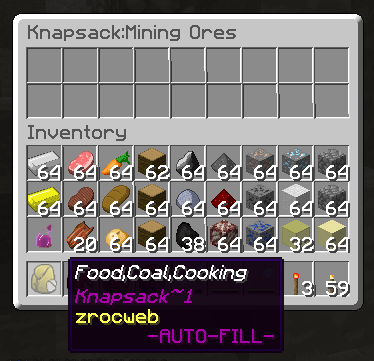
Knapsack (backpack)
Knapsacks are backpacks on steroids. Craft or give knapsacks to players plus many more features!On a server
RandomCoordinates
Teleport players to a random location. The advanced Random TeleporterOn a serverBackToBody
Return to your body after death with an optional fee.On a serverFAQ
How is a plugin different from a mod?
A plugin runs only on the server and requires nothing from players: the client stays vanilla. A mod has to be installed by everyone, and it changes the game itself.
Where do I put a plugin?
Put the .jar file in the plugins folder on the server, then restart the server. The plugin will create its config on first launch.
Will a Spigot plugin work on Paper?
Usually yes: Paper and Purpur are built on Spigot and are compatible with its plugins. The reverse isn't true — a plugin that uses Paper features won't work on plain Spigot.
How do I install a plugin on Aternos?
On Aternos, plugins can only be installed from the built-in list in the “Plugins” section of the panel. You can't upload your own .jar file, so paid and rare plugins can't be installed on Aternos. If the plugin you need isn't on the list, you need hosting with access to the plugins folder: put the file there and restart the server.
Which plugins should I install on a server first?
People usually start with four: EssentialsX (homes, warps, kits, teleport), LuckPerms (groups and permissions), WorldGuard together with WorldEdit (spawn and region protection) and ViaVersion (joining from other game versions). For a server with nickname login, add AuthMe for passwords and SkinsRestorer for skins.
Which plugins should I install on a server for playing with friends?
A small server for friends needs just a few: EssentialsX (home, teleport to a friend, warps), CoreProtect (rolling back griefing and finding who broke a block) and Simple Voice Chat for voice chat, which needs the mod of the same name on players' side. Permissions and region protection are usually unnecessary on such a server.
How do I install a plugin on Paper?
Download the plugin file for your Paper version, put the .jar into the plugins folder and restart the server — the /plugins command will list it. On Millida Hosting the On a server button on the plugin page does the same.
Plugins for Minecraft 1.8.1
Plugins for Minecraft 1.8.1: 615 items in the Plugins section. Compatibility is checked against the files, not the description: only items with a build for exactly these conditions stay in the list.
Plugins handle almost everything behind the scenes on a server: ranks and permissions, land protection, economy and shops, anti-cheat, map rotation, menus and voting. You install them by copying the .jar file into the plugins folder and restarting the server; most create their own config on first launch, which is what you then edit. The card lists supported cores and game versions, the author and license, and all releases are gathered on one page — you can update the plugin right from there.