
Plugins for Minecraft 1.8.1 — page 13
615 itemsPlugins: list


DriveBackupV2
DriveBackupV2 is a plugin that aims to provide an extra layer of security to your data making a backup and saving it remotely.On a serverEnderPearl Cooldown
Adds cooldown to ender pearl throwsOn a server

Giants
GiantsOn a server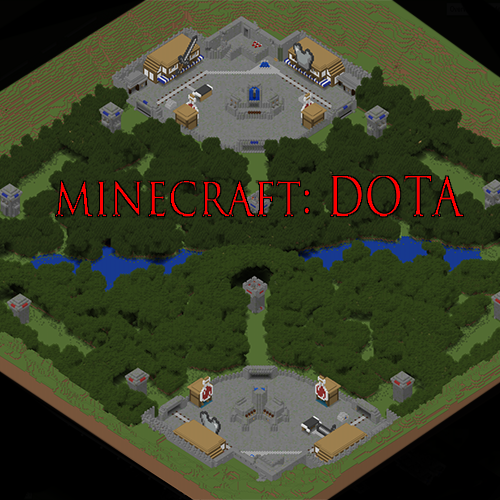
Dota Minecraft Plugin
Plugin to go with Zealock's Minecraft: Dota MapOn a server
Lootbox
Lootboxes, mystery crates, loot crates, whatever! Reward your players for finding them & their keys (configurable) for epic lootOn a serverDraw My Thing
Draw My ThingOn a server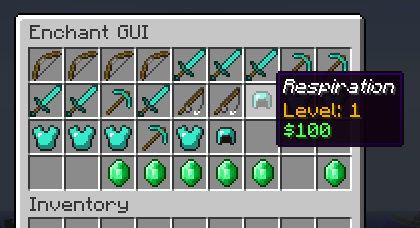
EnchantGUI
An enchanting GUI for players to enchant their items easily.On a server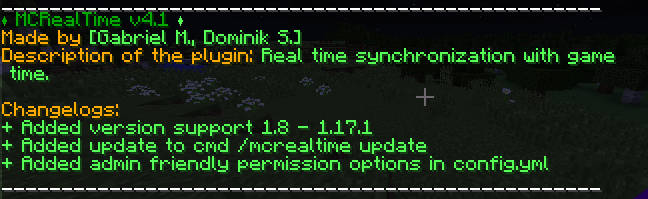
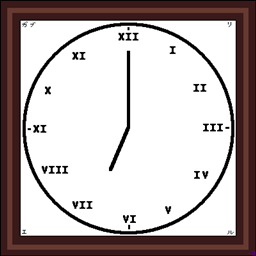
MCRealTime
Synchronize Minecraft time with real-world time — either by local clock time or by the actual solar day at a selected location.On a server

BKCommonLib
Spigot/Paper Utility Library and Minecraft Server APIOn a server
EssentialsChat+
Mutechat pluginOn a servermBedwars Shop (Modern Bedwars Shop)
A modern & fast Bedwars Shop.On a server

Skills
Do you want to have a fun, grindy rpg plugin on your server, so Players would stay... just a bit longer?On a server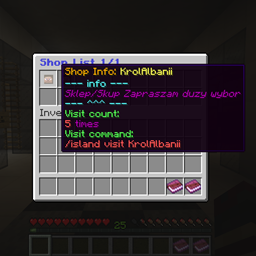
Island World Shop List
Island World addonOn a serverNovaGuilds
New guilds plugin! NovaGuilds!On a server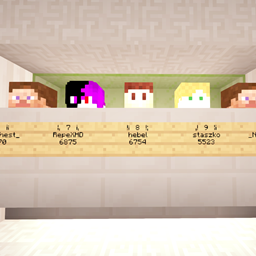
Island World Head Rank
Island World Head RankOn a server

bPermsRank
Simple ranking plugin with notifications for use with bPermissionsOn a server

LegendQuest
Complete RPG Mod, featuring Races, Classes and skills.On a server
LifeStolen
Yet another LifeSteal plugin.On a server

Simple Auto Restart
Really simple Spigot plugin that automatically restarts your server.On a serverWildTp
Teleports a player to a random locationOn a server
AntiSignHack
AntiSignHackOn a serverQuick-house
Create a house quickly and easily!On a server
SkinLoader
A plugin to load skins and other thingsOn a serverFAQ
How is a plugin different from a mod?
A plugin runs only on the server and requires nothing from players: the client stays vanilla. A mod has to be installed by everyone, and it changes the game itself.
Where do I put a plugin?
Put the .jar file in the plugins folder on the server, then restart the server. The plugin will create its config on first launch.
Will a Spigot plugin work on Paper?
Usually yes: Paper and Purpur are built on Spigot and are compatible with its plugins. The reverse isn't true — a plugin that uses Paper features won't work on plain Spigot.
How do I install a plugin on Aternos?
On Aternos, plugins can only be installed from the built-in list in the “Plugins” section of the panel. You can't upload your own .jar file, so paid and rare plugins can't be installed on Aternos. If the plugin you need isn't on the list, you need hosting with access to the plugins folder: put the file there and restart the server.
Which plugins should I install on a server first?
People usually start with four: EssentialsX (homes, warps, kits, teleport), LuckPerms (groups and permissions), WorldGuard together with WorldEdit (spawn and region protection) and ViaVersion (joining from other game versions). For a server with nickname login, add AuthMe for passwords and SkinsRestorer for skins.
Which plugins should I install on a server for playing with friends?
A small server for friends needs just a few: EssentialsX (home, teleport to a friend, warps), CoreProtect (rolling back griefing and finding who broke a block) and Simple Voice Chat for voice chat, which needs the mod of the same name on players' side. Permissions and region protection are usually unnecessary on such a server.
How do I install a plugin on Paper?
Download the plugin file for your Paper version, put the .jar into the plugins folder and restart the server — the /plugins command will list it. On Millida Hosting the On a server button on the plugin page does the same.
Plugins for Minecraft 1.8.1
Plugins for Minecraft 1.8.1: 615 items in the Plugins section. Compatibility is checked against the files, not the description: only items with a build for exactly these conditions stay in the list.
Plugins handle almost everything behind the scenes on a server: ranks and permissions, land protection, economy and shops, anti-cheat, map rotation, menus and voting. You install them by copying the .jar file into the plugins folder and restarting the server; most create their own config on first launch, which is what you then edit. The card lists supported cores and game versions, the author and license, and all releases are gathered on one page — you can update the plugin right from there.