
EnchantGUI Plugin for Minecraft 1.8.1
An enchanting GUI for players to enchant their items easily.
EnchantGUI
IMPORTANT NOTICE: The Spigot Resource page for the plugin is updated instead of this.
Description
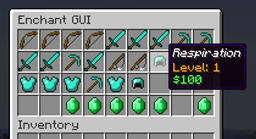
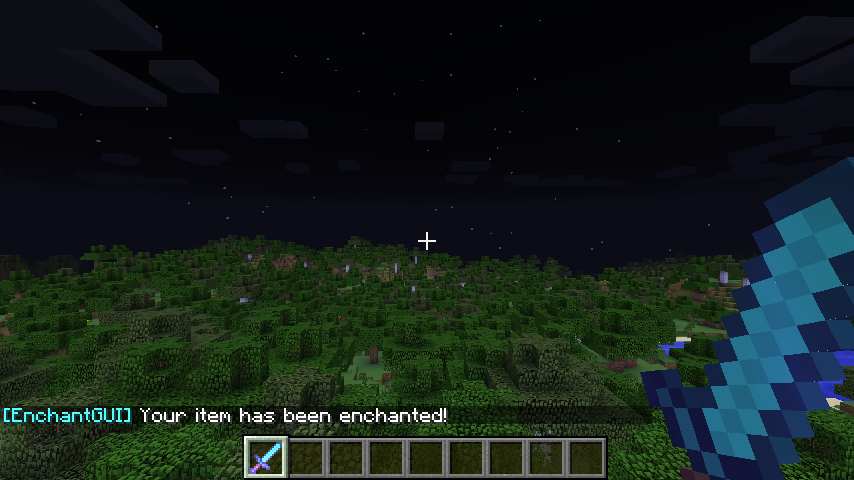
This is EnchantGUI. Using EnchantGUI you can allow your users to enchant their items easily with a nice interface. Purchase of the enchants are done using your server's economy. You will need Vault in order to use the plugin!
Prices of the enchants can be customized in the configuration file.

Features
- Full list of enchants that can be bought from an in-game interface
- Edit prices for each enchant in a config
- Ability to buy different levels of the enchants.
- Prices are configurable and works with all Vault-supported economy systems
- Right click with enchanting table to open the GUI (this feature does not work in 1.3.2 and previous versions. It will work in newer versions)
- Switch between prices for money or XP/Levels
Pictures
NEW VERSION RELEASED
A new version (v1.0) has been released. The plugin has been rewritten from scratch.
You can find the new plugin on the Spigot Resource site.
Credits
There are some people I'd like to credit for contributing to the existence of this project.
- A very big thanks to xDizasterCYx for creating the awesome "EnchantGUI" logo!
- Credits to Ch1ck3nMC for getting the idea and requesting the plugin on the Plugin Request forums!
- Big thanks to all the people that have been creating videos for the plugin.
Remember to donate! I'm a (very) poor student doing this in my free time :) (There is a donate button in the top for donating through PayPal)
How to install EnchantGUI
A server on Paper or Spigot
The plugin runs on the server core for Minecraft 1.8.1; players do not need to install anything.
File goes into the plugins folder
Download the file EnchantGUI.jar (14 KB) and put it into the server’s plugins folder.
Restart the server
On startup the plugin creates its own settings folder in plugins.
Use the “To server” button
On Millida Hosting, the button at the top of the page uploads the file to your server and restarts it for you.
Minecraft 1.8.1 runs on Java 8: with a different Java version the game may close right after launch.
Versions
With dependencies
| Minecraft | Loader | File | Date | Actions |
|---|---|---|---|---|
| 1.8.1 | — | EnchantGUI v1.013.6 KB |
Reviews
Be the first to rate EnchantGUI



