
Mods for Minecraft Java — page 353
9,030 itemsMods: list


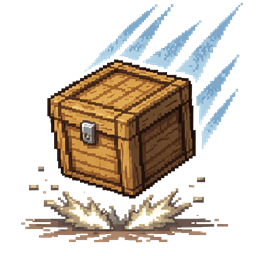
Physics Drop
Realistic item drop physics with tumbling, bouncing, and proper resting on any block shape. Items lie flat on ground naturally.Install

Archogenum
A technomagical genetics mod where your body becomes your buildInstall
VillagerPickup
A mod that allows you to pick up villagers and place them somewhere else!Install

Ghast Tweaks
Adds craft for ghast tearInstall
Gamingbarn's Zombies
Normal monsters are replaced with various unique and powerful new zombies!Install
CIT: Hotfix for Enchanted Books
Making Resource Packs With CITs for Enchanted Books Work on Newer VersionsInstall

Garnished Stone Automation
Makes Crimsite, Veridium, Asurine, and Ochrum automatable once again using Create: GarnishedInstall
Wool Buttons
Silent buttons made of wool.Install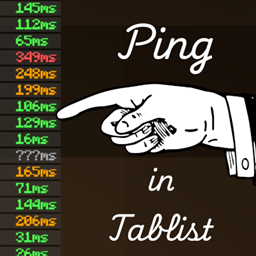
Ping in Tablist
Displays the ping of players in text instead of an iconInstall
[ARCHIVED] Offhand Overhaul
A mod to improve offhand placement behaviour.Install

Spawn Animations Compats [Fabric/Quilt/Forge/NeoForge]
A mod that adds compatibility for Spawn Animations with 50+ mods.Install
Falling Snow
A mod that makes snow layers fall when the block below is broken.Install
EmoteTweaks Updated
Bind sound effects to your emotesInstall

Cozy's Improved Wolves
A complete upgrade of pet wolves ✰ Pet wolves have personality, helpful abilities, and can be respawned!Install

Special Model Loader
Support loading OBJ models in FabricInstall

Drawer
Adds drawers to the gameInstall
Chicken Nerf
Prevents random chicken egg laying. Instead, breeding chickens produces eggs.Install
The Ancient Towns
Deep within the subterranean depths, ancient towns lie waiting.Install
Satchel Slots
Satchel Slots is a mod focused on "physically" extending the inventory (adding slots) by equipping different satchels to grant different perks/benefits.Install
Bucket'Em
A mod about adding more ways to store and move mobs in both buckets and non-bucket ways.Install

Arcanus
A simple magic mod with player-made spells and Wynncraft-like casting.Install
Wither Turns Skeletons
Skeletons that are affected by the Wither effect turn into Wither SkeletonsInstall
Ochetgenyo
Decorate your walls with an ancient languageInstallFAQ
How is Forge different from Fabric?
They're two different mod loaders that aren't compatible with each other. Forge is the older one and better suited to big tech and magic modpacks; Fabric is lighter, updates to new game versions faster, and hosts most performance mods. NeoForge is a Forge fork for newer versions, and Quilt is a Fabric fork. A Forge mod won't run on Fabric, and vice versa. Millida Launcher installs the right loader for you.
How do I know which mod version I need?
The one that matches your game version and loader. The “Install” button picks the file for you: Millida Launcher grabs the version for your modpack. A mod for 1.20.1 usually won't work on 1.21.
How do I install a mod?
Click “Install” and Millida Launcher will download the mod, its dependencies and the right loader for you. To install a downloaded file manually, put it in the mods folder inside the game directory.
Do I need CurseForge to install mods?
No. The Install button on a mod page opens Millida Launcher: it downloads the mod, its dependencies and the right loader into the chosen instance by itself. No CurseForge and no manual file copying.
Which mods are there for 1.20.1?
1.20.1 is one of the most modded versions, especially on Forge: tech, magic, RPG, furniture, weapons. Pick 1.20.1 in the version filter to keep only mods with a file built exactly for it, then pick Forge or Fabric next to it.
Can I install mods on my phone?
On Android, yes: Millida Launcher runs the Java edition on a phone, and mods work there just like on a PC, though light ones run much better than heavy ones. Minecraft PE (Bedrock) cannot load PC mods — it has add-ons instead, in the Minecraft PE mods section.
Which mods are best to play with friends?
The usual picks are Simple Voice Chat for proximity voice chat, Waystones for fast travel, Xaero's Minimap and something big to work on together, such as Create. Mods that change the world must be installed by every player and on the server, while client-side ones like a minimap or performance mods are up to each player.
Mods for Minecraft Java
A mod is an add-on that changes the game itself: it adds blocks, mobs and mechanics, or speeds up world rendering. It isn't installed into the game directly but on top of a loader — Forge, Fabric, NeoForge or Quilt — and it's the loader that decides whether the file will run. That's why every card here lists both the game version and the loader: two mods with the same name for 1.12.2 Forge and 1.21 Fabric are two different files, and mixing them up means a crash on launch.
The most searched Minecraft mods are weapon, furniture, horror and performance mods: each theme has its own collection, and links to the themes and the most wanted versions are in the Popular block. Version 1.20.1 on Forge still holds the most big tech, magic and RPG mods, while the fresh 1.21.11 and 26.2 get Fabric and NeoForge mods fastest.
One mod in the catalog, one page. Every version the author has released is listed on its card: pick your game version and loader right there instead of jumping between ten similar pages. Each file shows its size, release date and checksum, and the mod itself shows the author, license and a link to the original source. Files whose license allows rehosting are stored with us and download directly — no link shorteners, timers or ad redirects. If the license forbids rehosting, the button honestly takes you to the author.