
Minecraft mods — page 298
9,029 itemsMods: list



Better Respawn
This mod adds a mechanic that lets you respawn near your death location.Install

Refinedstorage Linker
A convenient utility curio that lets you instantly store items from any chest into your Refined Storage network with a single click.InstallOn a server

EMF Compat: Not Enough Animations
Makes Not Enough Animations work correctly with animated EMF player models.Install
Splashy
Allows greater control over the splash text on the main menu.Install
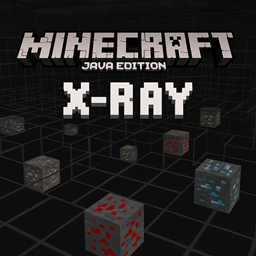
X-RAY Java Edition
An X-Ray pack for Minecraft Java Edition that highlights ores like diamond, gold, and redstone while making most blocks transparent, allowing players to easily locate valuable resources underground.Install

Wathe: Murder Mystery
A murder mystery social game (core mod for the Last Voyage of the Harpy Express experience)InstallOn a server
Homing Ender Eye
All broken ender eyes will spawn on portal frameInstall

Death Knell
Spice up the game with new player death messages.InstallOn a server

Yet Another Bingo
A multiplayer Bingo/Lockout mod + lobby, compatible with vanilla clientsInstallOn a server

BoccHUD
MiniHUD unofficial forge port. A tiny client-side mod for Minecraft. that adds the coordinates, looking angle and current speed to the screen.Install

Simple Loot Viewer
View loot tables in game!Install

More Useful Copper
New uses for copper, such as statues, aquatic redstone, and many other tools!InstallOn a server

Food Effect Tooltips [Fabric / NeoForge]
Adds Tooltips to food that gives Status Effects when eatenInstall

Better Combat Particle
just some particle addition to better combat.InstallOn a server

Advancements Debug
This little mod rewrites one function of the advancements logic to make advancements checking faster, and use less recursion. It should prevent StackOverflowErrors with advancements.InstallOn a server

Cell (Vanilla+)
Adds 200+ various tweaks, items, commands, food, armor, blocks, equipment, automation, and more!InstallOn a server
Progress Peek
Display game loading progress on the taskbarInstall

Tetra Extras
Adds compatibility with other mods and TetraInstallOn a server

Tempad
Create a portal to anywhere from anywhereInstallOn a server

Create: Sophisticated Backpacks Compat
A compatibility mod that integrates Sophisticated Backpacks with CreateInstallOn a server

EMF Compat: Core
Shared framework for the EMF Compat family.Install

Danger Close
Torches, campfires, and stonecutters will now deal damage to players, animals, or enemies that run over or brush against them. Basically, now the games will be more realistic, since just like in real life, these items will do a little damage.InstallOn a server

Better Pickaxe Trims
Adds new trims smithing template to personalize and upgrade your pickaxes. Discover durability boosts, gain extra experience, mine faster, and more.InstallOn a serverFAQ
How is Forge different from Fabric?
They're two different mod loaders that aren't compatible with each other. Forge is the older one and better suited to big tech and magic modpacks; Fabric is lighter, updates to new game versions faster, and hosts most performance mods. NeoForge is a Forge fork for newer versions, and Quilt is a Fabric fork. A Forge mod won't run on Fabric, and vice versa. Millida Launcher installs the right loader for you.
How do I know which mod version I need?
The one that matches your game version and loader. The “Install” button picks the file for you: Millida Launcher grabs the version for your modpack. A mod for 1.20.1 usually won't work on 1.21.
How do I install a mod?
Click “Install” and Millida Launcher will download the mod, its dependencies and the right loader for you. To install a downloaded file manually, put it in the mods folder inside the game directory.
Do I need CurseForge to install mods?
No. The Install button on a mod page opens Millida Launcher: it downloads the mod, its dependencies and the right loader into the chosen instance by itself. No CurseForge and no manual file copying.
Which mods are there for 1.20.1?
1.20.1 is one of the most modded versions, especially on Forge: tech, magic, RPG, furniture, weapons. Pick 1.20.1 in the version filter to keep only mods with a file built exactly for it, then pick Forge or Fabric next to it.
Can I install mods on my phone?
On Android, yes: Millida Launcher runs the Java edition on a phone, and mods work there just like on a PC, though light ones run much better than heavy ones. Minecraft PE (Bedrock) cannot load PC mods — it has add-ons instead, in the Minecraft PE mods section.
Which mods are best to play with friends?
The usual picks are Simple Voice Chat for proximity voice chat, Waystones for fast travel, Xaero's Minimap and something big to work on together, such as Create. Mods that change the world must be installed by every player and on the server, while client-side ones like a minimap or performance mods are up to each player.
Minecraft mods
A mod is an add-on that changes the game itself: it adds blocks, mobs and mechanics, or speeds up world rendering. It isn't installed into the game directly but on top of a loader — Forge, Fabric, NeoForge or Quilt — and it's the loader that decides whether the file will run. That's why every card here lists both the game version and the loader: two mods with the same name for 1.12.2 Forge and 1.21 Fabric are two different files, and mixing them up means a crash on launch.
The most searched Minecraft mods are weapon, furniture, horror and performance mods: each theme has its own collection, and links to the themes and the most wanted versions are in the Popular block. Version 1.20.1 on Forge still holds the most big tech, magic and RPG mods, while the fresh 1.21.11 and 26.2 get Fabric and NeoForge mods fastest.
One mod in the catalog, one page. Every version the author has released is listed on its card: pick your game version and loader right there instead of jumping between ten similar pages. Each file shows its size, release date and checksum, and the mod itself shows the author, license and a link to the original source. Files whose license allows rehosting are stored with us and download directly — no link shorteners, timers or ad redirects. If the license forbids rehosting, the button honestly takes you to the author.