
Minecraft mods — page 294
9,029 itemsMods: list




Jujutsu Craft (Sorcery Fight)
Japanese anime "Sorcery Fight (Jujutsu Kaisen)" modInstallOn a server

Create Simulated Additions
A few additions and tweaks for the Create Simulated/Aeronautics modInstallOn a server

Super Tools Reload
This mod adds in a bunch of new items that are EXTREMELY (yes, extremely) OP. This includes tools, armor, food and blocks. This mod is just used to add new items and the functionality is just like most mods.InstallOn a server
Nutritious Milk
🥛 Adds nutritious value to milk, filling up the food bar and saturation when consumed.Install

Slyde
Allows dragging sliders further than intendedInstall
Boat Fall
Makes boats and their passengers take fall damageInstallOn a server

Item Descriptions
This mod adds unique descriptions for all blocks, items, enchantments, effects, and mobs - built in a way that makes it easy to add modded content.Install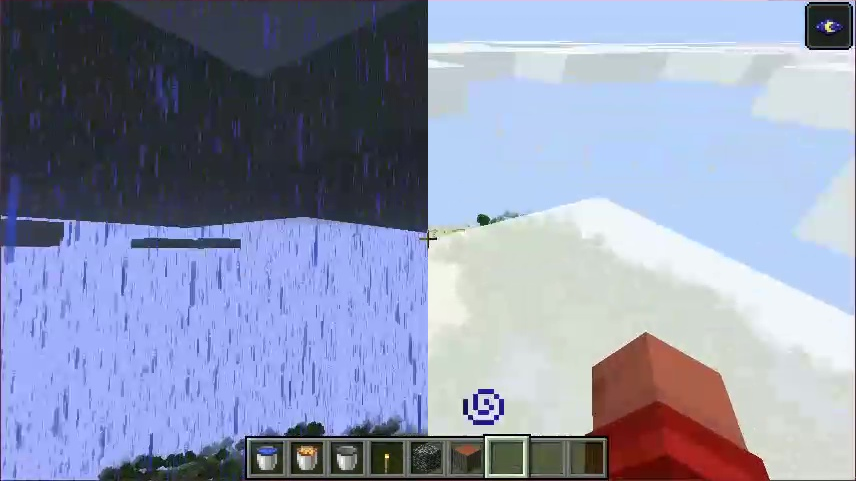

Head in the Clouds
Make it not rain over the cloud levelInstall

TACZ Bullet Proof Enchant Add-on
A mod that adds the Bullet Proof enchant to reduce damage from tacz gunsInstallOn a server

Luna Slimes
Improves Slimes and makes them configurable.InstallOn a server

RS Integration
A major core optimization release featuring improved recursive crafting scheduling, recipe-index warm-up, safer transaction settlement, rewritten pinyin search, and optional Project MMO salvage integration.InstallOn a server

CodxLib
A library with shared functions for all Codx mods.InstallOn a server
Expanded Origins
Adds 5 new origins to the origins mod.Install
Sodium Extra Information
A Sodium Extra addon that adds more in-game information.Install
WebDisplays
A Minecraft mod for creating and interacting with web browsers.InstallOn a server
Spellbound Enchantments [Fabric]
Empower and expand your arsenal with 39 new enchantments.Install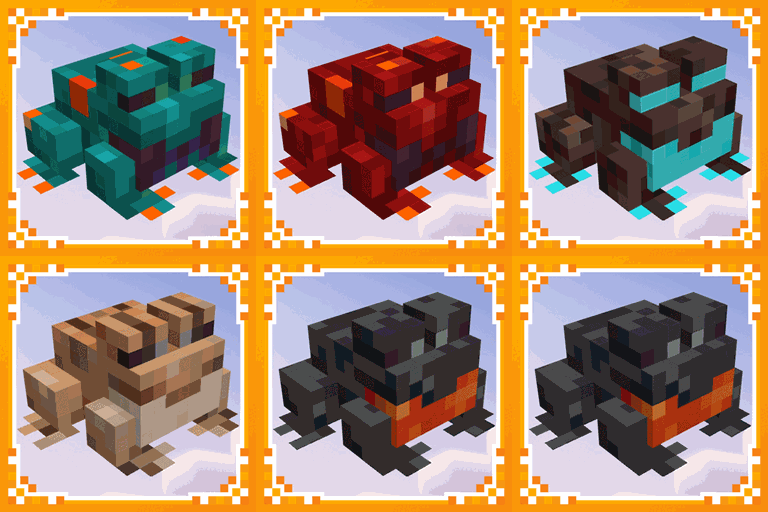
More Frogs 2
Adds more frog variants to minecraft.Install

One Enough Item
With OEI, you can effortlessly replace duplicate items with a single designated representative item.InstallOn a server

Brick & Mortar
A specialized furnace for building blocks and clay with brick variant functionality!InstallOn a server

Vanilla Backport Compat
Adds Vanilla Backport features to modded biomes!InstallOn a server
Additional Enchanted Miner
This mod adds some miners like BC's quarry.InstallOn a server

Armor Stand Poses
Bedrock armor stand poses for Java EditionInstallOn a server

Countered's Terrain Slabs
A world generation mod that improves the terrain by adding slabsInstallOn a serverFAQ
How is Forge different from Fabric?
They're two different mod loaders that aren't compatible with each other. Forge is the older one and better suited to big tech and magic modpacks; Fabric is lighter, updates to new game versions faster, and hosts most performance mods. NeoForge is a Forge fork for newer versions, and Quilt is a Fabric fork. A Forge mod won't run on Fabric, and vice versa. Millida Launcher installs the right loader for you.
How do I know which mod version I need?
The one that matches your game version and loader. The “Install” button picks the file for you: Millida Launcher grabs the version for your modpack. A mod for 1.20.1 usually won't work on 1.21.
How do I install a mod?
Click “Install” and Millida Launcher will download the mod, its dependencies and the right loader for you. To install a downloaded file manually, put it in the mods folder inside the game directory.
Do I need CurseForge to install mods?
No. The Install button on a mod page opens Millida Launcher: it downloads the mod, its dependencies and the right loader into the chosen instance by itself. No CurseForge and no manual file copying.
Which mods are there for 1.20.1?
1.20.1 is one of the most modded versions, especially on Forge: tech, magic, RPG, furniture, weapons. Pick 1.20.1 in the version filter to keep only mods with a file built exactly for it, then pick Forge or Fabric next to it.
Can I install mods on my phone?
On Android, yes: Millida Launcher runs the Java edition on a phone, and mods work there just like on a PC, though light ones run much better than heavy ones. Minecraft PE (Bedrock) cannot load PC mods — it has add-ons instead, in the Minecraft PE mods section.
Which mods are best to play with friends?
The usual picks are Simple Voice Chat for proximity voice chat, Waystones for fast travel, Xaero's Minimap and something big to work on together, such as Create. Mods that change the world must be installed by every player and on the server, while client-side ones like a minimap or performance mods are up to each player.
Minecraft mods
A mod is an add-on that changes the game itself: it adds blocks, mobs and mechanics, or speeds up world rendering. It isn't installed into the game directly but on top of a loader — Forge, Fabric, NeoForge or Quilt — and it's the loader that decides whether the file will run. That's why every card here lists both the game version and the loader: two mods with the same name for 1.12.2 Forge and 1.21 Fabric are two different files, and mixing them up means a crash on launch.
The most searched Minecraft mods are weapon, furniture, horror and performance mods: each theme has its own collection, and links to the themes and the most wanted versions are in the Popular block. Version 1.20.1 on Forge still holds the most big tech, magic and RPG mods, while the fresh 1.21.11 and 26.2 get Fabric and NeoForge mods fastest.
One mod in the catalog, one page. Every version the author has released is listed on its card: pick your game version and loader right there instead of jumping between ten similar pages. Each file shows its size, release date and checksum, and the mod itself shows the author, license and a link to the original source. Files whose license allows rehosting are stored with us and download directly — no link shorteners, timers or ad redirects. If the license forbids rehosting, the button honestly takes you to the author.