More Bows and Arrows
by Lupin · ModrinthThe objective of More Bows and Arrows is to improve the ranged combat of the games, adding around fifty bows and arrows with different abilities and characteristics.
The objective of More Bows and Arrows is to improve the ranged combat of the games, adding around fifty bows and arrows with different abilities and characteristics.
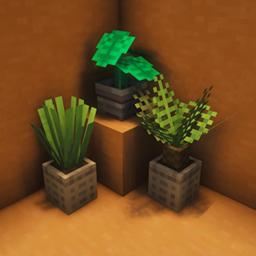
This is a small mod for decoration with pots and leaves.
A client-side mod that renders inventory & container screens as a 3D plane.
This makes end cities look better, using blocks from the BetterEnd mod
Encase Create Fluid Pipes with the Create Aeronautics Hot Air Envelope
show image in chat screen
A library mod that makes the impossible possible
A very simple block overlay mod, and the inspiration for the "Custom Block Highlight" mod
Reduces the memory usage of the game in more modded scenarios
Adds new weapons that enhance fighting and creates new strategies to combat foes
🧊 Crops growing with ice underneath will remain in the same stage, for design purposes.
Adds the ability to craft and crossbread for flowers and grass
Cookable dragon eggs lol
Over 200 different TNTs to destroy your minecraft world!
Substantially improves particles!
Makes fire render tighter against blocks like slabs and fences
Let Litematica be able to paste tile entity data of block / entity data in a server
Change your time in-game to way, way too many options. By Polyfrost, best with OneClient.
During certain conditions, you become paranoid and your experience becomes... a little less pleasant :) (Also reworks fog rendering)
🌾 Faster crop block breaking, increased hoe radius and the ability to un-till soil.
Brings realistic/hardcore mechanics to torches, candles, lanterns, campfires, and jack o' lanterns in a configurable way.
Sailing fast in style! A small and vanilla friendly way to sail with more ease.
Stops rendering particles that the player cannot see.
Adds new gauges to handle complex logics!
They're two different mod loaders that aren't compatible with each other. Forge is the older one and better suited to big tech and magic modpacks; Fabric is lighter, updates to new game versions faster, and hosts most performance mods. NeoForge is a Forge fork for newer versions, and Quilt is a Fabric fork. A Forge mod won't run on Fabric, and vice versa. Millida Launcher installs the right loader for you.
The one that matches your game version and loader. The “Install” button picks the file for you: Millida Launcher grabs the version for your modpack. A mod for 1.20.1 usually won't work on 1.21.
Click “Install” and Millida Launcher will download the mod, its dependencies and the right loader for you. To install a downloaded file manually, put it in the mods folder inside the game directory.
No. The Install button on a mod page opens Millida Launcher: it downloads the mod, its dependencies and the right loader into the chosen instance by itself. No CurseForge and no manual file copying.
1.20.1 is one of the most modded versions, especially on Forge: tech, magic, RPG, furniture, weapons. Pick 1.20.1 in the version filter to keep only mods with a file built exactly for it, then pick Forge or Fabric next to it.
On Android, yes: Millida Launcher runs the Java edition on a phone, and mods work there just like on a PC, though light ones run much better than heavy ones. Minecraft PE (Bedrock) cannot load PC mods — it has add-ons instead, in the Minecraft PE mods section.
The usual picks are Simple Voice Chat for proximity voice chat, Waystones for fast travel, Xaero's Minimap and something big to work on together, such as Create. Mods that change the world must be installed by every player and on the server, while client-side ones like a minimap or performance mods are up to each player.
A mod is an add-on that changes the game itself: it adds blocks, mobs and mechanics, or speeds up world rendering. It isn't installed into the game directly but on top of a loader — Forge, Fabric, NeoForge or Quilt — and it's the loader that decides whether the file will run. That's why every card here lists both the game version and the loader: two mods with the same name for 1.12.2 Forge and 1.21 Fabric are two different files, and mixing them up means a crash on launch.
The most searched Minecraft mods are weapon, furniture, horror and performance mods: each theme has its own collection, and links to the themes and the most wanted versions are in the Popular block. Version 1.20.1 on Forge still holds the most big tech, magic and RPG mods, while the fresh 1.21.11 and 26.2 get Fabric and NeoForge mods fastest.
One mod in the catalog, one page. Every version the author has released is listed on its card: pick your game version and loader right there instead of jumping between ten similar pages. Each file shows its size, release date and checksum, and the mod itself shows the author, license and a link to the original source. Files whose license allows rehosting are stored with us and download directly — no link shorteners, timers or ad redirects. If the license forbids rehosting, the button honestly takes you to the author.