Decorative Lamps
by Tobs · ModrinthThis mod adds new lamps, which are dimmable and can be used via Redstone or manually.
This mod adds new lamps, which are dimmable and can be used via Redstone or manually.
Place Random Blocks From Your Hotbar With Ease!
🌎 Allows the creation of a configurable world border, limiting the world size.
Pasture block can now be used as a utility block that gives Pokémon jobs!
An improved, cuter, and non-invasive scoreboard sidebar UI redesign!
Quickly open shulker boxes(and more) without placing them down
Smooths out the skybox colors on far render distances.
Avoid Enum values allocation in codes and improve game performance.
Adds Snuffles, a new mob to snowy biomes!
A Hypixel SkyBlock QOL mod focused on improving the Bazaar experience
A lightweight mod that allows server owners to combat xrayers.
Animals no longer stay in the world forever, instead they spawn and disappear like monsters.
Makes mining more rewarding and exciting!
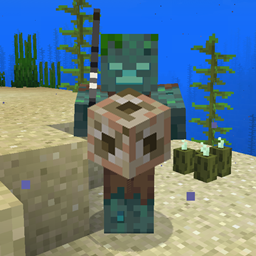
❌ Disables drowned zombie spawns around the player when the conduit effect is active.
Chicken will drop feathers from time to time.
Pick up the arrows on the ground (not Creative only anymore).
🧭 Shows direction and coordinates in the GUI/HUD with a compass in the inventory.
A mod that completely overhauls the vanilla enchanting system
Creepers Breaching, Zombies mining and Skeletons sniping. Customize their AI as you like!
Ready to build smarter, and cheaper contraptions? New hoppers are here to complement your lineup.
✉️ Easy to configure welcome messages for server players logging in with URL support.
Renders the player and entity equipped armor in 3D and is compatible with most modded armor, dyes, and trims with support for 16x resource packs.
Practice folk witchcraft through herbalism, rituals, brewing, enchanted flora, magical tools, and the living forces of nature.
The goal of More Beautiful Torches is to increase the decorative possibilities of the games, and for this, it currently adds more than 900 variants of torches.
They're two different mod loaders that aren't compatible with each other. Forge is the older one and better suited to big tech and magic modpacks; Fabric is lighter, updates to new game versions faster, and hosts most performance mods. NeoForge is a Forge fork for newer versions, and Quilt is a Fabric fork. A Forge mod won't run on Fabric, and vice versa. Millida Launcher installs the right loader for you.
The one that matches your game version and loader. The “Install” button picks the file for you: Millida Launcher grabs the version for your modpack. A mod for 1.20.1 usually won't work on 1.21.
Click “Install” and Millida Launcher will download the mod, its dependencies and the right loader for you. To install a downloaded file manually, put it in the mods folder inside the game directory.
No. The Install button on a mod page opens Millida Launcher: it downloads the mod, its dependencies and the right loader into the chosen instance by itself. No CurseForge and no manual file copying.
1.20.1 is one of the most modded versions, especially on Forge: tech, magic, RPG, furniture, weapons. Pick 1.20.1 in the version filter to keep only mods with a file built exactly for it, then pick Forge or Fabric next to it.
On Android, yes: Millida Launcher runs the Java edition on a phone, and mods work there just like on a PC, though light ones run much better than heavy ones. Minecraft PE (Bedrock) cannot load PC mods — it has add-ons instead, in the Minecraft PE mods section.
The usual picks are Simple Voice Chat for proximity voice chat, Waystones for fast travel, Xaero's Minimap and something big to work on together, such as Create. Mods that change the world must be installed by every player and on the server, while client-side ones like a minimap or performance mods are up to each player.
A mod is an add-on that changes the game itself: it adds blocks, mobs and mechanics, or speeds up world rendering. It isn't installed into the game directly but on top of a loader — Forge, Fabric, NeoForge or Quilt — and it's the loader that decides whether the file will run. That's why every card here lists both the game version and the loader: two mods with the same name for 1.12.2 Forge and 1.21 Fabric are two different files, and mixing them up means a crash on launch.
The most searched Minecraft mods are weapon, furniture, horror and performance mods: each theme has its own collection, and links to the themes and the most wanted versions are in the Popular block. Version 1.20.1 on Forge still holds the most big tech, magic and RPG mods, while the fresh 1.21.11 and 26.2 get Fabric and NeoForge mods fastest.
One mod in the catalog, one page. Every version the author has released is listed on its card: pick your game version and loader right there instead of jumping between ten similar pages. Each file shows its size, release date and checksum, and the mod itself shows the author, license and a link to the original source. Files whose license allows rehosting are stored with us and download directly — no link shorteners, timers or ad redirects. If the license forbids rehosting, the button honestly takes you to the author.