Easy Disenchanting
by Txni · ModrinthAllows transferring enchantments from items onto books using an anvil
Allows transferring enchantments from items onto books using an anvil
With this mod you will be able to customize the background of the loading screens of the Minecraft games, placing any type of customizable image.
Utility for modpack devs that fixes commonly reported areas of user confusion.
Adds JEI support to the older fabric port of Farmer's Delight
Adds a variety of weapon/shield/throwable types, each with unique special abilities. Also adds many legendary weapons with more powerful effects.
Sharpness enchantment.level.20 => Sharpness 20/XX
Adds a wearable secondary hotbar to help manage your tools and clear inventory clutter
Vanilla friendly Backport of the 1.21 Mace weapon! Available on both Forge and Fabric (finally)
Brings Showdown-like stat and terrain info to cobblemon
This mod adds compatibility between Galosphere and Farmer’s Delight.
A client side mod that adds a symbol/emoji menu as well as writing in different unicode fonts.
Syncmatica is a mod which aims to mod into litematica so that schematics and their placements can be easily shared.
Rule-based, contextually dynamic configuration options for supported mods.
A ritual magic system centered around summonable spirits allows you to automate various tasks, store vast amounts of items, let demons mine in void dimensions, create powerful enchanted tools and jewelry, get support from familiars, and much much more.
NoChatLag fixes lagspikes caused by chat by checking the blacklist on a different thread.
A unique Elytra overhaul and rebalance.
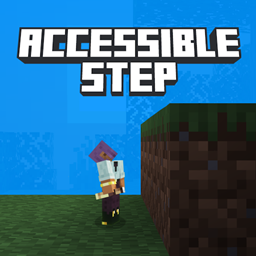
Walk up full blocks without reaching for another button. Now for multiple mod loaders!
This Mod Overhauls the Nether Fortress with 1 guaranteed spawner, the fortress inside hallways having decoration and blaze spawners found in and outside the fortress
💩 Animals periodically drop manure, which can be used as a bone meal substitute.
Expands on the blocks in minecraft!
Monitor your energy
New structures, mobs, and many Nether adventures await! A continuation of Bygone Nether by Izofar.
Vein Miner automatically mines connected ore blocks when you break one
Networking stack optimization mod and unofficial fork of Krypton mod for Minecraft Forge
They're two different mod loaders that aren't compatible with each other. Forge is the older one and better suited to big tech and magic modpacks; Fabric is lighter, updates to new game versions faster, and hosts most performance mods. NeoForge is a Forge fork for newer versions, and Quilt is a Fabric fork. A Forge mod won't run on Fabric, and vice versa. Millida Launcher installs the right loader for you.
The one that matches your game version and loader. The “Install” button picks the file for you: Millida Launcher grabs the version for your modpack. A mod for 1.20.1 usually won't work on 1.21.
Click “Install” and Millida Launcher will download the mod, its dependencies and the right loader for you. To install a downloaded file manually, put it in the mods folder inside the game directory.
No. The Install button on a mod page opens Millida Launcher: it downloads the mod, its dependencies and the right loader into the chosen instance by itself. No CurseForge and no manual file copying.
1.20.1 is one of the most modded versions, especially on Forge: tech, magic, RPG, furniture, weapons. Pick 1.20.1 in the version filter to keep only mods with a file built exactly for it, then pick Forge or Fabric next to it.
On Android, yes: Millida Launcher runs the Java edition on a phone, and mods work there just like on a PC, though light ones run much better than heavy ones. Minecraft PE (Bedrock) cannot load PC mods — it has add-ons instead, in the Minecraft PE mods section.
The usual picks are Simple Voice Chat for proximity voice chat, Waystones for fast travel, Xaero's Minimap and something big to work on together, such as Create. Mods that change the world must be installed by every player and on the server, while client-side ones like a minimap or performance mods are up to each player.
A mod is an add-on that changes the game itself: it adds blocks, mobs and mechanics, or speeds up world rendering. It isn't installed into the game directly but on top of a loader — Forge, Fabric, NeoForge or Quilt — and it's the loader that decides whether the file will run. That's why every card here lists both the game version and the loader: two mods with the same name for 1.12.2 Forge and 1.21 Fabric are two different files, and mixing them up means a crash on launch.
The most searched Minecraft mods are weapon, furniture, horror and performance mods: each theme has its own collection, and links to the themes and the most wanted versions are in the Popular block. Version 1.20.1 on Forge still holds the most big tech, magic and RPG mods, while the fresh 1.21.11 and 26.2 get Fabric and NeoForge mods fastest.
One mod in the catalog, one page. Every version the author has released is listed on its card: pick your game version and loader right there instead of jumping between ten similar pages. Each file shows its size, release date and checksum, and the mod itself shows the author, license and a link to the original source. Files whose license allows rehosting are stored with us and download directly — no link shorteners, timers or ad redirects. If the license forbids rehosting, the button honestly takes you to the author.