Colorwheel Patcher
by djefrey · ModrinthAutopatch supported shaderpacks for Colorwheel
Autopatch supported shaderpacks for Colorwheel
"Create mod" module for the Estrogen mod! Adding unique mechanics and interactions with the Create mod!
Lithosphere aims to change the overworld worldgen to be more cinematic, polished and beautiful.
More Backpack Upgrades is an addon for Sophisticated Backpacks that bridges the gap between your portable storage and your Refined Storage network.
Plays a ping sound when your name is mentioned, with options to create custom alerts.
An addon for the Create mod developed to increase automation possibilities, adding 30 (reasonably) balanced recipes to the game.
A bunch of hats based on the mobs from Minecraft. Inspired by Adventure Time.
Highly configurable mod that makes Wandering Traders sell treasure enchantments instead of Villagers
Change fog, sky, clouds, haze and stars per biome in real time
Addon to Extreme Sound Muffler that allows you to locate sound sources (or a standalone keybind)
Forget about the boring aspects of enchanted books! Now they will have new aspects that are much more beautiful and characteristic of their theme.
Enhances and introduces various bee and honey related content!
NeoForge language provider for Groovy mods.
Making automation between Farmer's Delight and Create
Eco Stack Manager helps optimize Minecraft servers by managing and cleaning up item stacks, XP orbs and user inventories.
An API to add custom villager professions and villager biome types with custom trades without writing code.
Explore and loot new structures and fight new dangerous foes!
Rotates falling blocks in towards where they're heading, with configurable squash & stretch
Soar through the skies and explore the world's beauty with your brand-new hang glider!
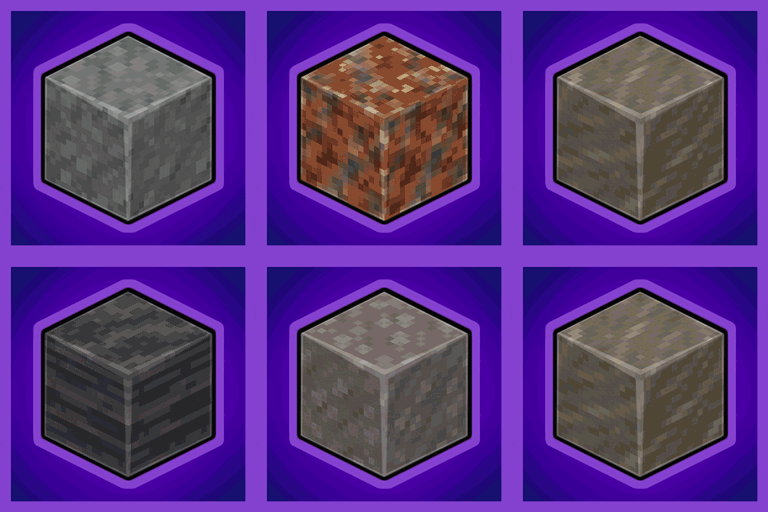
Universal Stone Compat: Supports Create, Rechiseled, and Others...
Beyond Storage Addon connects any container directly to your Beyond Dimensions network, allowing for instant, one-click storage management.
A collection of random tweaks and features to enhance my experience with TaCZ.
Vanilla version REMOVES hidden unique vanilla items
Fabric Port of Attribute Fix
They're two different mod loaders that aren't compatible with each other. Forge is the older one and better suited to big tech and magic modpacks; Fabric is lighter, updates to new game versions faster, and hosts most performance mods. NeoForge is a Forge fork for newer versions, and Quilt is a Fabric fork. A Forge mod won't run on Fabric, and vice versa. Millida Launcher installs the right loader for you.
The one that matches your game version and loader. The “Install” button picks the file for you: Millida Launcher grabs the version for your modpack. A mod for 1.20.1 usually won't work on 1.21.
Click “Install” and Millida Launcher will download the mod, its dependencies and the right loader for you. To install a downloaded file manually, put it in the mods folder inside the game directory.
No. The Install button on a mod page opens Millida Launcher: it downloads the mod, its dependencies and the right loader into the chosen instance by itself. No CurseForge and no manual file copying.
1.20.1 is one of the most modded versions, especially on Forge: tech, magic, RPG, furniture, weapons. Pick 1.20.1 in the version filter to keep only mods with a file built exactly for it, then pick Forge or Fabric next to it.
On Android, yes: Millida Launcher runs the Java edition on a phone, and mods work there just like on a PC, though light ones run much better than heavy ones. Minecraft PE (Bedrock) cannot load PC mods — it has add-ons instead, in the Minecraft PE mods section.
The usual picks are Simple Voice Chat for proximity voice chat, Waystones for fast travel, Xaero's Minimap and something big to work on together, such as Create. Mods that change the world must be installed by every player and on the server, while client-side ones like a minimap or performance mods are up to each player.
A mod is an add-on that changes the game itself: it adds blocks, mobs and mechanics, or speeds up world rendering. It isn't installed into the game directly but on top of a loader — Forge, Fabric, NeoForge or Quilt — and it's the loader that decides whether the file will run. That's why every card here lists both the game version and the loader: two mods with the same name for 1.12.2 Forge and 1.21 Fabric are two different files, and mixing them up means a crash on launch.
The most searched Minecraft mods are weapon, furniture, horror and performance mods: each theme has its own collection, and links to the themes and the most wanted versions are in the Popular block. Version 1.20.1 on Forge still holds the most big tech, magic and RPG mods, while the fresh 1.21.11 and 26.2 get Fabric and NeoForge mods fastest.
One mod in the catalog, one page. Every version the author has released is listed on its card: pick your game version and loader right there instead of jumping between ten similar pages. Each file shows its size, release date and checksum, and the mod itself shows the author, license and a link to the original source. Files whose license allows rehosting are stored with us and download directly — no link shorteners, timers or ad redirects. If the license forbids rehosting, the button honestly takes you to the author.