Simple Menu
by Serilum · CurseForge🖼️ Adds some basic functionality to edit the style and buttons of Minecraft's main menu, change the window title and set a new icon. A less fancy FancyMenu alternative.
🖼️ Adds some basic functionality to edit the style and buttons of Minecraft's main menu, change the window title and set a new icon. A less fancy FancyMenu alternative.
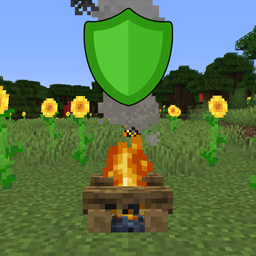
🔥 Prevents hostile mob spawns and burns them around the campfire in a configurable radius.
🍽 Makes lots of ingredients edible, after which the player receives a short status effect. Allows eating blaze powder, glowstone dust, magma cream, sugar, ghast tear, phantom membrane and rabbit's foot.
Enhances the food system to encourage you to eat a balanced diet with buffs and debuffs.
Wandering Traders trade lost items back to the player.
Integrates Cobblemon recipes (Campfire Pot & Brewing Stand) directly into REI
Practice folk witchcraft through herbalism, rituals, brewing, enchanted flora, magical tools, and the living forces of nature.
Your personal safe* storage.
The Light Overlay Mod with a twist!
Compatibility add-on for Friends and Foes mod and CTOV
The ultimate gear and weapon mod - find your battle style!
A small mod that adds 4 unique and balanced ores, as well as copper gear.
Allows for Cobblemon to spawn in different sizes.
An expansion to wolves in a vanilla style.
Gives you control over which portals or structures are in your mod pack! Allows you to create a truly themed mod pack. No ruined portals, nether dimension, end dimensions, or even villages if you so desire. You're in total control!
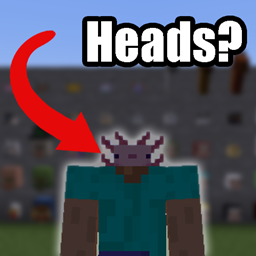
Adds more mob heads
Access block capabilities from multiple sides
🙅 Removes those pesky slimes when you're trying to be creative in a superflat world.
Herds just start to panic when a member panics
Lays down a dozen of egg-related features!
Modern data driven tooltip rendering
Fermenting addon for Farmer's Delight
Tree Giant is a Minecraft modification aims add giant trees to the world.
Adds a confirmation screen when resetting all key binds to default
They're two different mod loaders that aren't compatible with each other. Forge is the older one and better suited to big tech and magic modpacks; Fabric is lighter, updates to new game versions faster, and hosts most performance mods. NeoForge is a Forge fork for newer versions, and Quilt is a Fabric fork. A Forge mod won't run on Fabric, and vice versa. Millida Launcher installs the right loader for you.
The one that matches your game version and loader. The “Install” button picks the file for you: Millida Launcher grabs the version for your modpack. A mod for 1.20.1 usually won't work on 1.21.
Click “Install” and Millida Launcher will download the mod, its dependencies and the right loader for you. To install a downloaded file manually, put it in the mods folder inside the game directory.
No. The Install button on a mod page opens Millida Launcher: it downloads the mod, its dependencies and the right loader into the chosen instance by itself. No CurseForge and no manual file copying.
1.20.1 is one of the most modded versions, especially on Forge: tech, magic, RPG, furniture, weapons. Pick 1.20.1 in the version filter to keep only mods with a file built exactly for it, then pick Forge or Fabric next to it.
On Android, yes: Millida Launcher runs the Java edition on a phone, and mods work there just like on a PC, though light ones run much better than heavy ones. Minecraft PE (Bedrock) cannot load PC mods — it has add-ons instead, in the Minecraft PE mods section.
The usual picks are Simple Voice Chat for proximity voice chat, Waystones for fast travel, Xaero's Minimap and something big to work on together, such as Create. Mods that change the world must be installed by every player and on the server, while client-side ones like a minimap or performance mods are up to each player.
A mod is an add-on that changes the game itself: it adds blocks, mobs and mechanics, or speeds up world rendering. It isn't installed into the game directly but on top of a loader — Forge, Fabric, NeoForge or Quilt — and it's the loader that decides whether the file will run. That's why every card here lists both the game version and the loader: two mods with the same name for 1.12.2 Forge and 1.21 Fabric are two different files, and mixing them up means a crash on launch.
The most searched Minecraft mods are weapon, furniture, horror and performance mods: each theme has its own collection, and links to the themes and the most wanted versions are in the Popular block. Version 1.20.1 on Forge still holds the most big tech, magic and RPG mods, while the fresh 1.21.11 and 26.2 get Fabric and NeoForge mods fastest.
One mod in the catalog, one page. Every version the author has released is listed on its card: pick your game version and loader right there instead of jumping between ten similar pages. Each file shows its size, release date and checksum, and the mod itself shows the author, license and a link to the original source. Files whose license allows rehosting are stored with us and download directly — no link shorteners, timers or ad redirects. If the license forbids rehosting, the button honestly takes you to the author.