
Minecraft mods — page 122
9,029 itemsMods: list

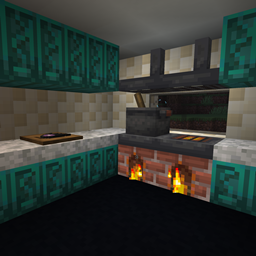


Endorium (Forge)
Compact End-themed expansion.Install
Better Block Sounds
Updating old blocks with new, better block sounds.Install

Boat Break Fix
Fixes a bug where boats can be destroyed while falling on specific heights.InstallOn a server
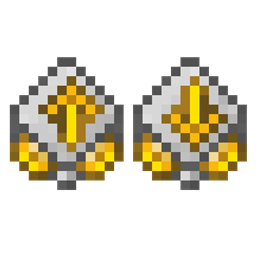
RS Insert Export Upgrade
Expands your Refined Storage Wireless Grid with automatic inventory transfers, block picking, item collection, and additional energy capacity upgradesInstall
Tinkers' Levelling Addon
Tinkers' Construct addon that adds tool leveling system.Install
Spartan Weaponry: Twilight Forest
Addon mod for Spartan Weaponry that adds compatibility with Twilight Forest.Install
StepUp
[1.7.10-1.18.2] 3 options allow you to choose between no auto jump, Minecraft auto jump, and StepUp auto jump!Install
Loot Integrations: L_Ender 's Cataclysm
Adds better loot to Cataclysm chests and bosses, including modded lootInstall
Mod Compat Fixes
Fix issues for a couple mods that are present in modpacks.Install

Awesome Dungeon - Fabric
This mod adds structures/dungeons to your world.Install
Unlimited Chisel Works
Generated Chisel variants for modded blocksInstall
Fish of Thieves
A mod adds all of the fish from Sea of Thieves, fish fer ye pirate!Install
Clutter
"Vanilla Styled" Decorations, Items, Mobs and More.Install

HT's TreeChop
Take down trees chop-by-chop instead of block-by-block.InstallOn a server
Mobs Properties Randomness
Randomize mobs properties. Add Potion Effects, apply Attribute Modifiers, add Equipment and more!Install

Cobblemon: PlayerXP
Earn XP from battles alongside your pokemon.InstallOn a server

Immersive Paintings
Drag and drop, pixelate and hang up beautiful art. On servers too.InstallOn a server
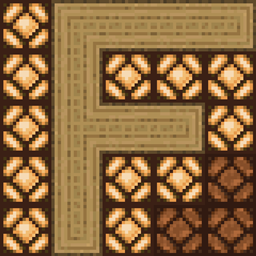
Floor Mats
Multiblock pressure plates.Install
Better Foliage Renewed
A slim port of Better Foliage to 1.16 and beyond.Install

EEEAB 's Mobs
EEEAB's Mobs adds a variety of challenging monsters to your Minecraft world.InstallOn a server
SevTweaks
Adds tweaks/mod compact when CrT does not support it.Install

Modpack Update Checker
An update checker designed for modpacks!InstallOn a server
Immersive Technology
Energy Technology addon for Immersive EngineeringInstallFAQ
How is Forge different from Fabric?
They're two different mod loaders that aren't compatible with each other. Forge is the older one and better suited to big tech and magic modpacks; Fabric is lighter, updates to new game versions faster, and hosts most performance mods. NeoForge is a Forge fork for newer versions, and Quilt is a Fabric fork. A Forge mod won't run on Fabric, and vice versa. Millida Launcher installs the right loader for you.
How do I know which mod version I need?
The one that matches your game version and loader. The “Install” button picks the file for you: Millida Launcher grabs the version for your modpack. A mod for 1.20.1 usually won't work on 1.21.
How do I install a mod?
Click “Install” and Millida Launcher will download the mod, its dependencies and the right loader for you. To install a downloaded file manually, put it in the mods folder inside the game directory.
Do I need CurseForge to install mods?
No. The Install button on a mod page opens Millida Launcher: it downloads the mod, its dependencies and the right loader into the chosen instance by itself. No CurseForge and no manual file copying.
Which mods are there for 1.20.1?
1.20.1 is one of the most modded versions, especially on Forge: tech, magic, RPG, furniture, weapons. Pick 1.20.1 in the version filter to keep only mods with a file built exactly for it, then pick Forge or Fabric next to it.
Can I install mods on my phone?
On Android, yes: Millida Launcher runs the Java edition on a phone, and mods work there just like on a PC, though light ones run much better than heavy ones. Minecraft PE (Bedrock) cannot load PC mods — it has add-ons instead, in the Minecraft PE mods section.
Which mods are best to play with friends?
The usual picks are Simple Voice Chat for proximity voice chat, Waystones for fast travel, Xaero's Minimap and something big to work on together, such as Create. Mods that change the world must be installed by every player and on the server, while client-side ones like a minimap or performance mods are up to each player.
Minecraft mods
A mod is an add-on that changes the game itself: it adds blocks, mobs and mechanics, or speeds up world rendering. It isn't installed into the game directly but on top of a loader — Forge, Fabric, NeoForge or Quilt — and it's the loader that decides whether the file will run. That's why every card here lists both the game version and the loader: two mods with the same name for 1.12.2 Forge and 1.21 Fabric are two different files, and mixing them up means a crash on launch.
The most searched Minecraft mods are weapon, furniture, horror and performance mods: each theme has its own collection, and links to the themes and the most wanted versions are in the Popular block. Version 1.20.1 on Forge still holds the most big tech, magic and RPG mods, while the fresh 1.21.11 and 26.2 get Fabric and NeoForge mods fastest.
One mod in the catalog, one page. Every version the author has released is listed on its card: pick your game version and loader right there instead of jumping between ten similar pages. Each file shows its size, release date and checksum, and the mod itself shows the author, license and a link to the original source. Files whose license allows rehosting are stored with us and download directly — no link shorteners, timers or ad redirects. If the license forbids rehosting, the button honestly takes you to the author.