Info Overlay
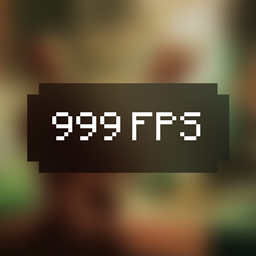
by iqudev · CurseForge🖥️ Displays your FPS and other information on the screen. Supports large customization and new versions of Minecraft.
🖥️ Displays your FPS and other information on the screen. Supports large customization and new versions of Minecraft.
Save your MC bandwidth with big quantities.
A Fork of ToroHealth Damage Indicators: A client-side health indicator mod providing clear, configurable visual feedback for entity health changes.
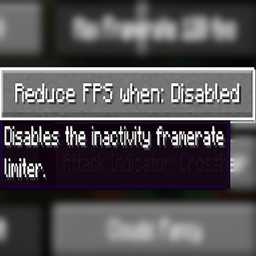
Adds an option to disable Vanilla's Dynamic FPS implementation
Turn portals into CONTINUOUS pathways.
A small collection of server side mobs. No client mods required!
Merge experience orbs and instant pickup experience orbs to reduce lag!
This is a mod, it will add decorative computers.
Ever dreamed of a realistic economy in Minecraft? Your search ends here! Bubustein's Money Mod brings 28 real-world currencies, advanced banking systems, and immersive economic gameplay to your world.
Simple lib for creating multifaced carpets
Change your Skin!
Unlock over 50+ artifacts with unique abilities and equip, craft, recycle and trade them! A result of over 2 years of work!
Adds small vanilla-like structures
Automatically fell entire trees and replant saplings with one block break! Sustainable forestry made easy with configurable settings and proper tool durability.
Allows one person to sleep through the night, which can be cancelled by others in the server.
New vanilla-friendly enchantments that enhance combat, mining, movement and utility, bringing new ways to explore, fight and progress in survival!
A simple mod library that allows for the creation of custom guns with next to no setup and coding knowledge.
An add-on/extension of Chunky to generate chunks when no players are online.
TAB is an all-in-one plugin for displaying information in various places
Lucky Blocks Add-on, find lucky blocks around the overworld!
Simple mod that adds more structures to your world
Access the creative inventory from the survival mode, toggle flight, reach ...
Library for my mods and adding supporter perks
A simple quality of life datapack that rids vexes upon an evoker's defeat.
They're two different mod loaders that aren't compatible with each other. Forge is the older one and better suited to big tech and magic modpacks; Fabric is lighter, updates to new game versions faster, and hosts most performance mods. NeoForge is a Forge fork for newer versions, and Quilt is a Fabric fork. A Forge mod won't run on Fabric, and vice versa. Millida Launcher installs the right loader for you.
The one that matches your game version and loader. The “Install” button picks the file for you: Millida Launcher grabs the version for your modpack. A mod for 1.20.1 usually won't work on 1.21.
Click “Install” and Millida Launcher will download the mod, its dependencies and the right loader for you. To install a downloaded file manually, put it in the mods folder inside the game directory.
No. The Install button on a mod page opens Millida Launcher: it downloads the mod, its dependencies and the right loader into the chosen instance by itself. No CurseForge and no manual file copying.
1.20.1 is one of the most modded versions, especially on Forge: tech, magic, RPG, furniture, weapons. Pick 1.20.1 in the version filter to keep only mods with a file built exactly for it, then pick Forge or Fabric next to it.
On Android, yes: Millida Launcher runs the Java edition on a phone, and mods work there just like on a PC, though light ones run much better than heavy ones. Minecraft PE (Bedrock) cannot load PC mods — it has add-ons instead, in the Minecraft PE mods section.
The usual picks are Simple Voice Chat for proximity voice chat, Waystones for fast travel, Xaero's Minimap and something big to work on together, such as Create. Mods that change the world must be installed by every player and on the server, while client-side ones like a minimap or performance mods are up to each player.
Mods for Minecraft 26.2: 1,784 items in the Mods section. Compatibility is checked against the files, not the description: only items with a build for exactly these conditions stay in the list.
One mod in the catalog, one page. Every version the author has released is listed on its card: pick your game version and loader right there instead of jumping between ten similar pages. Each file shows its size, release date and checksum, and the mod itself shows the author, license and a link to the original source. Files whose license allows rehosting are stored with us and download directly — no link shorteners, timers or ad redirects. If the license forbids rehosting, the button honestly takes you to the author.