Glowing Trims Mod
by terex-mint · ModrinthGlowing Trims adds permanent glow to armor trims.
Glowing Trims adds permanent glow to armor trims.
The default skill trees for Pufferfish's Skills mod.
Polishes and improves Minecraft's particles!
Sick of wasting time with Minecraft’s slow launcher just to change your skin? Quick Skin lets you swap skins instantly even on “offline” servers and gives you access to every official Minecraft cape.
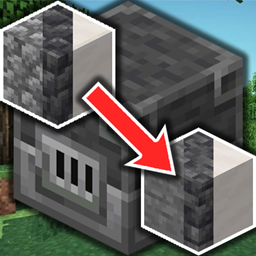
Blast all types of stone including Netherrack or Quartz, fully configurable
A unified overlay for Hypixel SkyBlock storage — all your Ender Chests and Backpacks in one searchable view.
Eliminates render queue latency using NVIDIA Reflex architecture. Works on ANY GPU!
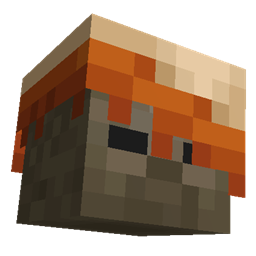
Humanoid mobs get new variants through over 85 custom player heads or unused vanilla mobs! No Resource Pack needed!
Easily bind Minecraft commands to keyboard keys
The best world hosting and friends mod. By Polyfrost, best with OneClient.
This data pack modifies the story and nether advancements to better guide the progression in a skyblock world. It rearranges vanilla advancements and adds extra advancements.
A Ray tracing implementation to have Sound Physics in Minecraft. I believe this is more accurate + sounds better than Sound Physics mod.
Changes the color of entities that are hurt and conditionally on certain events. By Polyfrost, best with OneClient.
Better Title Screen is a client-side mod that provides options to customize Minecraft's title screen.
A datapack that adds simple, purposeful guns, advanced medical supplies, tactical equipment items, and a complex automated turret system!
Trade with Villagers faster - a port of Easier Villager Trading to modern versions.
A Minecraft mod that allows you to attack mobs through any non-collidable objects like grass and cobweb!
This Mod will lighten up your Minecraft Experience by toggling Fullbright with a Keybinding
🔨 Repair placed anvils with iron ingots and damage them with obsidian.
Display the durability of all wearable equipment directly on the HUD with customizable positioning and scaling
Client-side mod which completely removes darkness effect.
Hopper that acts as a simple item filter.
A basic mod that displays your Coordinates on the In-game HUD.
Reimagine your Minecraft startup with a sleek new cinematic sequence!
They're two different mod loaders that aren't compatible with each other. Forge is the older one and better suited to big tech and magic modpacks; Fabric is lighter, updates to new game versions faster, and hosts most performance mods. NeoForge is a Forge fork for newer versions, and Quilt is a Fabric fork. A Forge mod won't run on Fabric, and vice versa. Millida Launcher installs the right loader for you.
The one that matches your game version and loader. The “Install” button picks the file for you: Millida Launcher grabs the version for your modpack. A mod for 1.20.1 usually won't work on 1.21.
Click “Install” and Millida Launcher will download the mod, its dependencies and the right loader for you. To install a downloaded file manually, put it in the mods folder inside the game directory.
No. The Install button on a mod page opens Millida Launcher: it downloads the mod, its dependencies and the right loader into the chosen instance by itself. No CurseForge and no manual file copying.
1.20.1 is one of the most modded versions, especially on Forge: tech, magic, RPG, furniture, weapons. Pick 1.20.1 in the version filter to keep only mods with a file built exactly for it, then pick Forge or Fabric next to it.
On Android, yes: Millida Launcher runs the Java edition on a phone, and mods work there just like on a PC, though light ones run much better than heavy ones. Minecraft PE (Bedrock) cannot load PC mods — it has add-ons instead, in the Minecraft PE mods section.
The usual picks are Simple Voice Chat for proximity voice chat, Waystones for fast travel, Xaero's Minimap and something big to work on together, such as Create. Mods that change the world must be installed by every player and on the server, while client-side ones like a minimap or performance mods are up to each player.
Mods for Minecraft 26.2: 1,784 items in the Mods section. Compatibility is checked against the files, not the description: only items with a build for exactly these conditions stay in the list.
One mod in the catalog, one page. Every version the author has released is listed on its card: pick your game version and loader right there instead of jumping between ten similar pages. Each file shows its size, release date and checksum, and the mod itself shows the author, license and a link to the original source. Files whose license allows rehosting are stored with us and download directly — no link shorteners, timers or ad redirects. If the license forbids rehosting, the button honestly takes you to the author.