
Mods for Minecraft 26.2 — page 49
1,784 itemsMods: list


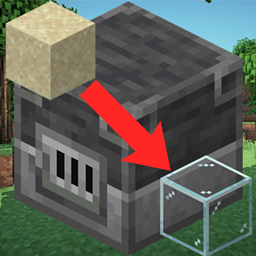
Smelting Sand in a Blast Furnace [Fabric/Forge/NeoForge]
As the name saysInstall

Configuration
Configuration library for easy config managementInstallOn a server

No Hostiles Around Campfire
🔥 Prevents hostile mob spawns and burns them around the campfire in a configurable radius.InstallOn a server

Configurable Extra Mob Drops
✏️ Add any extra item drops to entities via commands and config, drop chance supported.InstallOn a server
Replanting Crops
🌱 Automatically replants/replaces/reseeds crops harvested with a hoe by using the drops. Works with wheat, carrots, potatoes, beetroots, netherwart and cocoa beans.InstallOn a server

Death Finder
Deaths happen. Finding your items should not be the hard part.InstallOn a server

Simple Grinder
Add machine-crasher.Install

MoreCosmetics
MoreCosmetics adds cosmetics to Minecraft, such as hats, wings, shields and cloaks. Everything free and fully customizable!Install

Kaffee's Dual Ride
A tiny mod that allows two players to sit on one horse, donkey, mule etc.InstallOn a server

Click Villagers
Click to pick up villagers, reset their trades, change their biomes, claim them and much more!Install
Cull Fewer Leaves
Cull leaves while looking hot! A continuation of Cull Less Leaves.Install

One Block
One Block: Begin your Minecraft adventure in a desolate world with just one respawning block. Break it, level it up, and unlock richer rewards with each upgrade.InstallOn a server
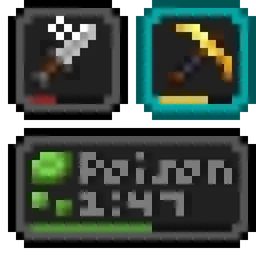
Status Effect Bars Reforged
A client-side mod that adds small customizable bars to the status effects overlay and in the inventory to show the remaining duration of effects.Install

Chat Notify
Plays a ping sound when your name is mentioned, with options to create custom alerts.Install
WorldWeaver: New Dawn
An unofficially maintained continuation of the BetterX Team's utility library for Fabric and NeoForge, designed to streamline common modding tasks, especially those related to world generationInstall
Preferred Gamerules
Light-weight mod for changing the default values of gamerules.InstallOn a server

Spatial GUI
A client-side mod that renders inventory & container screens as a 3D plane.Install

Poly+ (PolyPlus)
The best world hosting and friends mod. By Polyfrost, best with OneClient.Install

Sodium Extra Information
A Sodium Extra addon that adds more in-game information.Install
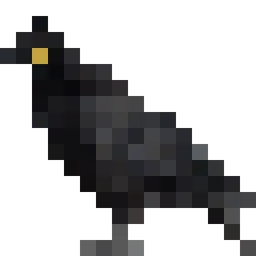
Cosy Critters & Creepy Crawlies
Adds adorable atmospheric animals: birds, bugs, and bothersome creatures.Install

Animatium
Customize different visuals/animations from 1.7/1.8 eras and more.Install

Hunter's Return
Add evil Hunter's mob! They hunt the animals while making a cheeky laugh...InstallOn a server
BCLib: New Dawn
An unofficially maintained continuation of BCLib for Fabric and NeoForge, providing core utilities and shared functionality for BetterX modsInstallFAQ
How is Forge different from Fabric?
They're two different mod loaders that aren't compatible with each other. Forge is the older one and better suited to big tech and magic modpacks; Fabric is lighter, updates to new game versions faster, and hosts most performance mods. NeoForge is a Forge fork for newer versions, and Quilt is a Fabric fork. A Forge mod won't run on Fabric, and vice versa. Millida Launcher installs the right loader for you.
How do I know which mod version I need?
The one that matches your game version and loader. The “Install” button picks the file for you: Millida Launcher grabs the version for your modpack. A mod for 1.20.1 usually won't work on 1.21.
How do I install a mod?
Click “Install” and Millida Launcher will download the mod, its dependencies and the right loader for you. To install a downloaded file manually, put it in the mods folder inside the game directory.
Do I need CurseForge to install mods?
No. The Install button on a mod page opens Millida Launcher: it downloads the mod, its dependencies and the right loader into the chosen instance by itself. No CurseForge and no manual file copying.
Which mods are there for 1.20.1?
1.20.1 is one of the most modded versions, especially on Forge: tech, magic, RPG, furniture, weapons. Pick 1.20.1 in the version filter to keep only mods with a file built exactly for it, then pick Forge or Fabric next to it.
Can I install mods on my phone?
On Android, yes: Millida Launcher runs the Java edition on a phone, and mods work there just like on a PC, though light ones run much better than heavy ones. Minecraft PE (Bedrock) cannot load PC mods — it has add-ons instead, in the Minecraft PE mods section.
Which mods are best to play with friends?
The usual picks are Simple Voice Chat for proximity voice chat, Waystones for fast travel, Xaero's Minimap and something big to work on together, such as Create. Mods that change the world must be installed by every player and on the server, while client-side ones like a minimap or performance mods are up to each player.
Mods for Minecraft 26.2
Mods for Minecraft 26.2: 1,784 items in the Mods section. Compatibility is checked against the files, not the description: only items with a build for exactly these conditions stay in the list.
One mod in the catalog, one page. Every version the author has released is listed on its card: pick your game version and loader right there instead of jumping between ten similar pages. Each file shows its size, release date and checksum, and the mod itself shows the author, license and a link to the original source. Files whose license allows rehosting are stored with us and download directly — no link shorteners, timers or ad redirects. If the license forbids rehosting, the button honestly takes you to the author.