
Mods for Minecraft 26.2 — page 45
1,784 itemsMods: list



Fullbright [Permanent Night Vision]
Toggleable Fullbright for every player on the server! Also works in singleplayer.InstallOn a server

Armor Durability HUD
This mod will show you your armor durability + item durability.Install

Tightfire
Makes fire render tighter against blocks like slabs and fencesInstall
CreamyKeys
A mod that adds keyboard and mouse clicking sounds in game for your inputs, You can add your own sounds now!Install
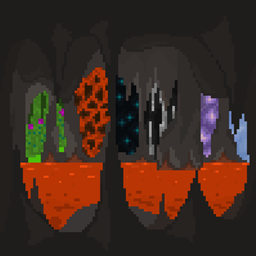
Infinity Cave
Infinity Cave adds a seemingly infinite cave system beneath the bedrock layer increasing it from -64 to -128. With this comes many new challenges and an overall different way of experiencing PvE.Install

Beyond Dimensions
Beyond Dimensions is a mod that provides storage solutions. It introduces a virtual storage system obtainable in the late-game of vanilla gameInstallOn a server
ModListMemory
Moves recently-opened mods to the top of the mod list, or remembers your scroll position.Install

Caxton
A mod that adds improved TrueType/OpenType font support.Install
Modify Player Data
This mod allows Minecraft's data commands (/data, /execute store, etc.) to modify player dataInstallOn a server

Cosmetica
Free custom capes and cosmetics for MinecraftInstall

Caves & Canyons
Save your surface, find your underground adventure!InstallOn a server

Pufferfish's Biome Dither
Adds dithering on the biome borders to the game.InstallOn a server

Scarecrows' Territory
Scarecrows' Territory keeps spawners activated!Install

AsteorBar
A simple mod to display player's status in HUD and mob's health using slim bars.InstallOn a server

Clumps
Merge experience orbs and instant pickup experience orbs to reduce lag!InstallOn a server
Dio's Lib
Companion mod required by all mods created by AlasDiablo.Install

Areas
✍️ Create custom named regions/towns/zones with a radius using signs, with join/leave messages via GUI.Install

SpiffyHUD
Addon for FancyMenu to customize the in-game HUD.InstallOn a server

Item Zoomer
Zoom in on hovered items in the inventory.Install

Moves Like Mafuyu
A lightweight action-oriented mod designed to optimize movement experience during exploration and building.InstallOn a server

Fast Trading
Adds a button to the villager trading GUI to repeat the current trade until it's no longer available again. (Fork of SpeedTrading)Install

Chat Plus
Movable/resizable chat, chat windows, chat tabs, copy/translate/select/bookmark/screenshot messages, player heads, speech to text, filter messages, scrollbar, etc.Install
Too Many Paintings!
More paintings for Minecraft, includes popular paintings too!InstallFAQ
How is Forge different from Fabric?
They're two different mod loaders that aren't compatible with each other. Forge is the older one and better suited to big tech and magic modpacks; Fabric is lighter, updates to new game versions faster, and hosts most performance mods. NeoForge is a Forge fork for newer versions, and Quilt is a Fabric fork. A Forge mod won't run on Fabric, and vice versa. Millida Launcher installs the right loader for you.
How do I know which mod version I need?
The one that matches your game version and loader. The “Install” button picks the file for you: Millida Launcher grabs the version for your modpack. A mod for 1.20.1 usually won't work on 1.21.
How do I install a mod?
Click “Install” and Millida Launcher will download the mod, its dependencies and the right loader for you. To install a downloaded file manually, put it in the mods folder inside the game directory.
Do I need CurseForge to install mods?
No. The Install button on a mod page opens Millida Launcher: it downloads the mod, its dependencies and the right loader into the chosen instance by itself. No CurseForge and no manual file copying.
Which mods are there for 1.20.1?
1.20.1 is one of the most modded versions, especially on Forge: tech, magic, RPG, furniture, weapons. Pick 1.20.1 in the version filter to keep only mods with a file built exactly for it, then pick Forge or Fabric next to it.
Can I install mods on my phone?
On Android, yes: Millida Launcher runs the Java edition on a phone, and mods work there just like on a PC, though light ones run much better than heavy ones. Minecraft PE (Bedrock) cannot load PC mods — it has add-ons instead, in the Minecraft PE mods section.
Which mods are best to play with friends?
The usual picks are Simple Voice Chat for proximity voice chat, Waystones for fast travel, Xaero's Minimap and something big to work on together, such as Create. Mods that change the world must be installed by every player and on the server, while client-side ones like a minimap or performance mods are up to each player.
Mods for Minecraft 26.2
Mods for Minecraft 26.2: 1,784 items in the Mods section. Compatibility is checked against the files, not the description: only items with a build for exactly these conditions stay in the list.
One mod in the catalog, one page. Every version the author has released is listed on its card: pick your game version and loader right there instead of jumping between ten similar pages. Each file shows its size, release date and checksum, and the mod itself shows the author, license and a link to the original source. Files whose license allows rehosting are stored with us and download directly — no link shorteners, timers or ad redirects. If the license forbids rehosting, the button honestly takes you to the author.