Roughly Enough Professions (REP)
by Mrbysco · ModrinthAn REI addon that adds profession workstations
An REI addon that adds profession workstations
adds more vanilla style structures to the game
A simple mod that adds footprint particle for mobs.
AE2: A popular automation and storage mod
Make your journey to the End more Challenging and Engaging with End Remastered!
Provides you with capes! You can choose from various providers or add your own
Formations Overworld adds plenty of new structures to the overworld!
Enter a world of fear and mystery with From The Fog, a Minecraft mod that brings the legendary Herobrine to life in a spooky and immersive way true to the legend.
Transforms the boring Vanilla end into an alien dimension with the most surreal terrain imaginable. Topped with a couple of new biomes to add to the experience, whilst keeping the end desolate.
Adds a neat little particle effect to leaf blocks
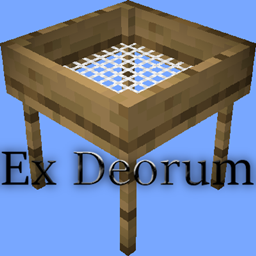
Port of the original Ex Nihilo to 1.20 and beyond.
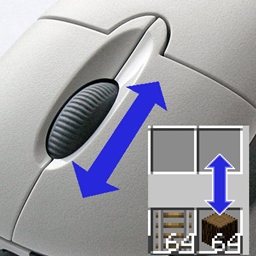
Move items by mouse wheel scrolling, Shift + dragging, etc.
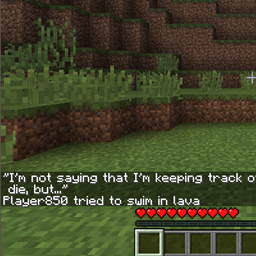
Displays funny quotes when you die in Minecraft
Simple vanilla biome updates, with fun mobs, blocks, and more!
Remove fade out animations in Minecraft (1.20+)
A quick way to get rid of a biome. Useful for tweaking datapack-based generators (like Terralith) that don't have a convenient configuration
Supercharge shulker boxes with browsing, inserting and extracting contents directly from your inventory.
A fork of Animatica implementing the OptiFine/MCPatcher animated texture format.
Configure visual notifications when music is played in-game
The Pillagers have expanded their Civilization! They have set up encampments and fortresses all over the world! Do you have what it takes to overcome these new threats, and seize their precious loot?
This mod allows you to change your logged in account in-game, without restarting Minecraft
Particular is a mod that enhances Minecraft's ambience with many hand-crafted visual effects.
A mod to hide or customize armor rendering.
Little visual improvements by adding a bunch of new particles.
They're two different mod loaders that aren't compatible with each other. Forge is the older one and better suited to big tech and magic modpacks; Fabric is lighter, updates to new game versions faster, and hosts most performance mods. NeoForge is a Forge fork for newer versions, and Quilt is a Fabric fork. A Forge mod won't run on Fabric, and vice versa. Millida Launcher installs the right loader for you.
The one that matches your game version and loader. The “Install” button picks the file for you: Millida Launcher grabs the version for your modpack. A mod for 1.20.1 usually won't work on 1.21.
Click “Install” and Millida Launcher will download the mod, its dependencies and the right loader for you. To install a downloaded file manually, put it in the mods folder inside the game directory.
No. The Install button on a mod page opens Millida Launcher: it downloads the mod, its dependencies and the right loader into the chosen instance by itself. No CurseForge and no manual file copying.
1.20.1 is one of the most modded versions, especially on Forge: tech, magic, RPG, furniture, weapons. Pick 1.20.1 in the version filter to keep only mods with a file built exactly for it, then pick Forge or Fabric next to it.
On Android, yes: Millida Launcher runs the Java edition on a phone, and mods work there just like on a PC, though light ones run much better than heavy ones. Minecraft PE (Bedrock) cannot load PC mods — it has add-ons instead, in the Minecraft PE mods section.
The usual picks are Simple Voice Chat for proximity voice chat, Waystones for fast travel, Xaero's Minimap and something big to work on together, such as Create. Mods that change the world must be installed by every player and on the server, while client-side ones like a minimap or performance mods are up to each player.
Mods for Minecraft 26.2: 1,784 items in the Mods section. Compatibility is checked against the files, not the description: only items with a build for exactly these conditions stay in the list.
One mod in the catalog, one page. Every version the author has released is listed on its card: pick your game version and loader right there instead of jumping between ten similar pages. Each file shows its size, release date and checksum, and the mod itself shows the author, license and a link to the original source. Files whose license allows rehosting are stored with us and download directly — no link shorteners, timers or ad redirects. If the license forbids rehosting, the button honestly takes you to the author.