Hide Experimental Warning
by Serilum · Modrinth❌ Hides the Experimental Settings Warning when trying to create or load a modded world.
❌ Hides the Experimental Settings Warning when trying to create or load a modded world.
Disable enderman picking up blocks
Overhauls Desert Temples with 4 Variants using new loot tables alongside the Vanilla Loot Tables. The chests at the TNT trap can now turn into exits leading into underground buried rooms for archeology
Slightly improves the speed of Iris' shadow mapper. Built-in in Iris since Iris 1.11.2
Knowlogy Book addon with wiki information about the Cobblemon mod. The Cobblepedia successor.
Adds 30 new flavors of cake along with new improvements and mechanics for a better cake experience
A codelib for render, registry and network stuff
This package was written by me through the datapack exercise. Because I was tired of vanilla terrain and I always wanted a realistic terrain that was efficient, I set out to refactor vanilla terrain.
Ever wished that instead of hatching your dragon egg into a magnificent mount, you could hatch it into a draconic pet Axolotl? No? Well, here it is anyway.
⏰ Shows the time/days played in the GUI/HUD with a clock in the inventory.
With this mod you will be able to customize the background of the loading screens of the Minecraft games, placing any type of customizable image.
Sharpness enchantment.level.20 => Sharpness 20/XX
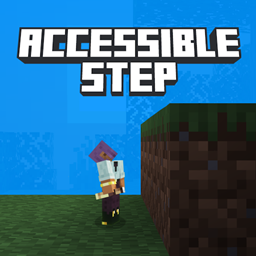
Walk up full blocks without reaching for another button. Now for multiple mod loaders!
Borderless fullscreen support for Minecraft 1.20.6+
📸 Takes a screenshot every time an advancement is achieved. Document your progress!
Vein Miner automatically mines connected ore blocks when you break one
This mod uses KubeJS to dynamically register entities with full AI/Animation/Spawn Control support!
A lightweight datapack that brings sound effects to your toolbar (hotbar).
An extensive mod that adds new structures to your game.
This mod Prevents the Client from disconnecting when invalid packets are received.
Utility mod that contains really useful code for quite a few mods.
Data pack that will add more structures to your Minecraft world
A Create Mod Addon that adds different food items, mainly nuts.
The official Mekanism support addon for AE2
They're two different mod loaders that aren't compatible with each other. Forge is the older one and better suited to big tech and magic modpacks; Fabric is lighter, updates to new game versions faster, and hosts most performance mods. NeoForge is a Forge fork for newer versions, and Quilt is a Fabric fork. A Forge mod won't run on Fabric, and vice versa. Millida Launcher installs the right loader for you.
The one that matches your game version and loader. The “Install” button picks the file for you: Millida Launcher grabs the version for your modpack. A mod for 1.20.1 usually won't work on 1.21.
Click “Install” and Millida Launcher will download the mod, its dependencies and the right loader for you. To install a downloaded file manually, put it in the mods folder inside the game directory.
No. The Install button on a mod page opens Millida Launcher: it downloads the mod, its dependencies and the right loader into the chosen instance by itself. No CurseForge and no manual file copying.
1.20.1 is one of the most modded versions, especially on Forge: tech, magic, RPG, furniture, weapons. Pick 1.20.1 in the version filter to keep only mods with a file built exactly for it, then pick Forge or Fabric next to it.
On Android, yes: Millida Launcher runs the Java edition on a phone, and mods work there just like on a PC, though light ones run much better than heavy ones. Minecraft PE (Bedrock) cannot load PC mods — it has add-ons instead, in the Minecraft PE mods section.
The usual picks are Simple Voice Chat for proximity voice chat, Waystones for fast travel, Xaero's Minimap and something big to work on together, such as Create. Mods that change the world must be installed by every player and on the server, while client-side ones like a minimap or performance mods are up to each player.
Mods for Minecraft 1.21 NeoForge: 1,109 items in the Mods section. Compatibility is checked against the files, not the description: only items with a build for exactly these conditions stay in the list.
One mod in the catalog, one page. Every version the author has released is listed on its card: pick your game version and loader right there instead of jumping between ten similar pages. Each file shows its size, release date and checksum, and the mod itself shows the author, license and a link to the original source. Files whose license allows rehosting are stored with us and download directly — no link shorteners, timers or ad redirects. If the license forbids rehosting, the button honestly takes you to the author.