
Minecraft modpacks — page 96
5,165 itemsModpacks: list

Wynncraft Plus [LITE]
Wynncraft Plus [LITE] was made to enhance your Wynncraft experience in a performant wayInstallOn a server

Massive Dig
Digging it like you've never dug before! The better version of Big Dig!InstallOn a server

Zoo Diaries
The official Zoo Diaries ModpackInstallOn a server

Bedwars Mini Client
A Small But Effective Performance/QoL Modpack For 1.8.9. Great For Bedwars, Skywars, Skyblock, SheepWars & More! Built For Hypixel.InstallOn a server
Power Heroes 2 - Comics
Save the world, use your SUPER POWER !!!InstallOn a server

Skyopolis 3
A skyblock with modsInstallOn a server
Total RPG II
The ultimate striving for loot and adventure!InstallOn a server
The Wither Storm's Devastation
Survive and kill the Wither Storm from Crackers Wither Storm Mod!InstallOn a server
Jurassic Colonies
The spirit of Monster Hunter combines with the city-building of MinecoloniesInstallOn a server

Fearcraft Reimagined
A Horror Modpack that adds loads of scary creaturesInstallOn a server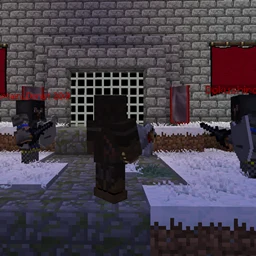
A Simple Life
A lite pack that aims at creating living communities and lands of adventureInstallOn a server

Technological Journey
A trip through technology.InstallOn a server

Deez FPS [Vulkan Edition]
Best FPS Boost ModPack [Vulkan Edition]InstallOn a server
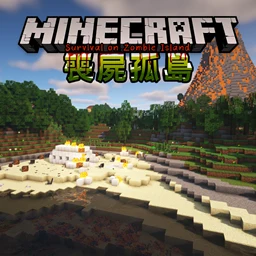
Survival on Zombie Island
Living alone on an island full of zombieInstallOn a server

Chef's Adventure
Set on a cooking adventure through over 200 quests! Progress to make foods from farmer's delight (and several addons), alex's mobs & caves, atmospheric and more! Create 1.6 is included so you can create your cooking factory with the latest update.InstallOn a server
Element Benders
A detailed and customized experience based on exploration and multiplayer. Become the Element BendersInstallOn a server
Simply Legacy
A faithful, fully-featured and performant continuation of the vanilla Legacy Console Edition experience for PCs, Steam Decks and more! (An Official Legacy4J Project)InstallOn a server
Majnr Skyblock
Modpack for Majnr SkyblockInstallOn a server

Cobblemon Optimised
Cobblemon Optimised is a carefully curated mod pack designed to offer a fresh take on the beloved world of Pokemon in Minecraft. With the new Cobblemon mod as its centrepiece, players can dive into a rich and immersive Pokemon experience.Install
Feed The Trouduc 3 - FTT3
Fun & FailInstallOn a server

Five Nights at Freddy's Legacy
Five Nights at Freddy's Minecraft Fully Playable MapInstall
All The Sky
All the Mods but now a skyblock!InstallOn a server
Crazier Crazy Craft
A recreation of Crazy Craft for 1.16.5.InstallOn a serverFAQ
How is a modpack different from a bunch of mods?
A modpack is already a tuned set: mod versions are matched to each other, configs are set up, and recipes and progression are tied together. Mods downloaded one by one you'll have to make work together yourself.
How do I install a modpack?
Click “Install” and Millida Launcher will download the modpack and the right Java for you and create a separate profile for it. No need to install the mods or loader separately.
How much memory should I allocate?
Light performance modpacks run on 4 GB, mid-sized ones on 6 GB, and big tech-and-magic ones need 8 GB or more. You can change memory in the Millida Launcher profile settings; the exact figure is usually in the modpack description.
Which modpack should I pick to play with friends?
Turn on the With a friend filter under What for to keep modpacks made for playing together: co-op survival, Create, adventures with shared progression. The modpack version must match for every player and the server.
Are there modpacks with quests in my language?
Modpacks with a quest book and a story are in the With quests theme. The quest language depends on the author: most packs ship in English, and other languages are usually added by a separate translation mod — check the modpack description.
Will a modpack run on a low-end PC?
A light one will. The For low-end PCs filter keeps modpacks with a small mod list and performance mods, and 4 GB of memory is enough for them. Big tech-magic modpacks need 6–8 GB and lag on a weak machine even if they start.
How do I run a modpack on my own server?
A modpack page has an On a server button: it installs the modpack on a Millida Hosting server and switches the core to match, and a copy of the old world is kept in backups. Players then install the same modpack in Millida Launcher and join the server address.
Minecraft modpacks
A modpack is a ready-made set of mods, configs and recipes put together by the author so that everything works together. Building a set like that by hand takes ages: mods clash over versions, need libraries and handle game mechanics in different ways. A modpack has already done that work for you — all that's left is to pick the game version and loader.
A modpack is not only for your own game: you can also run it on a server to play with friends. Next to Install on a modpack page there is an On a server button: it installs the same modpack on a Millida Hosting server together with the right core, and a copy of the old world is kept in backups. Your friends install the modpack in the launcher and join the server address — everyone gets the same version because it comes from one place.
Each modpack here is one page with every released version. The card shows which game version and loader it's built for, how big the archive is and who the author is. Modpacks aren't installed like individual mods: click “Install” and Millida Launcher downloads all the modpack's mods, the right loader and Java, and creates a separate profile for it without touching your others. Mind the memory requirements: heavy tech-and-magic modpacks need six gigabytes or more and simply won't start on the default two.