
Minecraft modpacks — page 83
5,163 itemsModpacks: list
DogCraft - Remastered
To play along with StacyPlays in her Dogcraft Series!InstallOn a server
Life in the Industrial Village
Ever dreamed about managing villages and advancing through technological ages? Millenaire, Minecolonies, Immersive Engineering and Tinker's construct!InstallOn a server
Ice and fire modpack Sir_Pyromancer
Fight monsters and beasts of legend, make the nature of the earth bends to your whims, find the creatures of the globe, defend and attack villages as a vampire or hunter, within one world. Beware of cuts left by sharp objects and disorientaion from falls.InstallOn a server
Apocalipse Zumbi
zombie apocalypse survivalInstallOn a server
One Hundred Years After the Apocalypse
Progression based|Game Stages|Custom post-apocalyptic world generator and dungeon loot|Over 380 quests|Harder than RLcraft and sevtech ages combinedInstallOn a server
Epic JJKCraft
Epic JJKCraft is a modpack the reworks the combat of JJKCraft to make it more fun.InstallOn a server
Create: New World | A Locked Progression Experience
Automate materials using the Create mod and its add-ons to complete various milestones, unlocking more advanced components and technologies as you progress.InstallOn a server
Create Block - Everything in the sky
Endless expansion throughout the void with create on a small island with a tree and hidden treasuresInstallOn a server

Reminiscent Create
[1.20.1] A modpack that hopes to provide an epic Create experience with all your favorite Create add-ons, Magic Mods, and many vanilla+ mods, while also keeping optimization in mind.InstallOn a server
Shapeshifter Manhunt
This is a modpack for you and your friends to do a manhunt but you can shapeshift!InstallOn a server

Hekkawick: Arcane Conjuration
A magical and witchy themed modpackInstallOn a server

ArchorClient
ArchorClient is a Hypixel Skyblock–optimized Minecraft modpack made for mobile users on ZalithLauncher, with full support for the MobileGlues render plugin. It includes top Skyblock QOL mods (Skyblocker, SkyHanni, Aaron’s QOL, Firmament) and performance moInstallOn a server
Brass
The 1.16.5 Progression Pack named after everyone's favorite alloy: Brass!InstallOn a server

Random Item Skyblock - Planomania I
The only random item skyblock modpack you'll ever need!InstallOn a server
Compitum Magia
A hard mode magical mod pack with several schools of magic.InstallOn a server
RyanNotBriann's Zombie Apocalypse
RyanNotBriann's Official 100 Days Zombie Modpack used for the 100 Days Zombie Series.InstallOn a server

DarkN Cobblemon [Fabric] [Ultra Optimized]
An entirely new way of playing Minecraft and Cobblemon! Packed with 202 mods aimed to improve your Survival experience, with more Community made Pokemons, more Animals, more biomes, more items, you name it!InstallOn a server
ElysiumCraft Rp
ElysiumCraft è un server Roleplay Medievale FantasyInstallOn a server
Star Wars: The Empire Strikes Block
The ultimate Star Wars modpackInstallOn a server
Create: Factory Builder
Buy, process and sell resources.InstallOn a server
WANKIL CRAZY : LWI
Hardcore Lucky Block Wankil themed modpackInstallOn a server

GTA V Craft
GTA V In MinecraftInstallOn a server
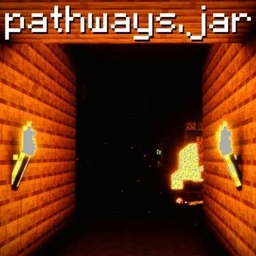
Pathways.jar
Survive.... gather..... HIDE.... Meant to play with 3 or more players VIA ESSENTIAL MOD.InstallOn a serverFAQ
How is a modpack different from a bunch of mods?
A modpack is already a tuned set: mod versions are matched to each other, configs are set up, and recipes and progression are tied together. Mods downloaded one by one you'll have to make work together yourself.
How do I install a modpack?
Click “Install” and Millida Launcher will download the modpack and the right Java for you and create a separate profile for it. No need to install the mods or loader separately.
How much memory should I allocate?
Light performance modpacks run on 4 GB, mid-sized ones on 6 GB, and big tech-and-magic ones need 8 GB or more. You can change memory in the Millida Launcher profile settings; the exact figure is usually in the modpack description.
Which modpack should I pick to play with friends?
Turn on the With a friend filter under What for to keep modpacks made for playing together: co-op survival, Create, adventures with shared progression. The modpack version must match for every player and the server.
Are there modpacks with quests in my language?
Modpacks with a quest book and a story are in the With quests theme. The quest language depends on the author: most packs ship in English, and other languages are usually added by a separate translation mod — check the modpack description.
Will a modpack run on a low-end PC?
A light one will. The For low-end PCs filter keeps modpacks with a small mod list and performance mods, and 4 GB of memory is enough for them. Big tech-magic modpacks need 6–8 GB and lag on a weak machine even if they start.
How do I run a modpack on my own server?
A modpack page has an On a server button: it installs the modpack on a Millida Hosting server and switches the core to match, and a copy of the old world is kept in backups. Players then install the same modpack in Millida Launcher and join the server address.
Minecraft modpacks
A modpack is a ready-made set of mods, configs and recipes put together by the author so that everything works together. Building a set like that by hand takes ages: mods clash over versions, need libraries and handle game mechanics in different ways. A modpack has already done that work for you — all that's left is to pick the game version and loader.
A modpack is not only for your own game: you can also run it on a server to play with friends. Next to Install on a modpack page there is an On a server button: it installs the same modpack on a Millida Hosting server together with the right core, and a copy of the old world is kept in backups. Your friends install the modpack in the launcher and join the server address — everyone gets the same version because it comes from one place.
Each modpack here is one page with every released version. The card shows which game version and loader it's built for, how big the archive is and who the author is. Modpacks aren't installed like individual mods: click “Install” and Millida Launcher downloads all the modpack's mods, the right loader and Java, and creates a separate profile for it without touching your others. Mind the memory requirements: heavy tech-and-magic modpacks need six gigabytes or more and simply won't start on the default two.