
Minecraft modpacks — page 168
5,163 itemsModpacks: list


SkyBlock
A custom Skyblock modpack focused on progression, automation, and quality-of-life improvements for a smooth and challenging gameplay experience.InstallOn a server

The Diamond Dimensions Reborn
A modern port and upgrade of DanTDM's Diamond Dimensions modpack from 2015.InstallOn a server
Minecolonies Schematic Building Pack
Pack for Schematic CreatorsInstallOn a server
Tensura: Epic Adventures!
Modpack for the Epic adventures! serverInstallOn a server

Vanilla Pack
A good vanilla modpack for playing on servers or soloInstall

VulkanMod Ultra
This modpack will have Vulkan Mod with other optimods.InstallOn a server
The Tutorial
Modpack that teaches the basics of mainstream modsInstallOn a server

The Society - Transportcraft
Transportcraft is modpack intented to use on thesociety.eu | Transportcraft server, which is based on building a transport network. Of course it has industrialisation, energy and more. More info at: http://thesociety.euInstallOn a server
BeanPack: Regurgitated
A massive content filled journey into creative items with a ton of mods.InstallOn a server

Ranked Optimized
Extreme optimization, for the best performance for PvP or SMPs, w/ mods you'll need for an advantage without cheats or hacks. Reach high ranked tiers in modes like Crystal, Mace, Sword, Hoplite, in one mod pack, reaching high ranked tiers with fast FPSInstall
Traveling to Teyvat - RPG Adventure Modpack
RPG-adventure modpack inspired by Genshin Impact. Start your journey in a beautiful world with 100+ quests, magic, dungeons and a progression system that evolves from easy to challenging.InstallOn a server
[Discontinued]
[Discontinued]InstallOn a server

Marlow's Mod Folder
The Marlow Modpack includes numerous useful mods for player-versus-player combat and FPS optimization. This modpack was recreated using information obtained from Marlow’s forensic screen share.Install

[SAZ]SurvivorsAndZombies
Modpack 1st Anniversary Celebration UpdateInstallOn a server
Super InsaneCraft MINI
A smaller version of my first modpack in 1.7.10InstallOn a server

MCC Island Optimised
This is an unofficial modpack specifically designed to optimize your game for MCC Island and enhance your experience on the server with Quality of Life features. I recommend using LunarClient with this modpack to take advantage of Lunar's optimisations tooInstall
Dimensions & Dungeoneering
A modpack built around the RPG and Adventure style, with a focus on adding some potentially lesser known mods.InstallOn a server
Stranger Things Experience
Stranger Things Experience is a pack that brings the Upside Down to Minecraft. Survive the Demogorgon using guns, vehicles, and more!InstallOn a server

CoreCraft
Make and share core memories in our Minecraft modpack! New content to expand upon Vanilla Minecraft Java.InstallOn a server
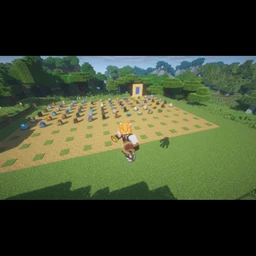
DragonFire Reborn
This is a modpack that adds every dragon that ever existed in dragonfire all into one even the ones that were removed more tools from tinkers construct and dimensions like the aether!!!InstallOn a server
Otheryia Cobblemon
The official Cobblemon modpack for the SquirtleSquadMC Network!InstallOn a server
Small But Fun Modpack
Very fun modpack with non-laggy mods.InstallOn a server
Arcane Twilight
A Magic modpack in the Twilight Forest.InstallOn a serverFAQ
How is a modpack different from a bunch of mods?
A modpack is already a tuned set: mod versions are matched to each other, configs are set up, and recipes and progression are tied together. Mods downloaded one by one you'll have to make work together yourself.
How do I install a modpack?
Click “Install” and Millida Launcher will download the modpack and the right Java for you and create a separate profile for it. No need to install the mods or loader separately.
How much memory should I allocate?
Light performance modpacks run on 4 GB, mid-sized ones on 6 GB, and big tech-and-magic ones need 8 GB or more. You can change memory in the Millida Launcher profile settings; the exact figure is usually in the modpack description.
Which modpack should I pick to play with friends?
Turn on the With a friend filter under What for to keep modpacks made for playing together: co-op survival, Create, adventures with shared progression. The modpack version must match for every player and the server.
Are there modpacks with quests in my language?
Modpacks with a quest book and a story are in the With quests theme. The quest language depends on the author: most packs ship in English, and other languages are usually added by a separate translation mod — check the modpack description.
Will a modpack run on a low-end PC?
A light one will. The For low-end PCs filter keeps modpacks with a small mod list and performance mods, and 4 GB of memory is enough for them. Big tech-magic modpacks need 6–8 GB and lag on a weak machine even if they start.
How do I run a modpack on my own server?
A modpack page has an On a server button: it installs the modpack on a Millida Hosting server and switches the core to match, and a copy of the old world is kept in backups. Players then install the same modpack in Millida Launcher and join the server address.
Minecraft modpacks
A modpack is a ready-made set of mods, configs and recipes put together by the author so that everything works together. Building a set like that by hand takes ages: mods clash over versions, need libraries and handle game mechanics in different ways. A modpack has already done that work for you — all that's left is to pick the game version and loader.
A modpack is not only for your own game: you can also run it on a server to play with friends. Next to Install on a modpack page there is an On a server button: it installs the same modpack on a Millida Hosting server together with the right core, and a copy of the old world is kept in backups. Your friends install the modpack in the launcher and join the server address — everyone gets the same version because it comes from one place.
Each modpack here is one page with every released version. The card shows which game version and loader it's built for, how big the archive is and who the author is. Modpacks aren't installed like individual mods: click “Install” and Millida Launcher downloads all the modpack's mods, the right loader and Java, and creates a separate profile for it without touching your others. Mind the memory requirements: heavy tech-and-magic modpacks need six gigabytes or more and simply won't start on the default two.