
Minecraft modpacks — page 163
5,165 itemsModpacks: list
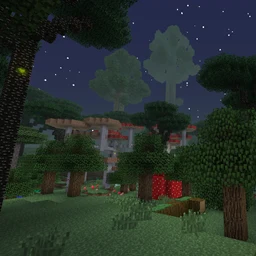
Twilight RPG
You get strong over time, but so do the mobs...InstallOn a server
Wood Stone and Nuclear Energy
A simple (or complex, based on what you want to do) modpack with a questing systemInstallOn a server

SharpSharp RPG
The essence of Minecraft: an RPG world without coercion.InstallOn a server
Fabled - The Best Medieval Experience
A Medieval experience that focuses on faithful content, balance, and good fps!InstallOn a server
Rexxit Reborn
Tech! Dinosuars! Cities! Guns! what more could you want in a Jurassic World/Dinosuar themed Modpack?InstallOn a server
Terra Nova: The New World
A new 1.12 land modpack based on explorationInstallOn a server
Create Optimized [FORGE]
This modpack is curated to provide the highest performance possible while playing the famously taxing create mod. Keep your focus on the gameplay rather than your overheating PC!InstallOn a server

My hero and me [MHA]
A modpack inspired of the anime My Hero AcademiaInstallOn a server
Infitech 3
Infitech 3 ModpackInstallOn a server
The Tales of Steve: An RPG Adventure
Adding an RPG feel to MC 1.11.2InstallOn a server
Infinity Craft ultra
pretty big modpak that is very funInstallOn a server
Mash's Vr Modpack
This modpack aims to use lag free VR friendly mods.InstallOn a server
[OUTDATED] Melbee's SWEM Horse Pack
This is a simple modpack based around SWEM and Minecraft Equestrian gameplay.InstallOn a server

LordOfTheRings | By ACEGaming
This pack is a LordOfTheRings pack built for multiplayer and single player. It has many magic and gameplay enhancing mods. We hope you like it!InstallOn a server
Tiny Block
It's a skyblock but in a compact machine !InstallOn a server
Death, Guns, & Spaceships
Build defenses against harsh mobs and escape to space to recolonize!InstallOn a server
Lords of Doom (DE)
Join a magical roleplay server with a unique character creation, progression systems and a thousand years of lore! German only.InstallOn a server
Cold Times - Frozen Apogee
The world has fallen into endless frost. Manage your temperature, food and water supplies to survive in this frozen world.InstallOn a server
Servidor Magnatas
Modpack Server MGTInstallOn a server

Simply Optimized Forked
An unofficial continuation of Simply Optimized, maintaining the no-bloat, bleeding-edge performance while improving and iterating upon itInstallOn a server
STALKS Baby Challenge
Modpack for 100 baby challengesInstallOn a server
Fantasy Evolved: Quest For Magic
Quest Based Fantasy RPG and Kingdom BuildingInstallOn a server
Sweetie Pack - Cozy Adventure
Explore a bigger, livelier and cozier world full of adventures and beautiful creatures! Made by Sweetie Fox :3InstallOn a serverFAQ
How is a modpack different from a bunch of mods?
A modpack is already a tuned set: mod versions are matched to each other, configs are set up, and recipes and progression are tied together. Mods downloaded one by one you'll have to make work together yourself.
How do I install a modpack?
Click “Install” and Millida Launcher will download the modpack and the right Java for you and create a separate profile for it. No need to install the mods or loader separately.
How much memory should I allocate?
Light performance modpacks run on 4 GB, mid-sized ones on 6 GB, and big tech-and-magic ones need 8 GB or more. You can change memory in the Millida Launcher profile settings; the exact figure is usually in the modpack description.
Which modpack should I pick to play with friends?
Turn on the With a friend filter under What for to keep modpacks made for playing together: co-op survival, Create, adventures with shared progression. The modpack version must match for every player and the server.
Are there modpacks with quests in my language?
Modpacks with a quest book and a story are in the With quests theme. The quest language depends on the author: most packs ship in English, and other languages are usually added by a separate translation mod — check the modpack description.
Will a modpack run on a low-end PC?
A light one will. The For low-end PCs filter keeps modpacks with a small mod list and performance mods, and 4 GB of memory is enough for them. Big tech-magic modpacks need 6–8 GB and lag on a weak machine even if they start.
How do I run a modpack on my own server?
A modpack page has an On a server button: it installs the modpack on a Millida Hosting server and switches the core to match, and a copy of the old world is kept in backups. Players then install the same modpack in Millida Launcher and join the server address.
Minecraft modpacks
A modpack is a ready-made set of mods, configs and recipes put together by the author so that everything works together. Building a set like that by hand takes ages: mods clash over versions, need libraries and handle game mechanics in different ways. A modpack has already done that work for you — all that's left is to pick the game version and loader.
A modpack is not only for your own game: you can also run it on a server to play with friends. Next to Install on a modpack page there is an On a server button: it installs the same modpack on a Millida Hosting server together with the right core, and a copy of the old world is kept in backups. Your friends install the modpack in the launcher and join the server address — everyone gets the same version because it comes from one place.
Each modpack here is one page with every released version. The card shows which game version and loader it's built for, how big the archive is and who the author is. Modpacks aren't installed like individual mods: click “Install” and Millida Launcher downloads all the modpack's mods, the right loader and Java, and creates a separate profile for it without touching your others. Mind the memory requirements: heavy tech-and-magic modpacks need six gigabytes or more and simply won't start on the default two.