
Minecraft modpacks — page 158
5,165 itemsModpacks: list



Found Footage (Fanmade)
Fanmade pack featuring the Found Footage mod (Backrooms-inspired), Simple Voice Chat, GeckoLib, and Fabric API. Built for immersive, analog horror vibes. All credit goes to the original mod creators—this is an unofficial project.InstallOn a server

Spears' Modpack
Every mod for perfect pvp and survival experience !Install

HolyWorld Plus
This modpack is for comfort experience on server HolyWorldInstall
JurassiCraft Modpack
A Jurassic Park Themed PackInstallOn a server
CRETANIA
Modpack created for the Percxy YouTube channel serverInstallOn a server
Age Of Magic
Progression through many magic modsInstallOn a server
TRUE RTX
A place where RTX is free, and easy to use.InstallOn a server
Neuroshroud: The Abandoned
Neuroshroud is a Whitelisted Java Minecraft Roleplay, based around the concept of infinite multiverses, and a looming threat....InstallOn a server
Super Mariocraft 64
Play Mario 64 online in Minecraft (Retro64 Modpack + Multiplayer Server)InstallOn a server
Alex's Space Race
A 1.12.2 pack revisiting the good old space race days. Inspired by Moonquest (Yogscast)InstallOn a server

NMI - server side mods only
This is a collection of over ✨150+✨ server side mods that enhance your gameplay with voice chat, factions, economy, seasons, dungeons, buildings, mobs and much more. 🌌InstallOn a server

Chronos Client
Your go-to performance booster for Minecraft.Install
CraftSouls by Izakji
A Soulslike ExperienceInstallOn a server

Simplex Modern Survival
This focuses on making the game more difficult providing an incentive to use the two main mods, Vic's point blank for powerful weapons and immersive engineering for mass ammo productionInstallOn a server
Witch Craft
A light modpack focusing heavily on magic and dimensions, with a small amount of tech.InstallOn a server
Family RPG Modpack
For family funInstallOn a server

Cobblemon Realms
Modpack Oficial do Servidor da Cobblemon Realms, o melhor servidor do Brasil!Install

Demon slayer and me [KNY]
It's a simple modpack inspired by the anime Demon Slayer where you can use the different breathing styles and blood demon arcsInstallOn a server
Adult Sauce
Builder pack used by the Adultcraft.net communityInstallOn a server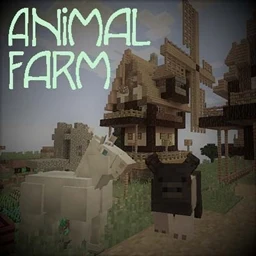
MCKids - Animal Farm - A Fairy Tale
Realism, retro tech, new animals AND magic!InstallOn a server
Arkanis Segunda Temporada - FANMADE
Modpack of the Second Season of Arkanis, the biggest Brazilian Minecraft series. FANMADE.InstallOn a server
AsianHalfSquat's Zombie Apocalypse
A tweaked version of AsianHalfSquat's zombie apocalypse modpack.InstallOn a server
Beyond Crazycraft
My modern version of CrazycraftInstallOn a serverFAQ
How is a modpack different from a bunch of mods?
A modpack is already a tuned set: mod versions are matched to each other, configs are set up, and recipes and progression are tied together. Mods downloaded one by one you'll have to make work together yourself.
How do I install a modpack?
Click “Install” and Millida Launcher will download the modpack and the right Java for you and create a separate profile for it. No need to install the mods or loader separately.
How much memory should I allocate?
Light performance modpacks run on 4 GB, mid-sized ones on 6 GB, and big tech-and-magic ones need 8 GB or more. You can change memory in the Millida Launcher profile settings; the exact figure is usually in the modpack description.
Which modpack should I pick to play with friends?
Turn on the With a friend filter under What for to keep modpacks made for playing together: co-op survival, Create, adventures with shared progression. The modpack version must match for every player and the server.
Are there modpacks with quests in my language?
Modpacks with a quest book and a story are in the With quests theme. The quest language depends on the author: most packs ship in English, and other languages are usually added by a separate translation mod — check the modpack description.
Will a modpack run on a low-end PC?
A light one will. The For low-end PCs filter keeps modpacks with a small mod list and performance mods, and 4 GB of memory is enough for them. Big tech-magic modpacks need 6–8 GB and lag on a weak machine even if they start.
How do I run a modpack on my own server?
A modpack page has an On a server button: it installs the modpack on a Millida Hosting server and switches the core to match, and a copy of the old world is kept in backups. Players then install the same modpack in Millida Launcher and join the server address.
Minecraft modpacks
A modpack is a ready-made set of mods, configs and recipes put together by the author so that everything works together. Building a set like that by hand takes ages: mods clash over versions, need libraries and handle game mechanics in different ways. A modpack has already done that work for you — all that's left is to pick the game version and loader.
A modpack is not only for your own game: you can also run it on a server to play with friends. Next to Install on a modpack page there is an On a server button: it installs the same modpack on a Millida Hosting server together with the right core, and a copy of the old world is kept in backups. Your friends install the modpack in the launcher and join the server address — everyone gets the same version because it comes from one place.
Each modpack here is one page with every released version. The card shows which game version and loader it's built for, how big the archive is and who the author is. Modpacks aren't installed like individual mods: click “Install” and Millida Launcher downloads all the modpack's mods, the right loader and Java, and creates a separate profile for it without touching your others. Mind the memory requirements: heavy tech-and-magic modpacks need six gigabytes or more and simply won't start on the default two.