
Modpacks for Minecraft Forge — page 86
2,594 itemsModpacks: list



Celestial Pixelmon
Official Pixelmon modpack for the Celestial Pixelmon Network!InstallOn a server

BBS mod (minimal modpack)
Minimal modpack to start working with BBS mod on Fabric and Forge!InstallOn a server
Demon Slayer Core
this modpack is a way demon slayer fans can have fun in Minecraft. With the amazing biomes and even cooler weapons. So install and have the time of your life. ip to the server is 158.69.240.6:2011InstallOn a server
Cobblemon Kanto Map (abandoned)
A Minecraft Modpack focused on recreating Kanto in Cobblemon!InstallOn a server
Arcania Origins
A modpack small rpg modpackInstallOn a server

NINDEN
NINDEN is a Naruto themed server with epic jutsu, events, and an open-world. You can strive to create peace in the ninja world or to force it into ruin!InstallOn a server
FFC Modpack
Custom modpack for world domination serverInstallOn a server
ExpertSurvival
This modpack is meant for people who enjoy vanilla and exploringInstallOn a server
Faruk V
650+ Quest, Multilanguage Questbook (EN, TR), GameStage Progression and Custom RecipesInstallOn a server

How To Train Your Dragon!
Adds How To Train Your Dragon to Minecraft! Known as one of the best Modpacks for HTTYD!Install
The Lurking Fog
The official modpack for the Man From The FogInstallOn a server
Cobblemon - Master Mon
A Pokemon modpack that brings modern realism to MinecraftInstallOn a server
Horrorcraft Reimagined
Plunges players into a nightmarish Minecraft experience, blending spine chilling monster and more.InstallOn a server
JET
This Modpack adds new helicopters, jets and weapons to your game! Build your base and defeat your enemies.InstallOn a server

GregFactory Sky
A 1.20.1 skyblock modpack with GregTech-Modern as its major modInstallOn a server

Official Grand Theft Warzone
GTA in minecraft! From fighting with guns to driving with vehicles! Own the city with your friend and create gangs, build your businesses and buy properties!InstallOn a server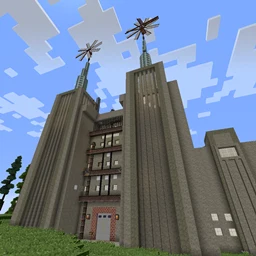
RaoulTech
Light modpack tech and exploration orientedInstallOn a server
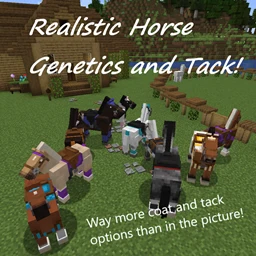
Realistic Horse Genetics and Tack
Horse ModPack/Furniture/Fairy Lights/VehiclesInstallOn a server

Pix Android Boost
Optimization Integration for ZalithLauncher/Fold Craft Launcher Please go to QQ Channel PixABoost1798 to report issues or suggestions.InstallOn a server
Mythcraft Unleashed
Magic-tech adventure awaits! Conquer, battle, unearth, enhance!InstallOn a server
Dawn Of Goku
A modpack Based Around Dragon Ball ZInstallOn a server
Day of the Dead (Zombie Apocalypse)
A truly realistic zombie apocalypse.InstallOn a server

One Piece Grand Blue - (Mine Piece)
One piece pirate adventureInstallOn a serverFAQ
How is a modpack different from a bunch of mods?
A modpack is already a tuned set: mod versions are matched to each other, configs are set up, and recipes and progression are tied together. Mods downloaded one by one you'll have to make work together yourself.
How do I install a modpack?
Click “Install” and Millida Launcher will download the modpack and the right Java for you and create a separate profile for it. No need to install the mods or loader separately.
How much memory should I allocate?
Light performance modpacks run on 4 GB, mid-sized ones on 6 GB, and big tech-and-magic ones need 8 GB or more. You can change memory in the Millida Launcher profile settings; the exact figure is usually in the modpack description.
Which modpack should I pick to play with friends?
Turn on the With a friend filter under What for to keep modpacks made for playing together: co-op survival, Create, adventures with shared progression. The modpack version must match for every player and the server.
Are there modpacks with quests in my language?
Modpacks with a quest book and a story are in the With quests theme. The quest language depends on the author: most packs ship in English, and other languages are usually added by a separate translation mod — check the modpack description.
Will a modpack run on a low-end PC?
A light one will. The For low-end PCs filter keeps modpacks with a small mod list and performance mods, and 4 GB of memory is enough for them. Big tech-magic modpacks need 6–8 GB and lag on a weak machine even if they start.
How do I run a modpack on my own server?
A modpack page has an On a server button: it installs the modpack on a Millida Hosting server and switches the core to match, and a copy of the old world is kept in backups. Players then install the same modpack in Millida Launcher and join the server address.
Modpacks for Minecraft Forge
Modpacks for Minecraft Forge: 2,594 items in the Modpacks section. Compatibility is checked against the files, not the description: only items with a build for exactly these conditions stay in the list.
Each modpack here is one page with every released version. The card shows which game version and loader it's built for, how big the archive is and who the author is. Modpacks aren't installed like individual mods: click “Install” and Millida Launcher downloads all the modpack's mods, the right loader and Java, and creates a separate profile for it without touching your others. Mind the memory requirements: heavy tech-and-magic modpacks need six gigabytes or more and simply won't start on the default two.