Mob Health Bar
by divano242622 · ModrinthEnable the display of health bars for each mob and player that is near of you with this lightweight datapack. Compatible with 1.13+ versions of Minecraft.
Updated September 26
Enable the display of health bars for each mob and player that is near of you with this lightweight datapack. Compatible with 1.13+ versions of Minecraft.
Makes bedrock craftable, for permanent builds. Be careful where you place it!
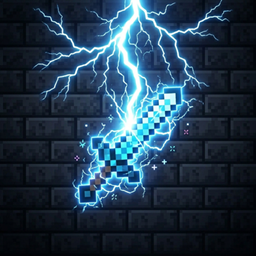
Turn your weapon into a lightning-powered storm ⚡
A datapack implimenting various compats with Lio's Overhauled Villages and other mods!
Data Pack that adds the weapons tags from different Mine Mine no Mi + addons to weapons from other mods
A Cobblemon addon that adds fakemon based on minecraft mobs with a unique twist!
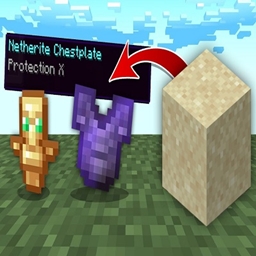
Sand drops OP Loot!
This datapack allows you to spawn directly in the End dimension.
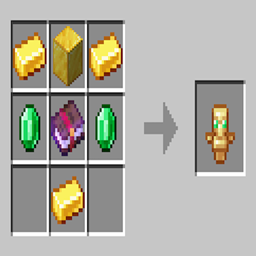
A datapack that allow you to craft totems.
The mobs named "Dinnerbone" fall upwards because they're upside down.
Using revolutionary bonk™-technology, this datapack introduces the Bonk™-Stick9000. The (totally ethical) application of which, makes Villagers much easier to work with and also should increase performance, when used in bulk due to removing their AI.
A vanilla datapack that adds a hidden Backrooms-inspired dimension generated through Minecraft’s own logic.
Curios compatibility for the Carapace Amulet and Repellant from The Obsessed mod.
"Simple" username color changer datapack
Tweaks the world generation to get 3x more ancient debris spawn rates!
This datapack aims to solve your storage problems. By making adding two blocks, a storage terminal and a disk drive. (This datapack is based on refined storage.)
Lobotomycorp for Cobblemon (Data Pack)
This adds a nice little healthbar to mobs!
simple Minecraft data pack that sets your world to perpetual daytime and clear weather.
A Datapack for 1.21.5+ that adds Bone Tools and Armor to your game
Tired of waiting at the furnace just to get basic building blocks? This mod completely removes the annoying waiting times and smelting chains for common blocks.
Datapack remake of the 1.12.2 'Wasteland Reborn' mod to support a wide range of modern vanilla (or modded) versions!
Makes Enchanted Golden Apple craftable again (Fair price)
A Datapack for 1.21.5+ that adds unique custom apples in your game
A datapack uses the game's own tools: it changes recipes, loot, structures and advancements. A mod changes the game's code and can add something genuinely new — a block, a mob, an interface. A datapack doesn't need a loader to work.
Click “Install” and Millida Launcher will add the datapack to the world you choose. To do it manually, put the archive in the datapacks folder inside the world folder and rejoin the world.
Yes, on a regular server without mods: the datapacks folder sits inside the server's world folder. Players don't need to install anything on their clients.
A set of files that changes the game with its own tools: recipes, loot, world generation, advancements and command functions. It works from version 1.13 without mods or loaders and is installed into a specific world.
Yes, it is one of their most common jobs: new biomes, terrain, caves and structures. Generation only changes in chunks that have not been created yet, so such a data pack is best added when creating a new world.
A datapack changes the game's rules without touching its code: crafting recipes, loot tables, world structures, advancements, command functions. The game supports all of this natively since 1.13, so a datapack needs neither Forge nor Fabric — it's installed into a specific world and works on the vanilla client and a regular server.
Data packs do different jobs: some change world generation — biomes, terrain and structures, others add mechanics, challenges and horror events, and others are made for servers — economy, ranks, command-based minigames. Generation applies only to new chunks, so such packs are added when a world is created. On Millida Hosting a data pack goes onto the server with the On a server button on its page.
That's the main difference from mods: a datapack doesn't show up in the mod list, and it can't add anything the game doesn't have at all — you can't make a new block with its own model this way. On the other hand, it doesn't clash with other packs, doesn't need updating when you switch loaders and doesn't stop you from playing with friends on a regular server. Installing a datapack is simple: put the archive in the datapacks folder inside the world folder, then reload the world or run the reload command. The card lists the game version, author and license, and all releases are gathered in one place.