epic_fight_X_iceandfire
by Carrot_greens · ModrinthThe project is an epic fight animation of the Ice and Fire weapons
Updated October 7
The project is an epic fight animation of the Ice and Fire weapons
A datapack that adds some mobility granting enchantments
LegendaryEvolutions are datapacks that add legendary pokemon eggs that can evolve into that pokemon
Adds the missing recipes, to enable survival gameplay.
A simple mod/datapack that adds a new recipe for making slime balls.
Add More Villagers houses to RS Villages
Automatically replants fully grown crops after harvesting in Minecraft. A lightweight vanilla farming QoL mod for survival and SMP (1.16+).
Addon for Tensura: Reincarnated that turns it into a Roguelike
Makes enchanted book resourcepacks work without needing Optifine or Citresewn!
Gives Speed II when running on "path" blocks
Minecraft, but... Fishing gives OP Loot!
RandomDirtDrops is a fun Minecraft data pack that makes breaking dirt blocks drop completely random items from the entire game — from diamonds to dragon eggs! Perfect for chaotic survival challenges and OP item speedruns.
Tweaks the world generation to get 10x more ancient debris spawn rates!
Campfires gives regeneration and protection against monsters by consuming wood.
Dont kill creepers they have feelings, smelt coal instead!
Adds cobblemon raid dens raids that add pokemon w/ New Abilities, Access to New Moves, and new "Radical" region pokemon that have altered typings or stats (example water/dragon Lapras), new raid den structure.
Compability for overgeared and epic knights to forge weapons
This is a Cobblemon addon which comes with currently 19 fakemons, Shiny and non shiny! they can be found in the oceans, deserts and forests.
Removes the need for an upgrade template to transform Diamond gear into Netherite at the Smithing Table, mimicking 1.19 behavior.
Creating crafting recipes for items that don't have them
Custom-designed Paradox Pokemon for Cobblemon.
Replaces wooden tools with flint ones to lengthen the early game
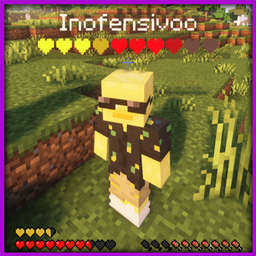
Displays players' hearts under their name. Works with half hearts and yellow (absorption) hearts too. Optimized to the max
Limits the Max amount of Strongholds in World to three. Requires Yung's Better Strongholds to work.
A datapack uses the game's own tools: it changes recipes, loot, structures and advancements. A mod changes the game's code and can add something genuinely new — a block, a mob, an interface. A datapack doesn't need a loader to work.
Click “Install” and Millida Launcher will add the datapack to the world you choose. To do it manually, put the archive in the datapacks folder inside the world folder and rejoin the world.
Yes, on a regular server without mods: the datapacks folder sits inside the server's world folder. Players don't need to install anything on their clients.
A set of files that changes the game with its own tools: recipes, loot, world generation, advancements and command functions. It works from version 1.13 without mods or loaders and is installed into a specific world.
Yes, it is one of their most common jobs: new biomes, terrain, caves and structures. Generation only changes in chunks that have not been created yet, so such a data pack is best added when creating a new world.
A datapack changes the game's rules without touching its code: crafting recipes, loot tables, world structures, advancements, command functions. The game supports all of this natively since 1.13, so a datapack needs neither Forge nor Fabric — it's installed into a specific world and works on the vanilla client and a regular server.
Data packs do different jobs: some change world generation — biomes, terrain and structures, others add mechanics, challenges and horror events, and others are made for servers — economy, ranks, command-based minigames. Generation applies only to new chunks, so such packs are added when a world is created. On Millida Hosting a data pack goes onto the server with the On a server button on its page.
That's the main difference from mods: a datapack doesn't show up in the mod list, and it can't add anything the game doesn't have at all — you can't make a new block with its own model this way. On the other hand, it doesn't clash with other packs, doesn't need updating when you switch loaders and doesn't stop you from playing with friends on a regular server. Installing a datapack is simple: put the archive in the datapacks folder inside the world folder, then reload the world or run the reload command. The card lists the game version, author and license, and all releases are gathered in one place.