
Minecraft datapacks — page 73
2,543 itemsData packs: list


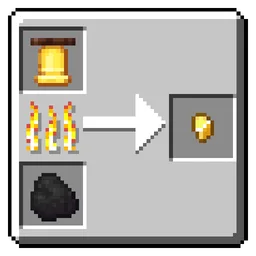
Gold Nugget Recycling
Lets you smelt most gold-requiring items into Gold Nuggets. Must-have for Vanilla+ playthroughs.InstallOn a server

entity count
count all entities currently loaded throughout your world.InstallOn a server

Leave Decay
addon used to bounded leaf cleanup for TreeVeinMiner and VeinMiner projectsInstallOn a server

Big Globe - Remove Abandoned City
Remove Abandoned City in Big GlobeInstallOn a server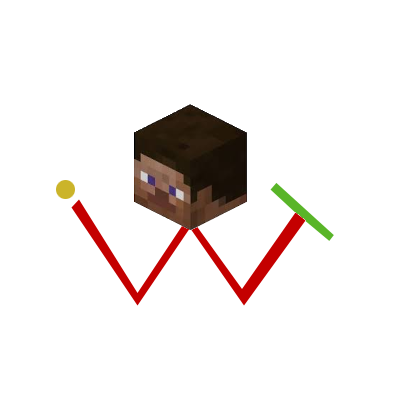

i Wanna Travel ~ Structure
structure, structure, beautiful world!!!InstallOn a server

Warden Anger Indicator
Adds a color coded anger level display above all warden's heads.InstallOn a server

Available Reinforced Deepslate
In survival mode, it can be available by mining reinforced deepslate with the Netherite Pickaxe. 在生存模式下,可以透過獄髓鎬挖掘強化深版岩獲得。InstallOn a server

Killer Bunny Name Tag
Naming a rabbit "The Killer Bunny" will turn it into a killer bunnyInstallOn a server

Dimension Detector
This datapack will allow you to see which dimension players are in. It is multiplayer compatible.InstallOn a server

Attrition: death reduces max health
A cozy middle ground between classic survival and hardcore.InstallOn a server

NBC Heroes Villager
A datapack for NBC Heroes addon, the Villager also has abilitiesInstallOn a server

Custom Trees from Saplings
Lets you grow custom trees from normal saplingsInstallOn a server

TQs Full Bright
Full Bright with one command: /trigger night_vision_commandInstallOn a server

Big Globe - Remove Portal Temple
This datapack removes the Portal Temple of Big Globe, which makes it no longer generated in the worldInstallOn a server

Coordinate Display
Displays your coordinates above your hotbar at all timesInstallOn a server

Stellarity Better Combat Addon
Add Better Combat presets to Stellarity's custom weaponsInstallOn a server

No Skeleton
Disable Skeleton in Minecraft by preventing its spawning and removing any that appear in the worldInstallOn a server

Battle Royale
Game mode in which players compete within an ever-shrinking area, gathering resources and eliminating one another until only one remains standing.InstallOn a server

Origins: Sculkborn
A sculk-themed Origin for the Origins mod. A Sculkborn is a part of the sculk that has managed to gain sentience.InstallOn a server

Easy Ominous Key
Allows Ominous Trial Keys to be crafted from a normal Trial Key and any Ominous BottleInstallOn a server

Armor Stand Have Hands | ASHH
This datapack/mod will add hands to the armor stand.InstallOn a server

Silk Touch Dirt Path
Allows Dirt Path blocks to drop when broken with a tool that has silk touchInstallOn a server

Equal Sapling Rates
Makes all sapling types have the same drop chanceInstallOn a serverFAQ
How is a datapack different from a mod?
A datapack uses the game's own tools: it changes recipes, loot, structures and advancements. A mod changes the game's code and can add something genuinely new — a block, a mob, an interface. A datapack doesn't need a loader to work.
How do I install a datapack?
Click “Install” and Millida Launcher will add the datapack to the world you choose. To do it manually, put the archive in the datapacks folder inside the world folder and rejoin the world.
Does a datapack work on a server?
Yes, on a regular server without mods: the datapacks folder sits inside the server's world folder. Players don't need to install anything on their clients.
What is a data pack?
A set of files that changes the game with its own tools: recipes, loot, world generation, advancements and command functions. It works from version 1.13 without mods or loaders and is installed into a specific world.
Are there data packs for world generation?
Yes, it is one of their most common jobs: new biomes, terrain, caves and structures. Generation only changes in chunks that have not been created yet, so such a data pack is best added when creating a new world.
Minecraft datapacks
A datapack changes the game's rules without touching its code: crafting recipes, loot tables, world structures, advancements, command functions. The game supports all of this natively since 1.13, so a datapack needs neither Forge nor Fabric — it's installed into a specific world and works on the vanilla client and a regular server.
Data packs do different jobs: some change world generation — biomes, terrain and structures, others add mechanics, challenges and horror events, and others are made for servers — economy, ranks, command-based minigames. Generation applies only to new chunks, so such packs are added when a world is created. On Millida Hosting a data pack goes onto the server with the On a server button on its page.
That's the main difference from mods: a datapack doesn't show up in the mod list, and it can't add anything the game doesn't have at all — you can't make a new block with its own model this way. On the other hand, it doesn't clash with other packs, doesn't need updating when you switch loaders and doesn't stop you from playing with friends on a regular server. Installing a datapack is simple: put the archive in the datapacks folder inside the world folder, then reload the world or run the reload command. The card lists the game version, author and license, and all releases are gathered in one place.