Lvl Stats
by mr_poyo · CurseForge1.18.2/1.19 datapack with rpg-stats mechanic.
Updated October 18
1.18.2/1.19 datapack with rpg-stats mechanic.
A Server Tool to allow switching gamemodes without Operator. Customizable selections & Spectator Glowing
This makes the happy ghast faster using Minecraft attributes
[Better Mob Drop without advancements]A Minecraft mod/data pack which provide more reasonable mob drop
This modification adds simple structures to the Ad Astra mod.
Historically Accurate Planes with a Minecraft Twist, Adds 12+ planes and a fuel system that is compatible with all of my datapacks
This resource pack enhances Minecraft's potion system by providing detailed descriptions of every potion directly in-game. Whether you're new or experienced, it helps you make better choices while brewing your potions.
Compatibility datapack for Tensura: Reincaranted and L_Ender 's Cataclysm.
Remove Obelisk in Big Globe
Adds extra data models to Hostile Neural Networks with support for a dozen mods.
The Mystic Mobs datapack adds excitement to Minecraft by giving mobs random, powerful abilities like speed boosts, fireballs, and teleportation. Each encounter becomes unpredictable, making survival more challenging and fun!
A compatibility datapack for YUNG's Better Ocean Monuments, makes structures generate correctly in Big Globe
Makes some items and blocks smeltable in the Smoker for faster smelting.
A way to craft gunpowder and flint.
This Datapack and Mod allow to use Looting on a Bow and allows Mending and Infinity to be on the same bow on the same Bow!
Changes the Valkyrien Skies mass of Create copycats to be accurate to their size/consistent with the real blocks
track your world playtime displayed in days, hours, minutes, and seconds!
Add Better Combat compatability to Incendium weapons
A simple death swap datapack/mod with customizable settings.
New enchantment to prevent items from despawning and being destroyed!
Survival Friendly Items that Add or Remove Hearts and Health permanently! Fully configurable Settings!
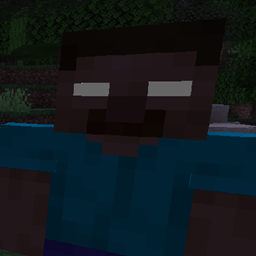
Herobrine back into minecraft
A compatibility datapack for Explorify, makes all structures generate correctly in Big Globe
Obtain and Customize Player Heads in Survival!
A datapack uses the game's own tools: it changes recipes, loot, structures and advancements. A mod changes the game's code and can add something genuinely new — a block, a mob, an interface. A datapack doesn't need a loader to work.
Click “Install” and Millida Launcher will add the datapack to the world you choose. To do it manually, put the archive in the datapacks folder inside the world folder and rejoin the world.
Yes, on a regular server without mods: the datapacks folder sits inside the server's world folder. Players don't need to install anything on their clients.
A set of files that changes the game with its own tools: recipes, loot, world generation, advancements and command functions. It works from version 1.13 without mods or loaders and is installed into a specific world.
Yes, it is one of their most common jobs: new biomes, terrain, caves and structures. Generation only changes in chunks that have not been created yet, so such a data pack is best added when creating a new world.
A datapack changes the game's rules without touching its code: crafting recipes, loot tables, world structures, advancements, command functions. The game supports all of this natively since 1.13, so a datapack needs neither Forge nor Fabric — it's installed into a specific world and works on the vanilla client and a regular server.
Data packs do different jobs: some change world generation — biomes, terrain and structures, others add mechanics, challenges and horror events, and others are made for servers — economy, ranks, command-based minigames. Generation applies only to new chunks, so such packs are added when a world is created. On Millida Hosting a data pack goes onto the server with the On a server button on its page.
That's the main difference from mods: a datapack doesn't show up in the mod list, and it can't add anything the game doesn't have at all — you can't make a new block with its own model this way. On the other hand, it doesn't clash with other packs, doesn't need updating when you switch loaders and doesn't stop you from playing with friends on a regular server. Installing a datapack is simple: put the archive in the datapacks folder inside the world folder, then reload the world or run the reload command. The card lists the game version, author and license, and all releases are gathered in one place.