
Minecraft datapacks — page 43
2,540 itemsData packs: list



No Lunge Hunger
Remove the Hunger for the Lunge EnchantmentInstallOn a server

Legendary Pokemon Cobblemon
This datapacks adds the Legendary Pokemon in Cobblemon, namely Arceus. Because Arceus Form is not yet available in cobblemon so use these datapacks and play!!InstallOn a server

FTQ - optimized
-may increase your fps- works on the basis of more stable textures removal of uncessary and other types of optimizationInstallOn a server

Cobblemon: Biosphere Expanded
This pack adds Cobblemon spawn compatibility for biome mods that aren't fully compatible. Biomes without tags intended for Cobblemon have been added for consistency. Added modded biome spawns to Mons that fit the area, but wouldn't spawn without defining.InstallOn a server
Iron's Spells 'n Spellbooks Compat
Adds compat between Iron's Spells 'n Spellbooks and various other mods!InstallOn a server

Logical IFrames
Reinvents damage invulnerability (AKA red flashing) to be more threatening and challenging.InstallOn a server

Crimson Curse: Infection
A virus dormant in the Crimson Forests of the Nether escaped to the Overworld. Now with access to water, it began evolving into horrors one could only imagine....InstallOn a server

Cobblemon: Fortune-able Evo Stones
Standalone release of a Cobblemon: Gear Shift tweak that allows Evolution Stones from Cobblemon to be mined with Fortune.InstallOn a server
True Survival
True Survival Mode is a comprehensive set of 1.21+ datapack features that aim to overhaul Minecraft's survival mode. It tackles difficulty and progression through means that don't disrupt Minecraft's regular gameplay, while also providing new adventures!InstallOn a server

Dungeons And Villages: Deeper and Darker
Adds dungeons to the Deeper and Darker dimensionInstallOn a server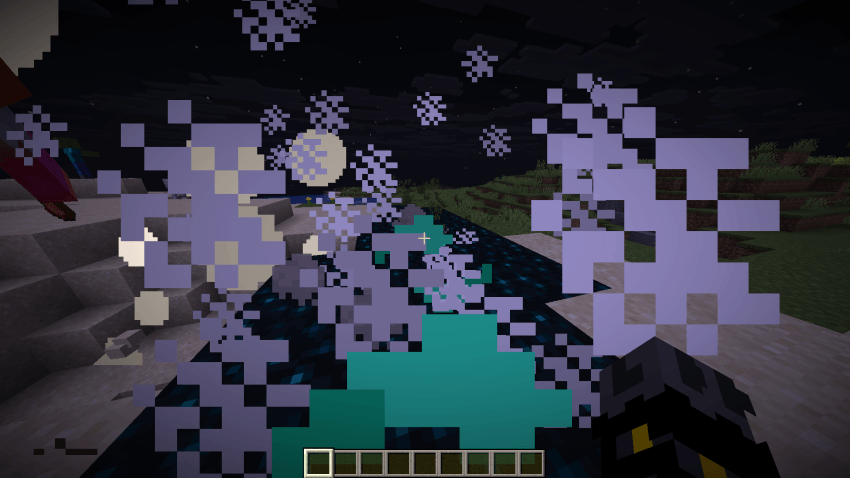

Obsidian Items: Tools and Armor
This datapack adds Obsidian Tools and Armor with special abilities, Gems, and crafting recipes for bedrock and crying obsidian.InstallOn a server

Minecraft but Taking Damage Deletes the Chunk
Taking damage will delete the chunk you are in.InstallOn a server
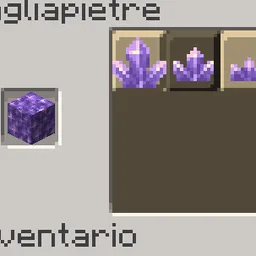
Amethyst Cutting
Lets you obtain Amethyst Clusters and Amethyst Buds by stonecutting Amethyst Blocks.InstallOn a server

Kazzmon's DayCount
A simple and customizable Day Counter to tell you how many days have passed in your Minecraft world or server.InstallOn a server

Timber Enchantment
New enchantment for axes to mine connected logs!InstallOn a server

No Lag
Destroys the lag in the minecraft world with over 6 different and adjustable methods.InstallOn a server

Taller Forests
Makes trees in dense forests a little taller while staying vanilla. Helps with travelling.InstallOn a server

Anti Enderman Grief
Prevent endermen from picking up blocks! Available as plugin / datapack / modInstallOn a server

Better Server Sleep
This datapack/mod make sleeping easier on multiplayer by needing only one player to sleep to skip the night !InstallOn a server

Lootery
Modifies vanilla loot tables to either rebalance them or make them more interesting and well... worth looting!InstallOn a server

Ruins and Towers
Bring back ruins from a forgotten past. Explore a world full of structures. And defeat bosses never before seen!InstallOn a server

Entity Cleaner
Automatically removes unwanted entities like items, arrows, XP orbs, and projectiles to improve performance.InstallOn a server

Superior Stonecutter
Adds additional vanilla-style balanced recipes for woodcutting, advanced recycling, and more. Includes built-in extensions to support various mods.InstallOn a serverFAQ
How is a datapack different from a mod?
A datapack uses the game's own tools: it changes recipes, loot, structures and advancements. A mod changes the game's code and can add something genuinely new — a block, a mob, an interface. A datapack doesn't need a loader to work.
How do I install a datapack?
Click “Install” and Millida Launcher will add the datapack to the world you choose. To do it manually, put the archive in the datapacks folder inside the world folder and rejoin the world.
Does a datapack work on a server?
Yes, on a regular server without mods: the datapacks folder sits inside the server's world folder. Players don't need to install anything on their clients.
What is a data pack?
A set of files that changes the game with its own tools: recipes, loot, world generation, advancements and command functions. It works from version 1.13 without mods or loaders and is installed into a specific world.
Are there data packs for world generation?
Yes, it is one of their most common jobs: new biomes, terrain, caves and structures. Generation only changes in chunks that have not been created yet, so such a data pack is best added when creating a new world.
Minecraft datapacks
A datapack changes the game's rules without touching its code: crafting recipes, loot tables, world structures, advancements, command functions. The game supports all of this natively since 1.13, so a datapack needs neither Forge nor Fabric — it's installed into a specific world and works on the vanilla client and a regular server.
Data packs do different jobs: some change world generation — biomes, terrain and structures, others add mechanics, challenges and horror events, and others are made for servers — economy, ranks, command-based minigames. Generation applies only to new chunks, so such packs are added when a world is created. On Millida Hosting a data pack goes onto the server with the On a server button on its page.
That's the main difference from mods: a datapack doesn't show up in the mod list, and it can't add anything the game doesn't have at all — you can't make a new block with its own model this way. On the other hand, it doesn't clash with other packs, doesn't need updating when you switch loaders and doesn't stop you from playing with friends on a regular server. Installing a datapack is simple: put the archive in the datapacks folder inside the world folder, then reload the world or run the reload command. The card lists the game version, author and license, and all releases are gathered in one place.