
Minecraft datapacks — page 39
2,543 itemsData packs: list


Overly Realistic
Introduces overly-realistic game mechanics, making the game extremely hard and time-consuming, as to incentivize players to cooperate!InstallOn a server
Craftemon [Cobblemon]
A cobblemon addon that adds some minecraft inspired PokemonInstallOn a server

[Compatibility] Blooming Biosphere & Tectonic
Adds compatibility between Blooming Biosphere and Tectonic v3InstallOn a server

[Cobblemon] Pidove Variants
A small Cobblemon add-on that adds Pidove variants.InstallOn a server

Overgrown's Origins: Ram
Embark on a unique Minecraft adventure with the Ram Origin! This datapack transforms your gameplay, embodying the strength and agility of a ram. Master abilities like Horned Charge and Mountain Climber and navigate the world of Minecraft like never beforeInstallOn a server

No More Post Beta Flowers
Remove 1.7 and 1.14 flowers from the world generation.InstallOn a server

AmpXtreme
Taking Amplified world generation to the next level.InstallOn a server

Swiftness Enchantment
New enchantment for boots to increase movement speed!InstallOn a server

Progressive Ender Eyes
Makes getting Eyes of Ender a little more interestingInstallOn a server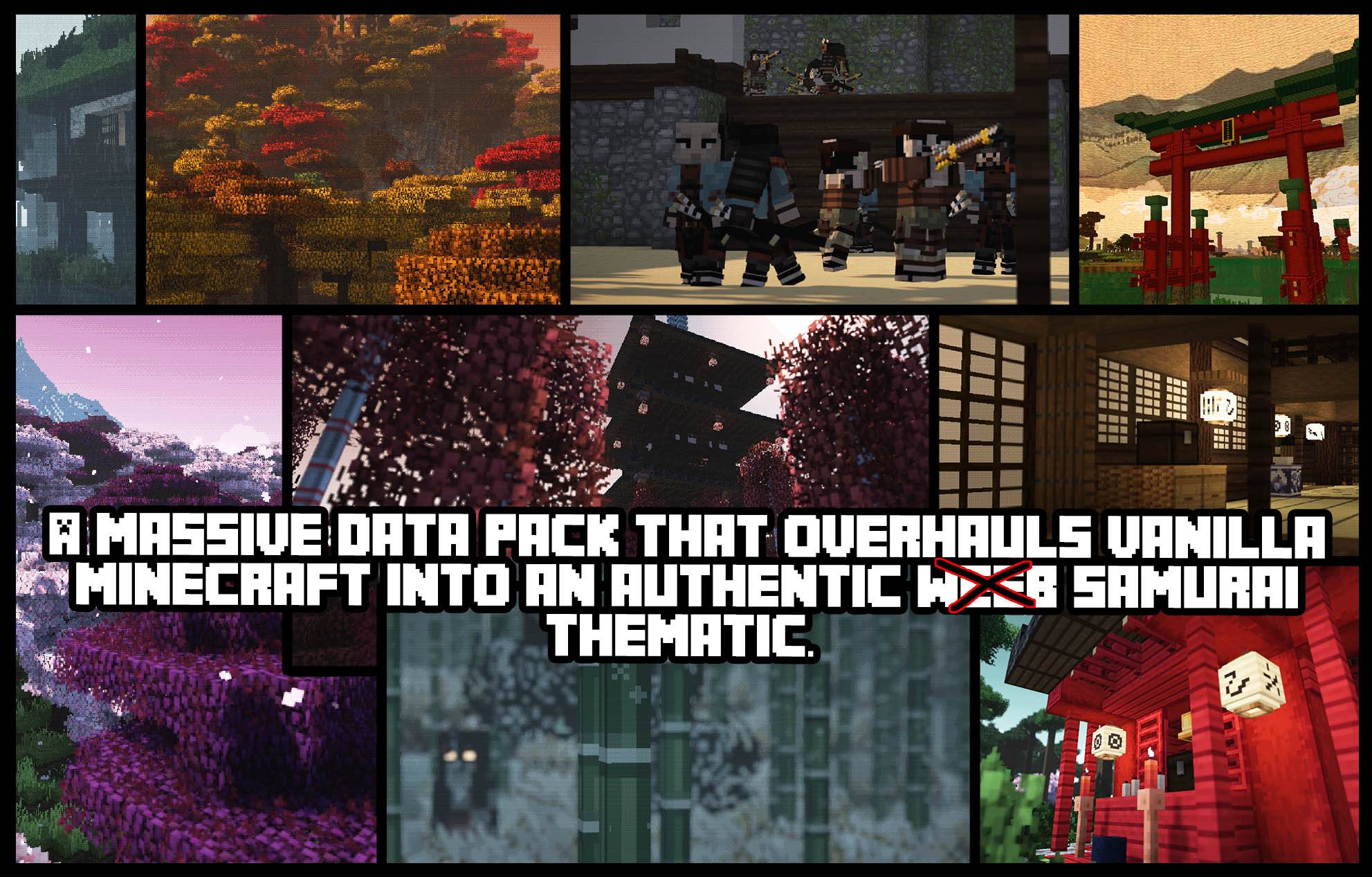
Sengoku Jidai: Japanese Overworld.
An immense world gen data-pack that revamps biomes, structures, items and mobs into a fedual Japanese experience.InstallOn a server

Cliff under a Branch (CliffBranch)
Vanilla-styled worldgen overhauled to be more stylish and fun to playInstallOn a server

CTOV - Bountiful compat
Compatibility datapack for Bountiful mod and CTOVInstallOn a server

Warp Portals ─ Portal teleportation
Create Warp Portals between your favorite locations. This datapack is made to be balanced, simple to use and lightweight.InstallOn a server

Moss Ruins
A vanilla-like datapack adding new content to embrace some parts of the boring birch forest biomes by adding a new set of structures which spawn as small single buildings or big ruined citiesInstallOn a server

Random Mob Sizes
Random all the mob sizes in your world. (You can configure it as you want) [Optimized + Compatibility]InstallOn a server

Death Swap 死亡交換
Players exchange randomly with each other, and the goal is to design traps and frame each other.InstallOn a server

Chiseled Bookshelves Add Enchantment Power [PurpurPack]
Use chiseled bookshelves as a bookshelf for your enchanting setupInstallOn a server

Chest Locker
Lock any container so only you can access it. Includes anti-grieve measures!InstallOn a server

Pokemon Towns [Cobblemon]
Adds in villages and towns that spawn into the world including pokecenters tooInstallOn a server

Stonehenge - Ruins Structure
Stonehenge is a prehistoric monument in Minecraft vanilla-friendly taking inspiration from prehistoric massive stones in England, featuring mysterious ruins and hidden loot.InstallOn a server

Create: Few More Recipes
C:FMR adds quality of life recipes while staying balanced and true to CreateInstallOn a server

Death Locator
Track the location of death using waypointsInstallOn a server

Skelun's XP Reward System
Earn XP from more sources: cutting, digging, farming, mining and traveling!InstallOn a serverFAQ
How is a datapack different from a mod?
A datapack uses the game's own tools: it changes recipes, loot, structures and advancements. A mod changes the game's code and can add something genuinely new — a block, a mob, an interface. A datapack doesn't need a loader to work.
How do I install a datapack?
Click “Install” and Millida Launcher will add the datapack to the world you choose. To do it manually, put the archive in the datapacks folder inside the world folder and rejoin the world.
Does a datapack work on a server?
Yes, on a regular server without mods: the datapacks folder sits inside the server's world folder. Players don't need to install anything on their clients.
What is a data pack?
A set of files that changes the game with its own tools: recipes, loot, world generation, advancements and command functions. It works from version 1.13 without mods or loaders and is installed into a specific world.
Are there data packs for world generation?
Yes, it is one of their most common jobs: new biomes, terrain, caves and structures. Generation only changes in chunks that have not been created yet, so such a data pack is best added when creating a new world.
Minecraft datapacks
A datapack changes the game's rules without touching its code: crafting recipes, loot tables, world structures, advancements, command functions. The game supports all of this natively since 1.13, so a datapack needs neither Forge nor Fabric — it's installed into a specific world and works on the vanilla client and a regular server.
Data packs do different jobs: some change world generation — biomes, terrain and structures, others add mechanics, challenges and horror events, and others are made for servers — economy, ranks, command-based minigames. Generation applies only to new chunks, so such packs are added when a world is created. On Millida Hosting a data pack goes onto the server with the On a server button on its page.
That's the main difference from mods: a datapack doesn't show up in the mod list, and it can't add anything the game doesn't have at all — you can't make a new block with its own model this way. On the other hand, it doesn't clash with other packs, doesn't need updating when you switch loaders and doesn't stop you from playing with friends on a regular server. Installing a datapack is simple: put the archive in the datapacks folder inside the world folder, then reload the world or run the reload command. The card lists the game version, author and license, and all releases are gathered in one place.