Lucky Blocks World Add-on
by lullaby · ModrinthLucky Blocks Add-on, find lucky blocks around the overworld!
Lucky Blocks Add-on, find lucky blocks around the overworld!
Playes a wither death sound when a player dies within your simulation distance. You can also change the sound to whatever you want, via gui or commands!
Adds Farmer's Delight cutting recipes for Twilight Forest
Combine Vanilla Enchantment Books by Throwing them on top of Anvils. Nearly All Vanilla Enchantments can Exceed their Level Caps.
Adds atmosphere with 30+ subtle, vanilla-friendly ruins and structures blending into the environment. Maybe some of them are remnants of ancient builders?
Adds a craftable one-use nuke fishing rod, inspired by wemmbu
An unofficial add-on for Blazeandcave's Advancements Pack that adds over 300 new advancements .
Adds an axe enchantment called Timber Strike, which lets you instantly chop trees by destroying a single log!
Easily turn your item frames invisible or visible in Survival! You can also lock your item frames rotation to avoid miss-click issues.
Compatibility datapack between CTOV and Paragliders mod
Build potted farms that harvest trees and other growables.
Backports the name tag recipe added in Minecraft 26.1!
The datapack part of Cracker's Wither Storm Plus!
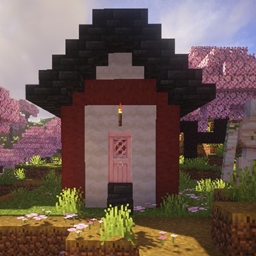
This mod add a new village variant in Minecraft, it will generate in cherry grove.
Multitools in Minecraft 1.20.5+!
Piglin Brutes have a chance of dropping Netherite Scraps.
Every jump randomly enchants a random item in your inventory. Survive the chaos and defeat the Ender Dragon. A Bebu datapack for Minecraft 26.1+.
Spawns Graves to store the player's items on death!
Adds more than 100 Craftable Mini-Blocks which will make your Builds stand out!
Automatically MLG when holding water or powder snow! Easy and interactive toggle menu included! Now with an optional Auto Mace MLG!
Add a giant Jungle Fortress into the world based on Yung's Better Nether Fortress mod!
New enchantment for swords that applies wither
Allows upgrading netherite tools without the use of an upgrade template
Vanilla style improvements for biome decoration
A datapack uses the game's own tools: it changes recipes, loot, structures and advancements. A mod changes the game's code and can add something genuinely new — a block, a mob, an interface. A datapack doesn't need a loader to work.
Click “Install” and Millida Launcher will add the datapack to the world you choose. To do it manually, put the archive in the datapacks folder inside the world folder and rejoin the world.
Yes, on a regular server without mods: the datapacks folder sits inside the server's world folder. Players don't need to install anything on their clients.
A set of files that changes the game with its own tools: recipes, loot, world generation, advancements and command functions. It works from version 1.13 without mods or loaders and is installed into a specific world.
Yes, it is one of their most common jobs: new biomes, terrain, caves and structures. Generation only changes in chunks that have not been created yet, so such a data pack is best added when creating a new world.
A datapack changes the game's rules without touching its code: crafting recipes, loot tables, world structures, advancements, command functions. The game supports all of this natively since 1.13, so a datapack needs neither Forge nor Fabric — it's installed into a specific world and works on the vanilla client and a regular server.
Data packs do different jobs: some change world generation — biomes, terrain and structures, others add mechanics, challenges and horror events, and others are made for servers — economy, ranks, command-based minigames. Generation applies only to new chunks, so such packs are added when a world is created. On Millida Hosting a data pack goes onto the server with the On a server button on its page.
That's the main difference from mods: a datapack doesn't show up in the mod list, and it can't add anything the game doesn't have at all — you can't make a new block with its own model this way. On the other hand, it doesn't clash with other packs, doesn't need updating when you switch loaders and doesn't stop you from playing with friends on a regular server. Installing a datapack is simple: put the archive in the datapacks folder inside the world folder, then reload the world or run the reload command. The card lists the game version, author and license, and all releases are gathered in one place.