
Minecraft datapacks — page 30
2,543 itemsData packs: list


Cobblemon Fossil Hybrids!
A addon that lets you create your own cobblemon hybrids!InstallOn a server

CTOV - Waystone Compat
Compatibility add-on for waystone mod and CTOVInstallOn a server

Big Globe - YUNG's Better Ocean Monuments Compatibility
Data pack to generate YUNG's Better Ocean Monuments in a Big Globe world.InstallOn a server

Floating Items Enchanting Table
Enchanting Table animations to feel the magicInstallOn a server

Create Renewable Ores
Adds renewable crimsite/ochrum/veridium/asurine recipesInstallOn a server
XP Boost Enchantment
New enchantment for get extra xp on using tools and weapons!InstallOn a server

Invis item frame
Adds craft for invisible item frame and glow item frameInstallOn a server

Woodcutter
The "Woodcutter" Data Pack adds the ability to cut all wood types with the Stonecutter.InstallOn a server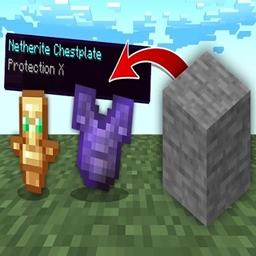
Stone drops OP loot!
Stone gives OP LootInstallOn a server

Haul
A datapack thats lets you pickup and carry containers! Move your storage with ease!InstallOn a server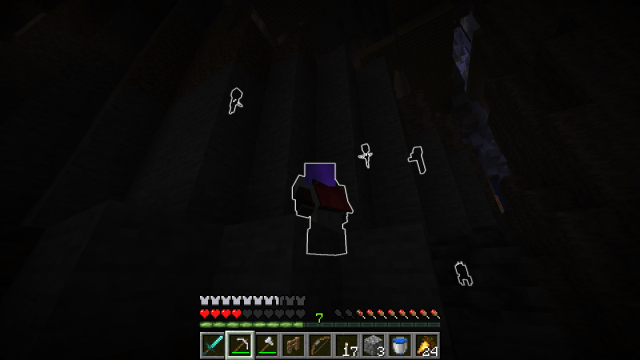
Enchantology
Adds 50+ new enchantments to the game!InstallOn a server

Abandoned
Mod adds a new dungeon - abandoned houses.InstallOn a server

Big Globe - YUNG's Better Dungeons Compatibility
Data pack to generate YUNG's Better Dungeons in a Big Globe world.InstallOn a server

OmniCut: Better Wood, Copper, and Stone Cutter
OmniCut is a quality of life datapack: the Stonecutter cuts wood logs to wood items, cut oxidized copper doors, convert stone blocks back and forth, and recycle wood items. Prices are set in the spirit of the vanilla game with minor discounts, if any.InstallOn a server
Ore Vein Miner | Tree Vein Miner | leaf Capitator
A Fully Advance Vein miner + Tree Capitator + Leaf Capitator and also removes leaves when you break tree logsInstallOn a server

Balanced Horse Armor Recipes
A datapack that adds balanced horse armor & saddle recipes!InstallOn a server
No Creeper Grief
Creepers will still damage entities around when they blast, but won't break blocks anymore.InstallOn a server
Chunklock
Expand your world, one chunk at a time!InstallOn a server

Glow-in-the-Dark Pokemon [Cobblemon]
Makes various Pokemon emit light with various intensitiesInstallOn a server

Epic Fight x Spartan Weaponry
Allows the use of Spartan Weaponry in Epic fight modInstallOn a server

Trims - Color Splash!
Expands the available materials used while trimming armor - compatible with multiple other mods and more to come!InstallOn a server

DinoBriks Rum
A brewery datapack that adds 100+ new drinks! Craft and age drinks!InstallOn a server

NoFun DnT
A datapack which removes enchantments from Dungeons and Taverns, works with DnT v4.1+InstallOn a serverFAQ
How is a datapack different from a mod?
A datapack uses the game's own tools: it changes recipes, loot, structures and advancements. A mod changes the game's code and can add something genuinely new — a block, a mob, an interface. A datapack doesn't need a loader to work.
How do I install a datapack?
Click “Install” and Millida Launcher will add the datapack to the world you choose. To do it manually, put the archive in the datapacks folder inside the world folder and rejoin the world.
Does a datapack work on a server?
Yes, on a regular server without mods: the datapacks folder sits inside the server's world folder. Players don't need to install anything on their clients.
What is a data pack?
A set of files that changes the game with its own tools: recipes, loot, world generation, advancements and command functions. It works from version 1.13 without mods or loaders and is installed into a specific world.
Are there data packs for world generation?
Yes, it is one of their most common jobs: new biomes, terrain, caves and structures. Generation only changes in chunks that have not been created yet, so such a data pack is best added when creating a new world.
Minecraft datapacks
A datapack changes the game's rules without touching its code: crafting recipes, loot tables, world structures, advancements, command functions. The game supports all of this natively since 1.13, so a datapack needs neither Forge nor Fabric — it's installed into a specific world and works on the vanilla client and a regular server.
Data packs do different jobs: some change world generation — biomes, terrain and structures, others add mechanics, challenges and horror events, and others are made for servers — economy, ranks, command-based minigames. Generation applies only to new chunks, so such packs are added when a world is created. On Millida Hosting a data pack goes onto the server with the On a server button on its page.
That's the main difference from mods: a datapack doesn't show up in the mod list, and it can't add anything the game doesn't have at all — you can't make a new block with its own model this way. On the other hand, it doesn't clash with other packs, doesn't need updating when you switch loaders and doesn't stop you from playing with friends on a regular server. Installing a datapack is simple: put the archive in the datapacks folder inside the world folder, then reload the world or run the reload command. The card lists the game version, author and license, and all releases are gathered in one place.